
Про ресурспак Enhanced Default
The Enhanced Default is a simple resource pack. It's touches
the default assets without trying to make them his, but rather
just enhances the charm of the original look and feel of Minecraft.

About Enhanced Default
- This Resource Pack does NOT require Optifine.
- This pack is still being updated (but not very regular xD). So be sure to download the latest version.
- Some of the textures/models/shaders are not mine. You can see the credits to the original authors below this article.
List of Changes and Additions of the Resource Pack (needs updating)
Global Changes:
- Every Gold-Related Block/Item/Entity have a shade change.
- Every Green-Dyed Block/Item/Entity have a small color change.
- Every Glowing or Illumination Block/Item have received a glowing efect
- Every Painting have been re-textured.
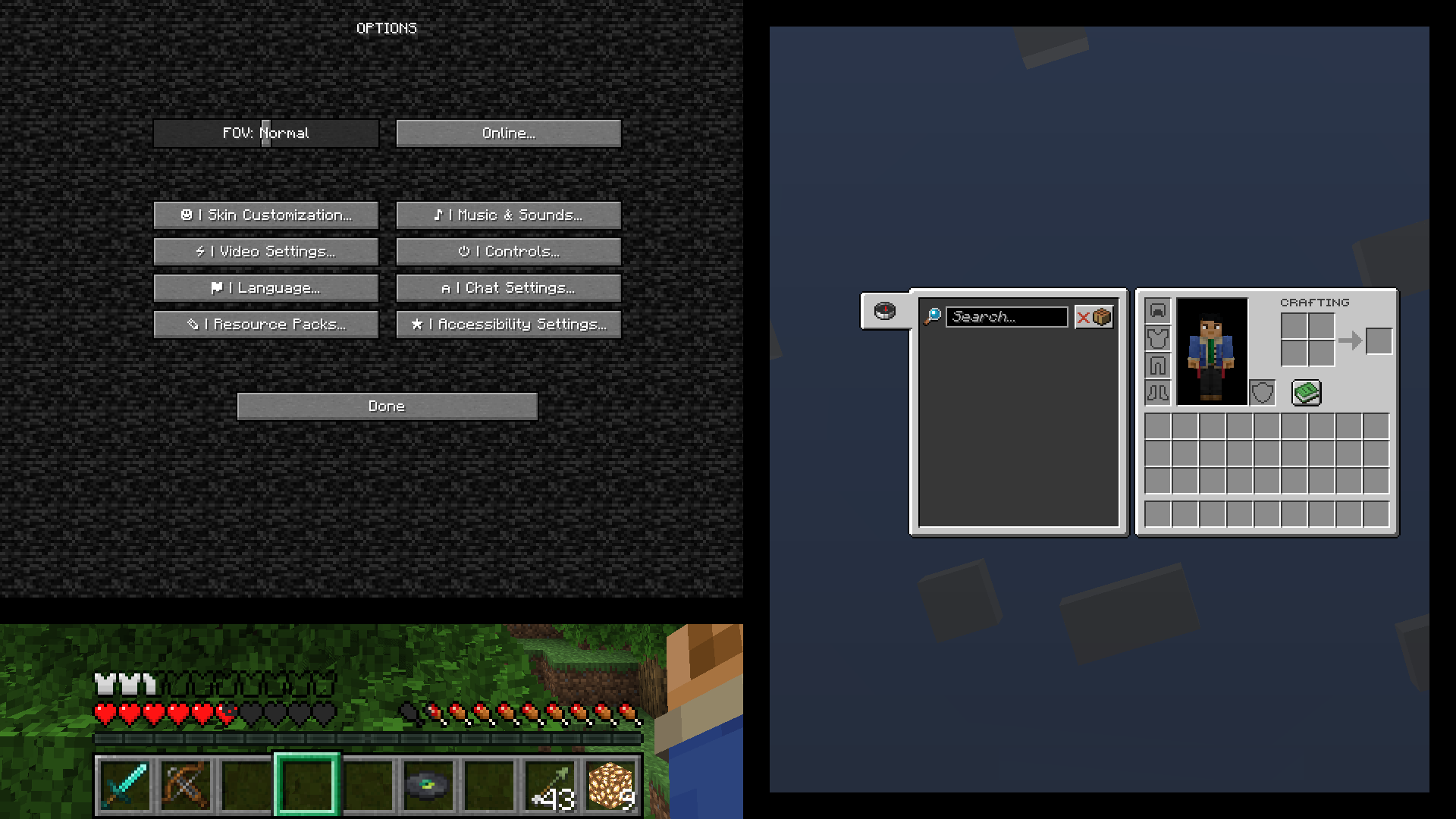
- The GUI have been retextured.
Language:
- Some UI text are now in CAPITAL letters
- Some UI text are now in ᴛɪɴʏ letters
- Death messages have been slightly modified
- Enchantments have color text
- Enchantemts & Potions Levels are now up to 1000
- Other minor changes
Blocks:
- Animated Diamond, Emerald, Gold Ores (Normal, Blackstone, Netherrack & Deepslate)
- Animated Dragon Egg Improved (Redesigned Dragon Egg by Hecco)
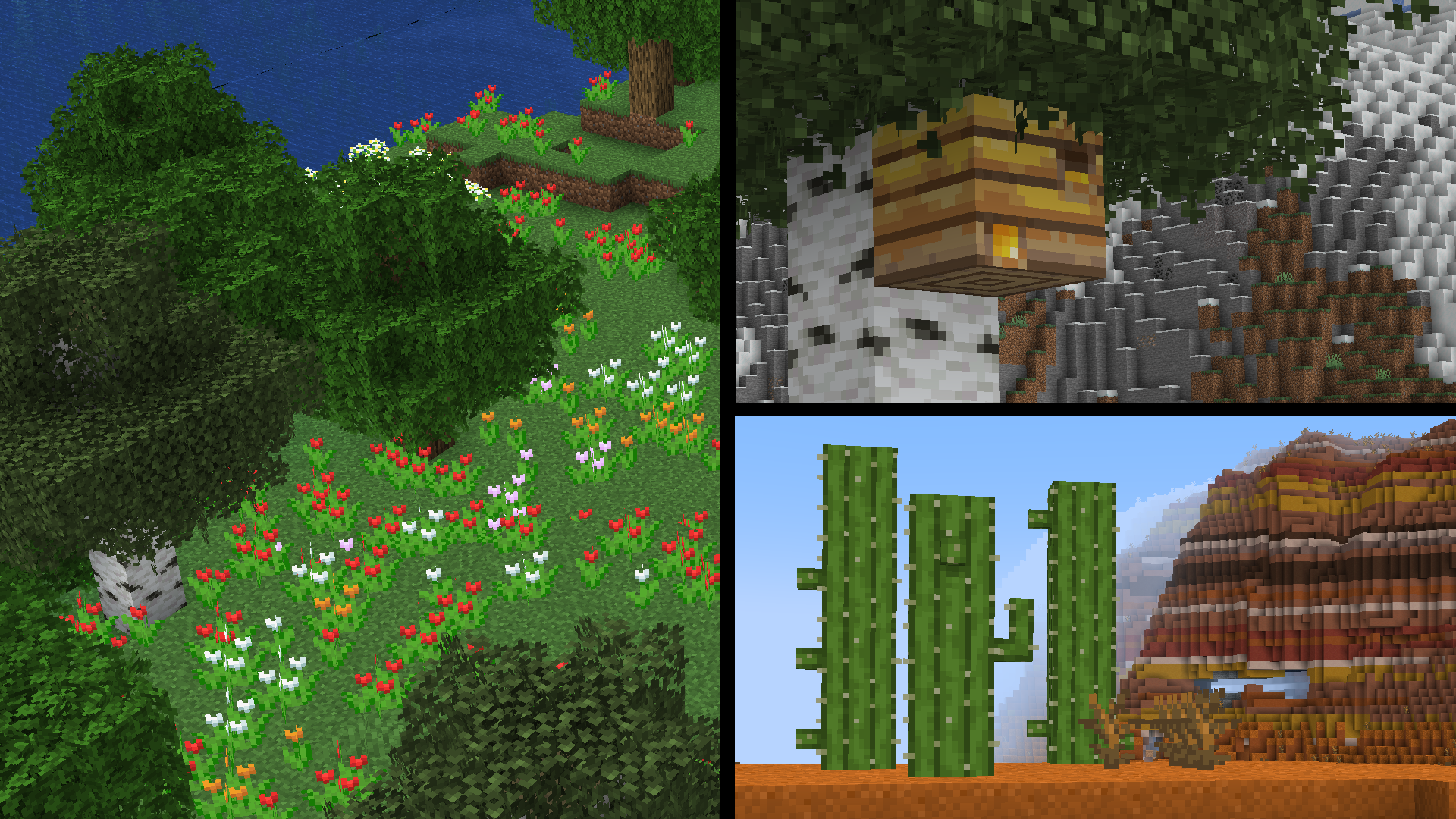
- Model Bushy Leaves (Inspired in Minecraft Dungeons Bushy Leaves)
- Model Improved Piston (vanillatweaks.com)
- Model Improve Fence
- Blockstates Textures Variants Bee Nest/Hive Honey (Blockstates+ by mrch0c0late1)
- Blockstates Textures Variants Restone Ores (Normal and Deepslate) Lit.
- Blockstates Textures Variants Double-Slab Blocks (Improved Slab Textures by HeckinChloe)
- Random Texture Variants to every type of Flower.
- Random Models Variants to Cactus, Lily Pad & Vine.
- Texture Improvement to Barrel Top, Campfire & Soul Campfire, Lantern & Soul Lantern, Blast Furnance, Furnance, Smoker, Cartography Table, Hay Bale, Magma Block, Sea Lantern & Wither Rose.
- Texture Improvement to Normal & Frost Walker Ice Destroy Stages.
- Texture Improvement to Hoppers & Lever (vanillatweaks.com)
Items:
- Texture Transparency added to Amethyst Shard, Honey Block, Dragon Breath & Potion.
- Texture added to Enchanted Golden Apple & Debug Stick.
- Texture Improvement to Apple, Stick, Barrier, Structure Void, Mangrove Propagule, Experience Bottle, Dried Kelp, Cauldron, Bow, Crossbow, Copper Ingot, Paper, Map, Filled Map, Spawn Egg, Hopper, Tipped Arrow, Disc Fragment, Every Music Disc, Every dye added after 1.13 & Every type of Helmet.
- Texture Improvement to Sea Pickle (Sea Pickle Item by BrotherEarth967 - VE)
- Texture Improvement to Chain (Better Chain Item by 9redwoods)
- Texture Improvement to Banner Patterns (Distinguishable Banner Patterns by Kremaca)
- Texture Animation added to Item Frame & Glowing Item Frame.
- Texture Animation added to Campfire & Soul Campfire & Fish in a Bucket (Animated Items by EtomicStudios)
- Old Cod Based-Textures added.
- Less Shield, Fire
Others:
- Texture Improvement to Enchanting Glint, Shadow, Clouds, Moon, Rain & Snowfall
- Texture Improvement to the Damage, Explosion, Heart, Note, Fire-Related & Splash Particles
- Texture Improvement to the Absorption, Jump Boost, Poison & Resistance Mob Effects
- Texture Change to Banner Map Icons
- Sound Change to Lightning Bolt & Cave Sounds
Як встановити Enhanced Default
With Millida Launcher
Install Millida Launcher
The launcher is free: download it at millida.net/launcher and sign in with any nickname.
Click “Install” on this page
The launcher opens and installs the resource pack for Minecraft 1.20.2–26.1 automatically.
Launch the game
A profile with it appears in the launcher: click “Play”.
Manually
Download the archive
Pick the file enhanced_default.zip (8.6 MB) for your game version. No need to unpack it.
Put it in the resourcepacks folder
The easiest way: “Options”, then “Resource Packs”, then “Open Pack Folder”, and drag the archive there.
Enable the pack
In the same window, move the pack to the right-hand “Selected” column and click “Done”.
Версії
Із залежностями
| Minecraft | Завантажувач | Файл | Дата | Дії |
|---|---|---|---|---|
| 1.21 | — | ver1.18.6 МБ |
Відгуки
Станьте першим, хто оцінить Enhanced Default


