
Devamped: UI Standalone Ресурспак для Minecraft 1.21.90
Окрема версія інтерфейсу для тих, хто віддає перевагу лише текстурам інтерфейсу.
Про ресурспак Devamped: UI Standalone
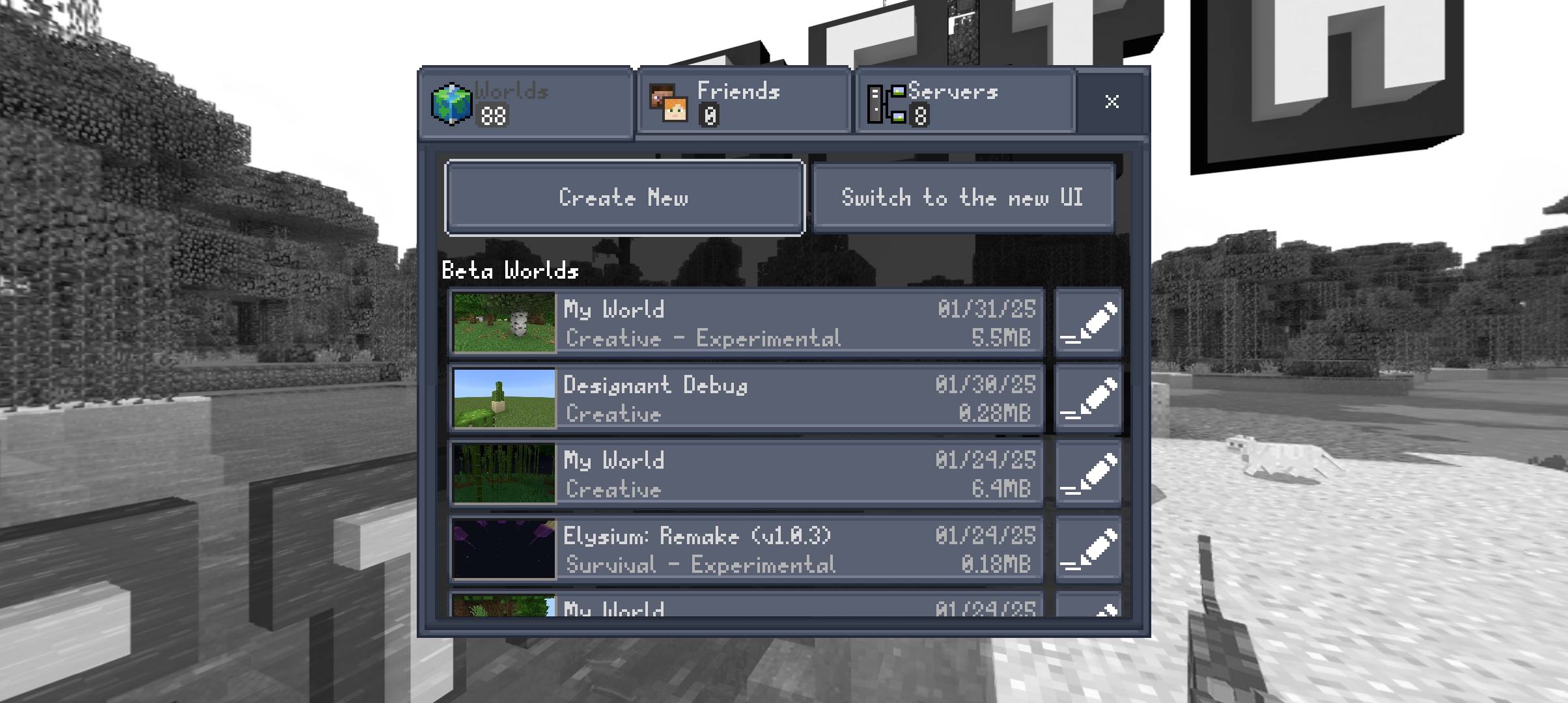
This is "Devamped: UI Standalone" version, for those who wants to use the UI rather than the actual pack, now you can!
This pack uses modified JSON-UI, along with buttons, and HUD order to make it looks like Java Edition's Hotbar. (Properly EXP outline, Fixed experience bar having 1.5 offset and Better Touch control's hotbar experience.)
Term of service and usage are still applied since this uses Devamped assets as a base, and the license should be the same aswell.
Як встановити Devamped: UI Standalone
With Millida Launcher
Install Millida Launcher
The launcher is free: download it at millida.net/launcher and sign in with any nickname.
Click “Install” on this page
The launcher opens and installs the resource pack for Minecraft 1.21.90 automatically.
Launch the game
A profile with it appears in the launcher: click “Play”.
Manually
Download the archive
Pick the file Devamped-UI-v0.7a20.mcpack (268 KB) for your game version. No need to unpack it.
Put it in the resourcepacks folder
The easiest way: “Options”, then “Resource Packs”, then “Open Pack Folder”, and drag the archive there.
Enable the pack
In the same window, move the pack to the right-hand “Selected” column and click “Done”.
Версії
Із залежностями
| Minecraft | Завантажувач | Файл | Дата | Дії |
|---|---|---|---|---|
| 1.21.90 | — | Devamped-UI-v0.7a20.mcpack268 КБ |
Часті питання
Which Minecraft versions does Devamped: UI Standalone work on?
Only Minecraft 1.21.90: there are no files for other versions.
Where can I download Devamped: UI Standalone safely?
On this page: the file Devamped-UI-v0.7a20.mcpack (268 KB) is stored on Millida’s server, with no link shorteners. SHA-1 checksum: 7cd3a1cb3a85d6caac8797475990d012c8a57b00.
Відгуки
Станьте першим, хто оцінить Devamped: UI Standalone



