
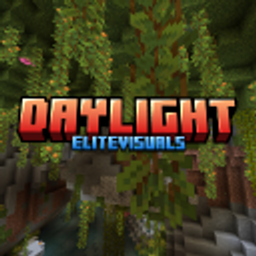
Daylight Shader | RenderDragon
Daylight Shader is a visual enhancement texture based pack for Minecraft Bedrock Edition (RenderDragon) that delivers realistic lighting and an immersive atmosphere while maintaining excellent performance, especially on low-end and mid-range devices.
Support Me -
Subscribe my YouTube channel to get updates and support me to make more updates to the packs.
Note -
You can download the lightweight version on the official EliteVisuals website and the lightweight version also cause lags on your device you can comment i will improve the pack.
Website -
https://elitevisualscreations.github.io/daylight
Showcase -
✨ Features
- 🌤️ Improved daytime
- 🌙 Better nighttime atmosphere
- 🌧️ Enhanced rain and weather effects
- 💧 Crystal-clear water
- 🌿 Animated foliage
- ⚡ Optimized for smooth performance
- 📱 Supports Minecraft Bedrock 1.21+
⚙️ Configuration
- Normal Breeze = slow animation speed
- Strom Winds = Fast animation speed
- Stop Winds | Breeze = animation stoped
📥 Installation
- Download the ".mcpack" file.
- Open it with Minecraft Bedrock Edition.
- Activate the resource pack in your world settings.
- Enjoy the enhanced visuals!
⚠️ Important
For best visuals set game brightness to 70 - 80
Daylight Shader is designed for Minecraft Bedrock Edition (RenderDragon) and works on supported versions of Minecraft 1.21+. There is also a lightweight version available
You are not allowed to earn from this pack putting this to monitization links is not allowed.
You can modify the pack for personal use only.
❤️ Feedback
If you enjoy Daylight Shader, please consider leaving a rating and sharing your feedback. Suggestions and bug reports help improve future updates.
Created by EliteVisuals
Як встановити Daylight Shader | RenderDragon
With Millida Launcher
Install Millida Launcher
The launcher is free: download it at millida.net/launcher and sign in with any nickname.
Click “Install” on this page
The launcher opens and installs the resource pack for Minecraft 26.30 automatically.
Launch the game
A profile with it appears in the launcher: click “Play”.
Manually
Download the archive
Pick the file Daylight V1.mcpack (19 MB) for your game version. No need to unpack it.
Put it in the resourcepacks folder
The easiest way: “Options”, then “Resource Packs”, then “Open Pack Folder”, and drag the archive there.
Enable the pack
In the same window, move the pack to the right-hand “Selected” column and click “Done”.
Версії
Із залежностями
| Minecraft | Завантажувач | Файл | Дата | Дії |
|---|---|---|---|---|
| 26.30 | — | Daylight V118.5 МБ |
Відгуки
Станьте першим, хто оцінить Daylight Shader | RenderDragon


