

Customizable Totem Ресурспак для Minecraft 1.21.1, 1.21
Додавши свій власний скін до пака, тотем безсмертя оновиться, щоб виглядати як тотем ClownPierce або Theobald, але з вашим скіном!
- завантажень
- 54 завантажень
- переглядів
- 479 переглядів
- Оновлено
- Оновлено 05.10.2025
- 1.20.2 — 26.2
 Ванільна гра
- Клієнт
Showcase
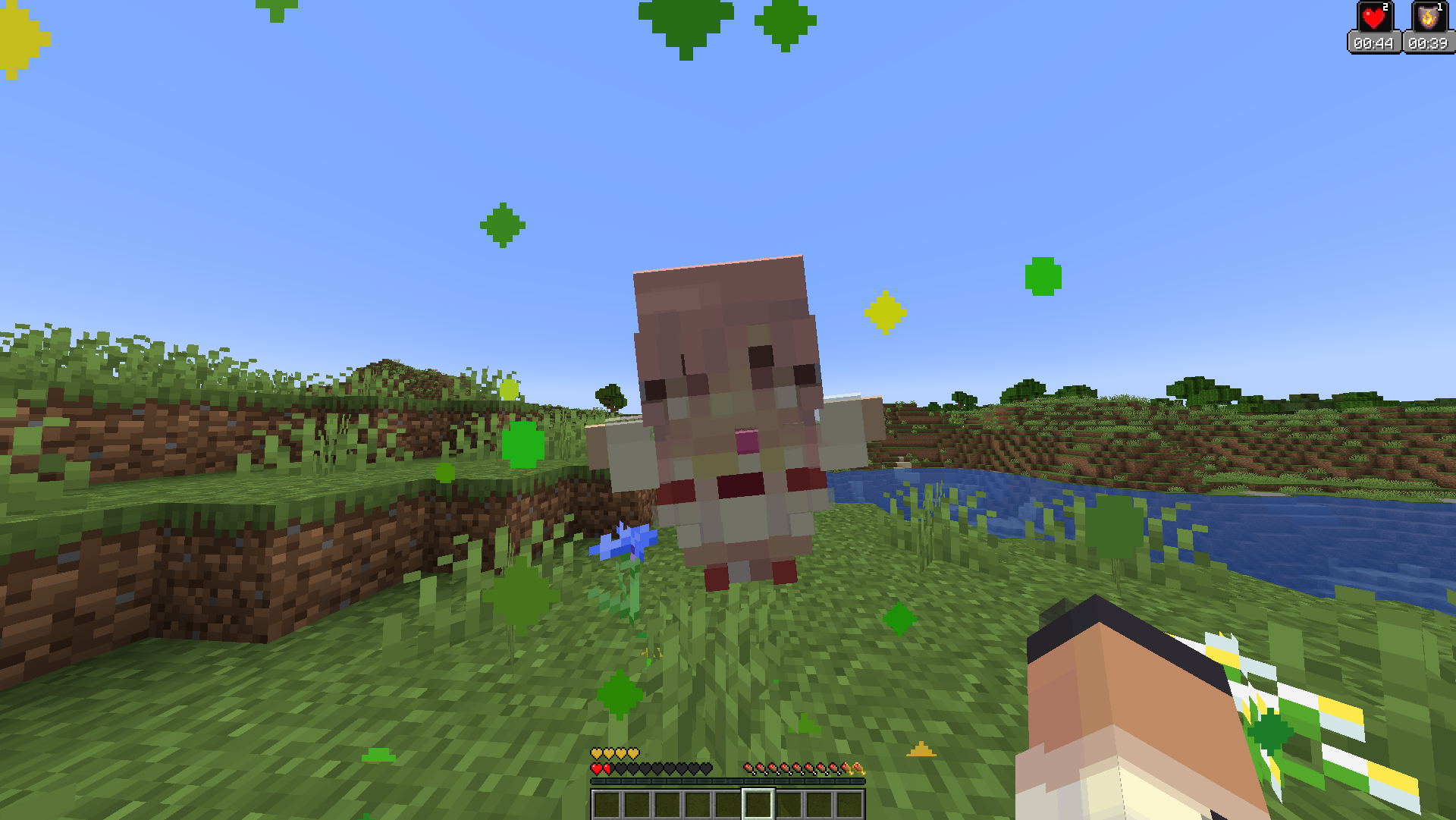
For more images and demonstrations, head to the gallery

Description
This texture pack has a custom model for the totem of undying that makes it so that if you change the texture of the totem to a Minecraft skin, it will make the totem look like a mini version of the skin! You can replace the texture with any Minecraft skin at all, and it will map different pixels to the final totem texture.
All you need to do is download your skin from a website like namemc.com, then replace the file at assets/minecraft/textures/totem_skin.png in the texture pack with the file you downloaded. Make sure you rename the file to totem_skin or it won't work!

How to Use
If you are having any trouble, there is a helpful tutorial on youtube: https://youtu.be/b1G7ePwF-0w?t=36s
- Install the texture pack and put it in your resourcepacks folder
- Download your skin from a website like namemc.com
- Rename the skin png to totem_skin
- Open the resource pack and go to assets/minecraft/textures
- Replace the file in there with the one you downloaded
- Make sure to press F3+T ingame just to make sure it works
Support
If you want to suggest anything, report a bug, or vote on future packs, then join my discord and you can message me in there. I will usually respond very quickly.
https://www.alphaleo.li/resourcepacks
Як встановити Customizable Totem
With Millida Launcher
Install Millida Launcher
The launcher is free: download it at millida.net/launcher and sign in with any nickname.
Click “Install” on this page
The launcher opens and installs the resource pack for Minecraft 1.20.2–26.2 automatically.
Launch the game
A profile with it appears in the launcher: click “Play”.
Manually
Download the archive
Pick the file §d§lCustomizable Totem §7v6.1.0.zip (38 KB) for your game version. No need to unpack it.
Put it in the resourcepacks folder
The easiest way: “Options”, then “Resource Packs”, then “Open Pack Folder”, and drag the archive there.
Enable the pack
In the same window, move the pack to the right-hand “Selected” column and click “Done”.
Версії
Із залежностями
| Minecraft | Завантажувач | Файл | Дата | Дії |
|---|---|---|---|---|
| 26.2 | — | 26.237.8 КБ 9 | ||
| 26.1 | — | 26.137.8 КБ 1 | ||
| 1.21.11 | — | 1.21.1137.8 КБ 25 |
Часті питання
Which Minecraft versions does Customizable Totem work on?
There are files for 1.20.2–26.2, 21 versions in total. The newest is 26.2.
Does Customizable Totem need mods?
No, the resource pack works in the plain game without loaders: put it into the resourcepacks folder and enable it in the options.
How do I download Customizable Totem?
With Millida Launcher: it installs Customizable Totem into a modpack by itself, for the right game version and loader. The launcher is free.
Відгуки
Станьте першим, хто оцінить Customizable Totem



