

Cobweb Outlines Ресурспак для Minecraft 1.20.1, 1.21.1
Додає контур блоку для павутиння для кращої видимості.
- завантажень
- 3 завантажень
- переглядів
- 63 переглядів
- Оновлено
- Оновлено 03.09.2026
- 1.16 — 26.2
 Ванільна гра
- Клієнт
Showcase
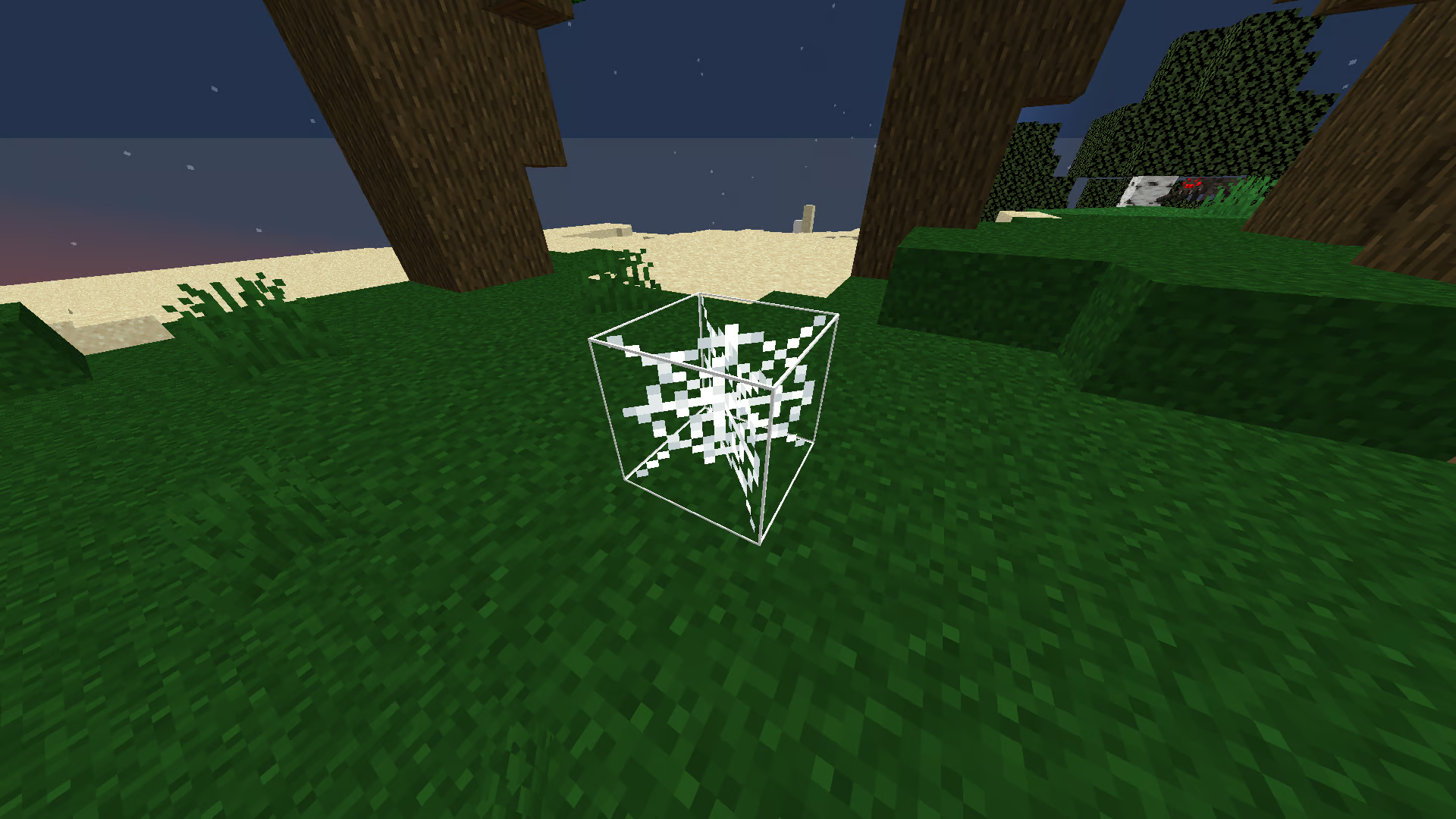
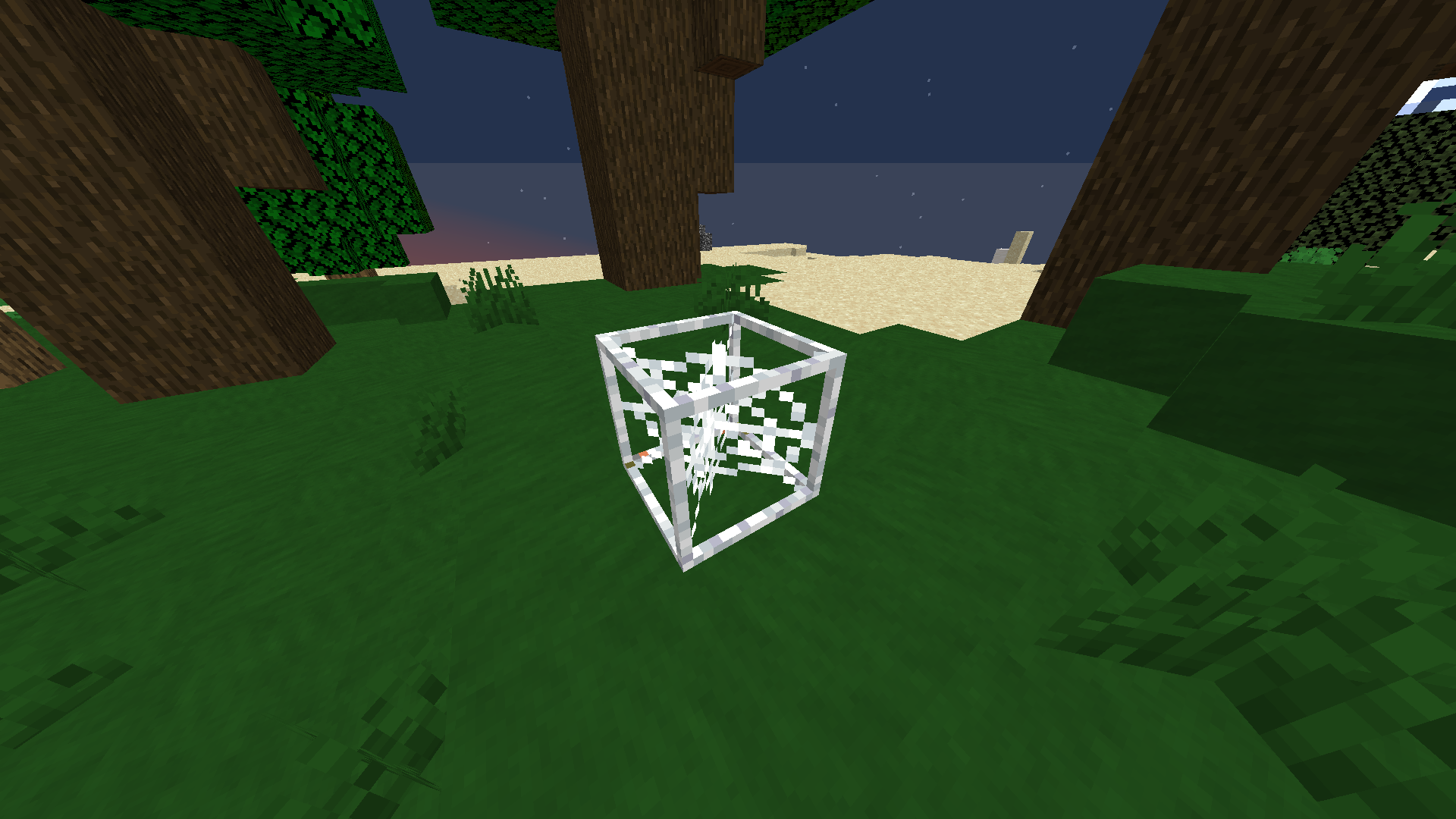
See the "How to Use" section below for picking your preferred version of the pack.

Description
This is a texture pack that adds an outline to the cobweb model. This makes it seem more like a full block, which makes it easier and more intuitive to place things on it or avoid it.
There are two versions of the pack. The first one is to get thin outlines around the cobweb, and the second one is to get thick, blocky outlines.
I originally made this for the UHC gamemode on mctiers, since it makes it way easier to know the actual cobweb hitbox in order to place lava or water on it. As mentioned before, it also makes it a lot easier to avoid getting into, since before you might completely miss the cobwebs and still get into it since the original Minecraft model doesn't accurately represent the hitbox.

How to Use
- Choose your preferred version of the pack. You can either download Thin Outlines or Thick Outlines.
- After downloading, put it in your %APPDATA%/.minecraft/resourcepacks folder. Then, you can apply it ingame. Alternatively, you can drag the downloaded folder into the resourcepacks screen ingame.
- After applying the pack, your cobwebs should immediately be changed.
Support
Join My Discord
- Report bugs
- Create suggestions
- Vote on future packs
- Interact with the community
- Ask for help with texture packs
- This is the place to ask if you can use this pack in your own pack
Check out The Repository
- Report bugs
- Create suggestions
- Contribute by creating a pull request
https://www.alphaleo.li/resourcepacks
Як встановити Cobweb Outlines
With Millida Launcher
Install Millida Launcher
The launcher is free: download it at millida.net/launcher and sign in with any nickname.
Click “Install” on this page
The launcher opens and installs the resource pack for Minecraft 1.16–26.2 automatically.
Launch the game
A profile with it appears in the launcher: click “Play”.
Manually
Download the archive
Pick the file §f§lCobweb Outlines §7v1.0.2.zip (5 KB) for your game version. No need to unpack it.
Put it in the resourcepacks folder
The easiest way: “Options”, then “Resource Packs”, then “Open Pack Folder”, and drag the archive there.
Enable the pack
In the same window, move the pack to the right-hand “Selected” column and click “Done”.
Версії
Із залежностями
| Minecraft | Завантажувач | Файл | Дата | Дії |
|---|---|---|---|---|
| 26.2 | — | 26.25.1 КБ 1 | ||
| 26.1 | — | 26.15.1 КБ | ||
| 1.21.11 | — | 1.21.115.1 КБ 1 | ||
| 1.16.5 | — | 1.16.55.4 КБ | — |
Часті питання
Which Minecraft versions does Cobweb Outlines work on?
There are files for 1.16–26.2, 39 versions in total. The newest is 26.2.
Does Cobweb Outlines need mods?
No, the resource pack works in the plain game without loaders: put it into the resourcepacks folder and enable it in the options.
How do I download Cobweb Outlines?
With Millida Launcher: it installs Cobweb Outlines into a modpack by itself, for the right game version and loader. The launcher is free.
Відгуки
Станьте першим, хто оцінить Cobweb Outlines



