
Amnesia Plaques Ресурспак для Minecraft 1.21.1
Змінює таблички на тематику Amnesia з моду Advancement Plaques.
Про ресурспак Amnesia Plaques
Amnesia Plaques
This resourcepack changes the texture of the plaques from the mod Advancement Plaques They are changed into to be themed around the modpack "Amnesia". This is themed around the modpack Amnesia, and the plauqes is now textured into a purple color, with broken textures.
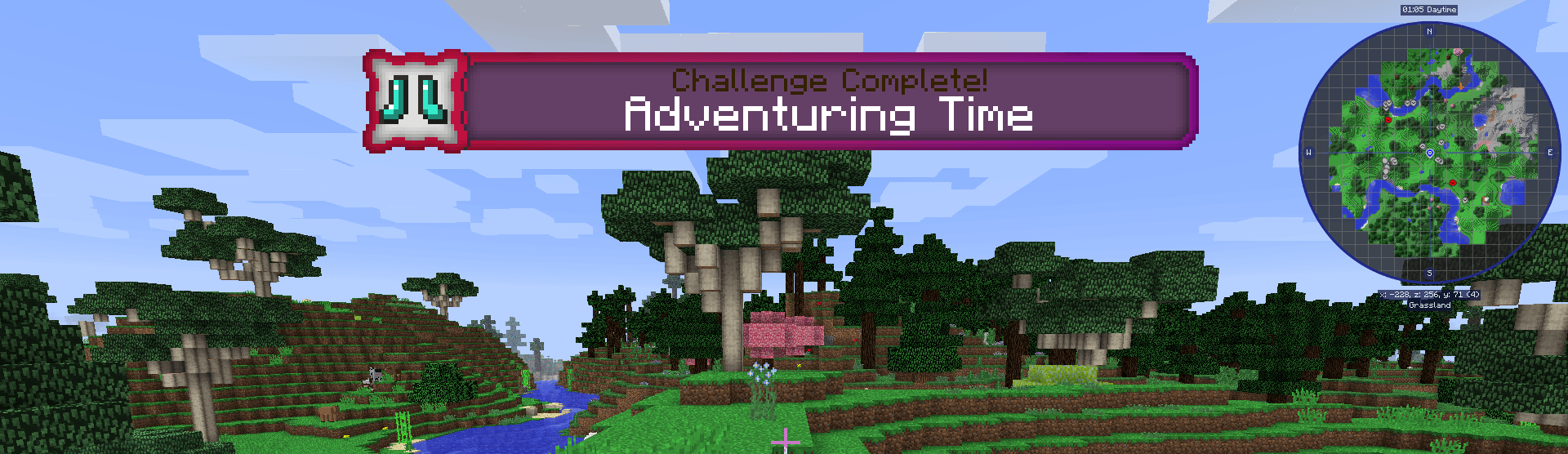
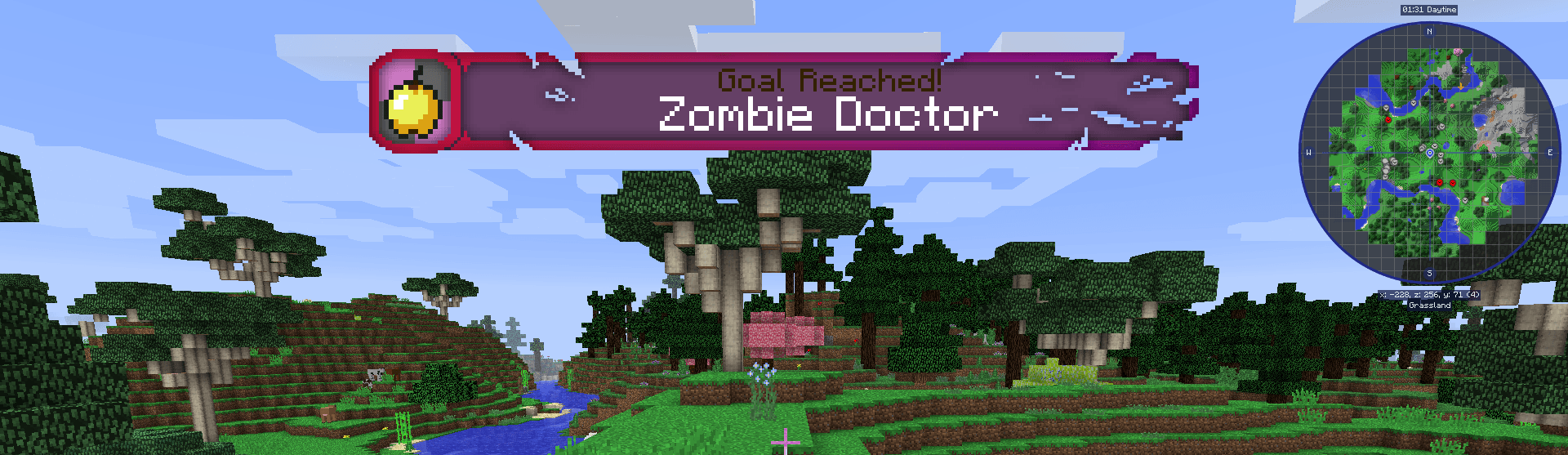
There is 3 plaques, that is for 3 different difficulties of a advancement. The plaques pops up on the screen, once a advancement unlock. They are themed around Amnesia. They are purple and with broken textures. But also to make it seem like the game forgets parts of the texture of the plaques, to fit with the theme of the modpack.
This resourcepack is currently for 1.12.2 and 1.16.5.
See a screenshot here:
This resourcepack can be used in other modpacks too. And only requires the mod "Advancement Plaques".
Click on the images button, to see more screenshot of how they look ingame.
Kehaan's Blog: http://kehaan.me/ Kehaan's YouTube: https://www.youtube.com/user/Kehaan Kehaan's Instagram: https://www.instagram.com/realkehaan/ Kehaan's Twitter: https://twitter.com/KehaanDK Art made by: Arkadya
Як встановити Amnesia Plaques
With Millida Launcher
Install Millida Launcher
The launcher is free: download it at millida.net/launcher and sign in with any nickname.
Click “Install” on this page
The launcher opens and installs the resource pack for Minecraft 1.21.1 automatically.
Launch the game
A profile with it appears in the launcher: click “Play”.
Manually
Download the archive
Pick the file AmnesiaPlaques_1.21.1_v1.0.2.zip (150 KB) for your game version. No need to unpack it.
Put it in the resourcepacks folder
The easiest way: “Options”, then “Resource Packs”, then “Open Pack Folder”, and drag the archive there.
Enable the pack
In the same window, move the pack to the right-hand “Selected” column and click “Done”.
Версії
Із залежностями
| Minecraft | Завантажувач | Файл | Дата | Дії |
|---|---|---|---|---|
| 1.21.1 | — | AmnesiaPlaques_1.21.1_v1.0.2.zip150 КБ |
Часті питання
Which Minecraft versions does Amnesia Plaques work on?
Only Minecraft 1.21.1: there are no files for other versions.
Where can I download Amnesia Plaques safely?
On this page: the file AmnesiaPlaques_1.21.1_v1.0.2.zip (150 KB) is stored on Millida’s server, with no link shorteners. SHA-1 checksum: 00b48015cc61147621b64dabeb09e8c4741844b5.
Відгуки
Станьте першим, хто оцінить Amnesia Plaques



