

Simply Shaded Шейдери для Minecraft 1.20.1, 1.21.1
Єдиний шейдерпак, створений для максимального FPS.
 Fabric
 OptiFine
Simply Shaded
A minimal shaderpack focused only on one thing: maximum FPS. Essentially, just the lightest possible shader pipeline with some polish.
My FPS went from 154 FPS without shaders to 139 FPS with this shaderpack, which is barely any loss compared to most shaders.

Why is it so fast? I want reasons.
Since shadowmaps are the slowest part of most shaders, we just...don't have them.
Because there are no composite/deferred passes, as there's no post-processing that needs to happen aside from the shader itself.
This shaderpack may not look fancy, but it IS visible

What does it do?
Vanilla performance with Iris (mostly), with correct mob hit-flash/glow rendering.
What does it need?
Iris or OptiFine
How do I install it?
Put the file in your .minecraft/shaderpacks or .minecraft/instances/instancename/shaderpacks or your .minecraft/profiles/instance/shaderpacks OR .launcher/instances/instancename/shaderpacks folder (depending on what launcher you use) then open the Iris menu and apply the shaderpack in-game.
Show me proof that it works already >:(
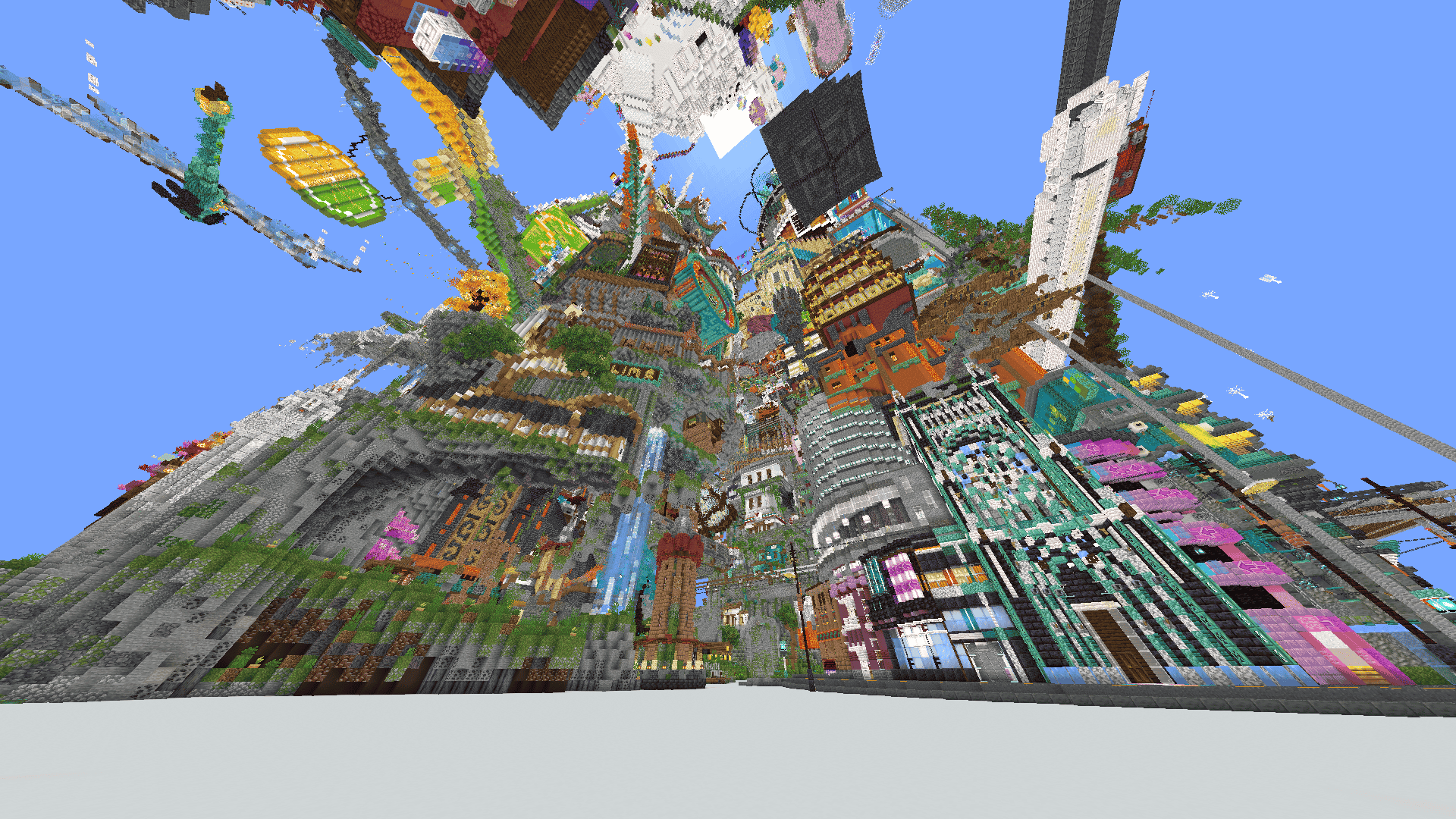
My FPS on this shaderpack, on my (ancient) laptop, with a Ryzen 5 5500U, Radeon Graphics (Vega 7), 8GB DDR4, gets me 50FPS for this build on max render distance.
Where should I report bugs?
Report bugs in my discord server here.
Як встановити Simply Shaded
With Millida Launcher
Install Millida Launcher
The launcher is free: download it at millida.net/launcher and sign in with any nickname.
Click “Install” on this page
The launcher opens and installs the shaders for Minecraft 1.16.5–26.2 automatically.
Launch the game
A profile with it appears in the launcher: click “Play”.
Manually
Install Iris or OptiFine
Without a shader mod the game cannot see shaders. Install it for the same Minecraft version.
Download the shader archive
Pick the file Simply Shaded.zip (6 KB) and do not unpack it.
Put it in the shaderpacks folder
“Options”, then “Video Settings”, then “Shader Packs”, then “Open Shader Pack Folder”, and drag the archive there.
Select the shaders
In the same window, click the pack name and “Apply”.
Версії
Із залежностями
| Minecraft | Завантажувач | Файл | Дата | Дії |
|---|---|---|---|---|
| 1.21.11 | Iris, OptiFine | 1.21.116.5 КБ 1 | ||
| 1.21 | Iris, OptiFine | 1.216.5 КБ | ||
| 1.20.1 | Iris, OptiFine | 1.20.16.5 КБ | ||
| 1.19.2 | Iris, OptiFine | 1.19.26.5 КБ | ||
| 1.17.1 | Iris, OptiFine | 1.17.16.5 КБ | ||
| 26.2 | Iris, OptiFine | 26.26.5 КБ 1 | — | |
| 26.1 | Iris, OptiFine | 26.16.5 КБ | — | |
| 1.18.2 | Iris, OptiFine | 1.18.26.5 КБ | — |
Відгуки
Станьте першим, хто оцінить Simply Shaded


