

Simple Voice Chat Плагін для Minecraft 1.20.1, 1.21.1
Робочий голосовий чат у Minecraft!
Wiki | FAQ | Credits
DISCLAIMER
You need to have the Fabric, Neoforge, Forge or Quilt version of this mod installed on your client in order to use the voice chat!
You can download it from here.
A proximity voice chat for Minecraft with a variety of addons that offer additional features and functionalities.
⚠️ NOTE This mod requires special setup on the server in order to work. Please read the wiki for more information.

Please join the Discord if you have questions!
Downloads
- Fabric
- NeoForge
- Forge
- Bukkit/Spigot/Paper
- Quilt
- Velocity
- BungeeCord/Waterfall
Features
- Push to talk
- Voice activation
- Proximity voice chat
- Password protected groups
- Automatic voice activity detection
- Automatic microphone gain adjustment
- Opus codec
- RNNoise recurrent neural network noise suppression
- OpenAL audio
- Cross compatibility between Fabric, NeoForge, Forge, Quilt, Bukkit, Spigot and Paper
- Support for Velocity, BungeeCord and Waterfall
- Compatibility with ModMenu (Use ClothConfig for a better configuration UI)
- Configurable push to talk key
- Microphone and speaker test playback
- Configurable voice distance
- Whispering
- Individual player volume adjustment
- Microphone amplification
- 3D sound
- AES encryption
- Audio recording with separate audio tracks
- A powerful API
- Many addons
Want to host a server with Simple Voice Chat?
Rent your own voice chat server here
More information on how to set it up here
Icons
Icon Description

You are talking

You are whispering

Player is talking

Player is whispering

Microphone muted

Voice chat disabled

Voice chat not connected Voice chat not installed
The GUI
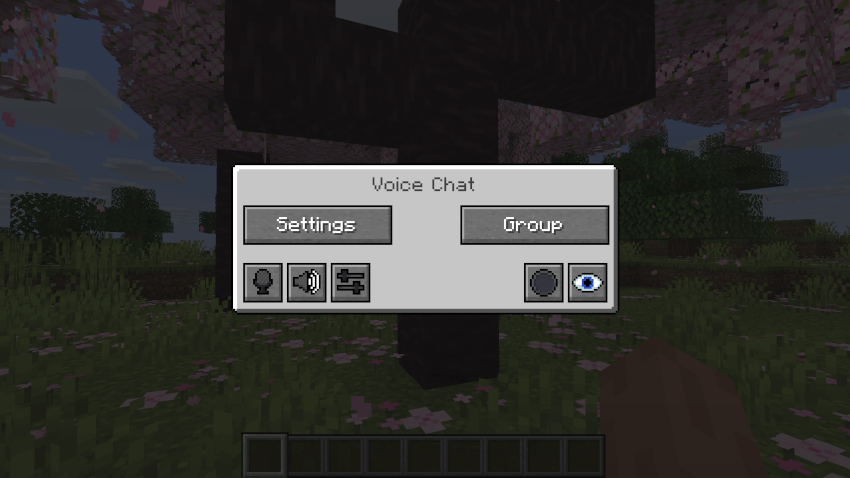
You can open the voice chat GUI by pressing the V key. This allows you to open the settings, group chats, mute yourself, disable the voice chat, start/stop a recording and hide all icons.
Group Chats
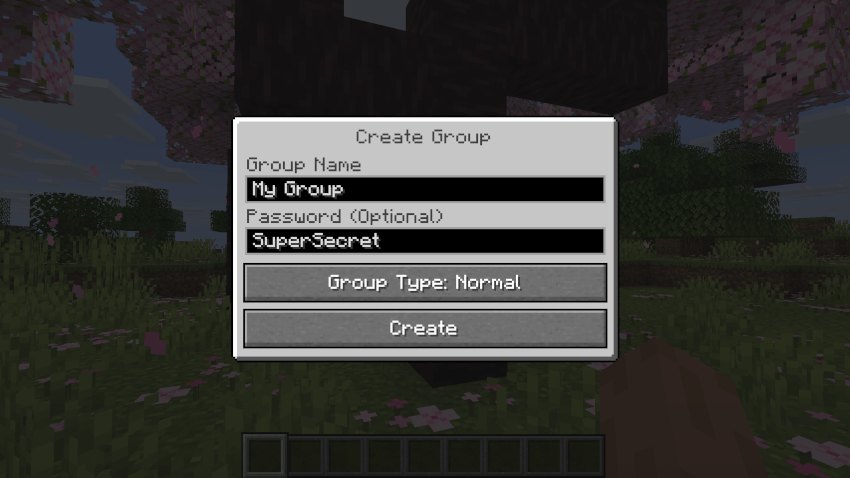
Group chats allow you to talk to players that are not in your vicinity. To open the group chat interface, either press the group button in the voice chat GUI or just press the group key.
To create a new group, just type a name in the text field and press the button at the bottom.
Creating or joining a group will bring you into the group chat interface. You will also see the heads of the group members in the top left corner of your screen. Talking players will be outlined. You can disable these icons by pressing the third button from the left.
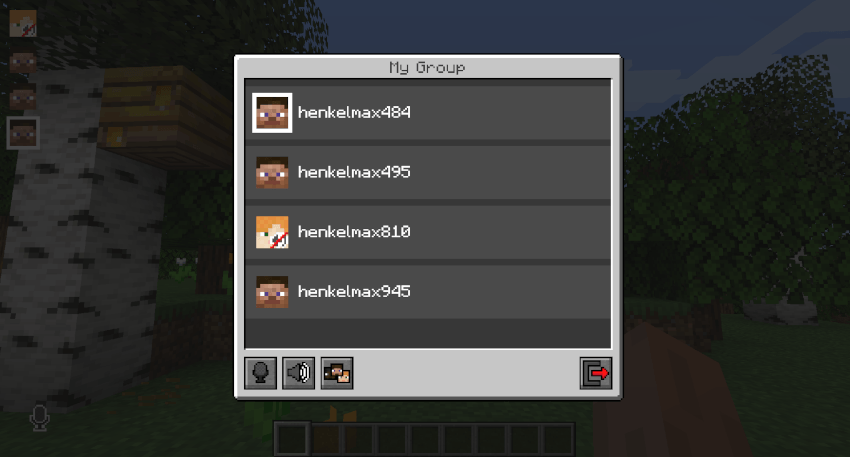
Players that are not in a group will see a group icon next to your head, indicating that you are in a group.
You can invite players to your group chat by entering the command /voicechat invite <playername> or from the social interactions screen.
Settings
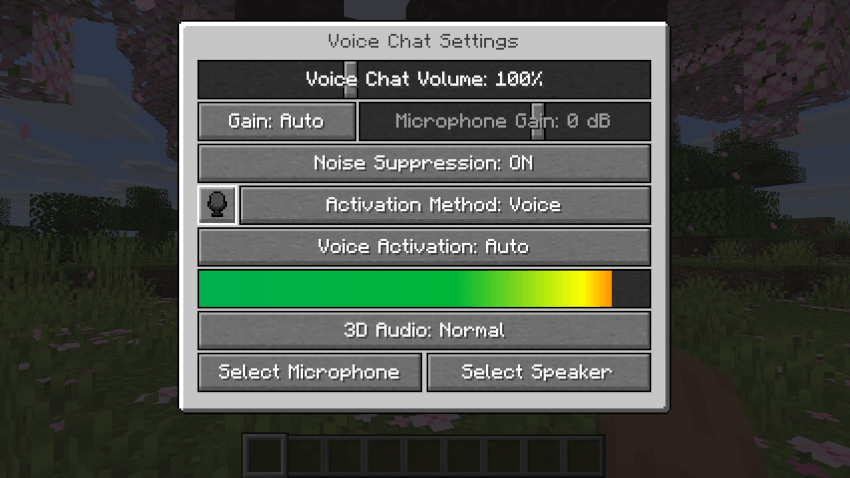
You can access the voice chat settings by pressing the V key and pressing the settings button.
This menu offers the ability to set up your voice chat audio settings.
By clicking the microphone button, you can test your microphone activation.
Important Notes
You need to open a port on the server. This is port 24454 UDP by default. Without opening this port, the voice chat will not work. This port can be changed in the server config. More information here.
The voice chat is encrypted, but we don't guarantee the security of it. Use at your own risk!
Як встановити Simple Voice Chat
A server on Paper or Spigot
The plugin runs on the server core for Minecraft 1.8–26.3; players do not need to install anything.
File goes into the plugins folder
Download the file voicechat-bukkit-2.6.24.jar (917 KB) and put it into the server’s plugins folder.
Restart the server
On startup the plugin creates its own settings folder in plugins.
Use the “To server” button
On Millida Hosting, the button at the top of the page uploads the file to your server and restarts it for you.
Версії
Із залежностями
| Minecraft | Завантажувач | Файл | Дата | Дії |
|---|---|---|---|---|
| 1.20.6 | — | [BUKKIT/SPIGOT/PAPER] Simple Voice Chat 2.6.24917 КБ 17 | ||
| 1.20.6 | — | [BUKKIT/SPIGOT/PAPER] Simple Voice Chat 2.6.21917 КБ | ||
| 1.16 | — | [BUKKIT/SPIGOT/PAPER] Simple Voice Chat 2.5.21.5 МБ |
Часті питання
Which Minecraft versions does Simple Voice Chat work on?
There are files for 1.8–26.3, 36 versions in total. The newest is 26.3.
Do players need to install Simple Voice Chat?
No, the plugin goes only on the server, into the plugins folder: players do not need to download anything.
Відгуки
Станьте першим, хто оцінить Simple Voice Chat



