
Про плагін Likeaboss
Likeaboss
Version: 2.4.1
IMPORTANT NOTICE: http://dev.bukkit.org/bukkit-plugins/likeaboss/#c331
Description
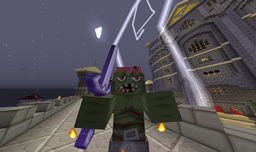
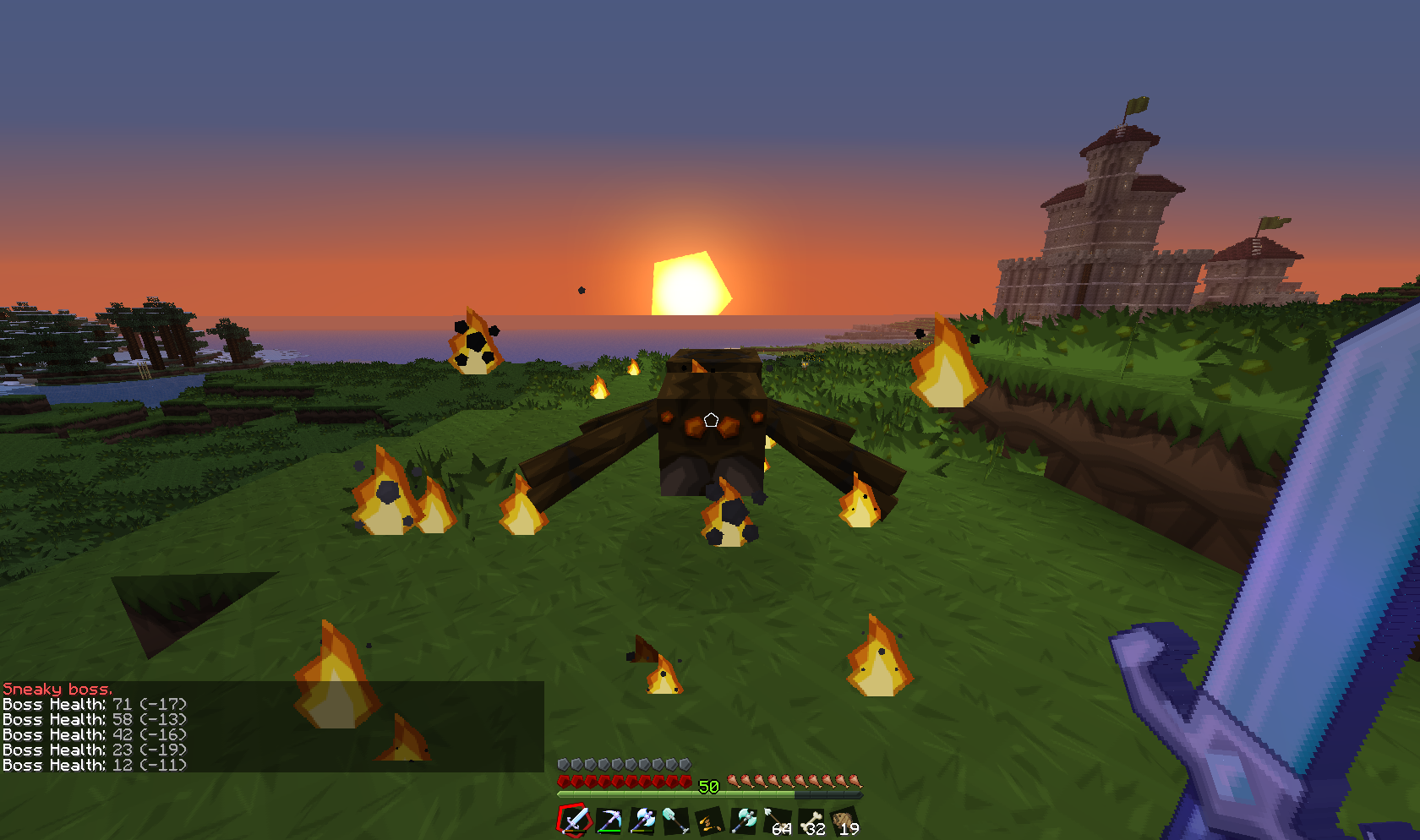
This mod occasionally turns some monsters into a stronger version, boss-like. Its main purpose is to add a little diversity (and difficulty) to the combat aspect of the game.
Technically every monster spawning naturally in your world has a chance to become a boss, which hits harder, has more hit points and can possesses some immunities and abilities. Each boss can also have its own drop table. Of course all of this is configurable.
Moreover, they can notify you of their presence by sending you a message when you hit them, when they hit you, or after a certain amount of time if you're close enough. To make them distinguishable they can also have a flaming effect around them (the one used by mob spawners).
Almost everything is configurable, and if it isn't yet, it soon will be (at least I try)! (✿◠‿◠)
Configuration files
Likeaboss comes with different configuration files that are automatically generated with default values as an example.
- config.yml
This file controls global values that doesn't fit in other files; such as commands parameters, messages, state of the anti-grinding protection, and internal task intervals.
- equipments.yml
This is where you create equipments for your bosses. Any name can be used, they will be used as identifiers latter. When you create an equipment you'll have to provide a type (helmet, chestplate, leggings, boots or weapon) and a material ID. You also have the possibility to set a drop chance and to add multiple enchantments.
- abilities.yml
This one allows you to create different abilities for your bosses, like for equipments any name can be used. When you create an ability you'll have to provide certain fields depending on its type, the default file contains all available abilities with their needed parameters. You can create more than one ability per type as long as the name is different.
- bosses.yml
This one allows you to create different bosses. Any name can be used, this allows you to create multiple bosses per entity type. You can assign any created ability and equipment to any boss, you can also specify an assignation chance for each of the equipments and abilities. Bosses can also have their own drop table and immunities.
- worldname.yml
World files are generated only if the previous ones aren't, but you can create them yourself. This is where you add bosses to a world. You can also add some global abilities, immunities (overridden by bosses') and drops that will be used by each boss on this world.
Permissions and commands
Permission Command Description
lab.*
lab.help /lab help Display the list of commands
lab.reload /lab reload Reloads configuration files.
lab.save /lab save Forces the saving of player's data.
lab.info /lab info Displays some global and non-lasting stats.
lab.clear /lab clear Resets stats given by /lab info.
lab.list /lab list Displays the location and distance of active bosses.
lab.stats /lab stats [player] Displays the leaderboard, or player stats.
lab.viewer /lab viewer Toggles viewer state, which allows to see boss healths.
lab.ignore.*
lab.ignore /lab ignore Toggles ignore state, which allows to not be affected by bosses.
lab.ignore.immediate Allows to bypass the /lab ignore delay
lab.spawn /lab spawn <boss> [amount] Spawns one or multiple bosses on the targeted block.
Known issues
Have you found a bug that isn't listed below? You can either leave a comment on this page, create a thread on the forum or submit a ticket. The last two options allow for a better tracking.
- None as of 2.4.1!
Upcoming features
Feel free to suggest features that you'd like to see being implemented; either by adding a comment bellow, by creating a thread on the forum, or by submitting a ticket.
- More abilities (I try to add at least one per update, next one to come: Thief).
- Better support for sub entity types (Skeleton wither, small and medium slimes...).
- Extended spawning system (possibility to make bosses spawn at a certain location for example).
- Configurable events.
Donations
If you'd like to support my work, a donation of any amount would be greatly welcomed ❤ There's a button at the top right of this page to do so.
Як встановити Likeaboss
A server on Paper or Spigot
The plugin runs on the server core for Minecraft 1.6.1; players do not need to install anything.
File goes into the plugins folder
Download the file Likeaboss.jar (154 KB) and put it into the server’s plugins folder.
Restart the server
On startup the plugin creates its own settings folder in plugins.
Use the “To server” button
On Millida Hosting, the button at the top of the page uploads the file to your server and restarts it for you.
Minecraft 1.6.1 runs on Java 8: with a different Java version the game may close right after launch.
Версії
Із залежностями
| Minecraft | Завантажувач | Файл | Дата | Дії |
|---|---|---|---|---|
| 1.6.1 | — | Likeaboss 2.4.1154 КБ |
Часті питання
Which Minecraft versions does Likeaboss work on?
Only Minecraft 1.6.1: there are no files for other versions.
Do players need to install Likeaboss?
No, the plugin goes only on the server, into the plugins folder: players do not need to download anything.
Which Java does Likeaboss need?
Minecraft 1.6.1 runs on Java 8. If the game closes right after launch, the usual cause is the wrong Java version in the profile settings.
Where can I download Likeaboss safely?
On this page: the file Likeaboss.jar (154 KB) is stored on Millida’s server, with no link shorteners. SHA-1 checksum: 0f083da1b8900131503631b74ee3ba063d46a6ae.
Відгуки
Станьте першим, хто оцінить Likeaboss



