
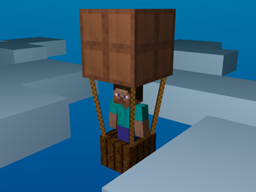
Про плагін IBICF
Features:
- Allows you to fly (if you believe) using /fly
- Land by typing /fly again
- Specify custom flying speed using /fly [modifier]
- Only fly when holding shift (much more flexible to move around)
- Use permission node "IBICF.fly"
Video Preview (Outdated)
Change log: Version 2.2
- you no longer receive damage when landing (hitting the ground)
- works with CB 1.1-R8 & CB1.2.3-R0.2, tested
Version 2.1
- you can no longer fly at "negative" modifiers
- removed configuration options for using permissions (auto-detects permissions & ops)
- works with CB 1.1-R7, tested
Version 2.0
- completely rewrote the plugin using EasyPlugin (required for plugin to function)
- uses Bukkit Permissions (built-in permission system)
- works with CB 1.1-R6 and CB 1.2.3-R0.1, tested
Version 1.7
- multi-world support enhanced (now players stop flying when entering a new world)
- ability to configure the default flying speed
- works with 684-1062 tested
Version 1.6
- performance improved
- multi-world support
- configuration
- fly is now disabled by /fly if you enabled it first, speeds can still be changed without disabling fly ;)
Version 1.5
- permission integration "IBICF.fly"
- works with 684-1000 tested
Version 1.4
- increased user flexibility.
- hold shift to start flying, release to pause flying
Version 1.3
- performance improvements
Version 1.2
- fixed damage on drop
- critical max speed fix (prevents users from crashing server)
Version 1.1
- added temp. fly stop
Version 1
- made base for flying
Як встановити IBICF
A server on Paper or Spigot
The plugin runs on the server core; players do not need to install anything.
File goes into the plugins folder
Download the file IBICF.jar (4 KB) and put it into the server’s plugins folder.
Restart the server
On startup the plugin creates its own settings folder in plugins.
Use the “To server” button
On Millida Hosting, the button at the top of the page uploads the file to your server and restarts it for you.
Версії
Із залежностями
| Minecraft | Завантажувач | Файл | Дата | Дії |
|---|---|---|---|---|
| — | — | IBICF 2.23.8 КБ |
Часті питання
Do players need to install IBICF?
No, the plugin goes only on the server, into the plugins folder: players do not need to download anything.
Where can I download IBICF safely?
On this page: the file IBICF.jar (4 KB) is stored on Millida’s server, with no link shorteners. SHA-1 checksum: 6d3bf18b3a04517565d710a57147d9970bba8c8c.
Відгуки
Станьте першим, хто оцінить IBICF


