
Про плагін DwarfForge
Wiki | Permissions & Commands | Usage | GitHub Source
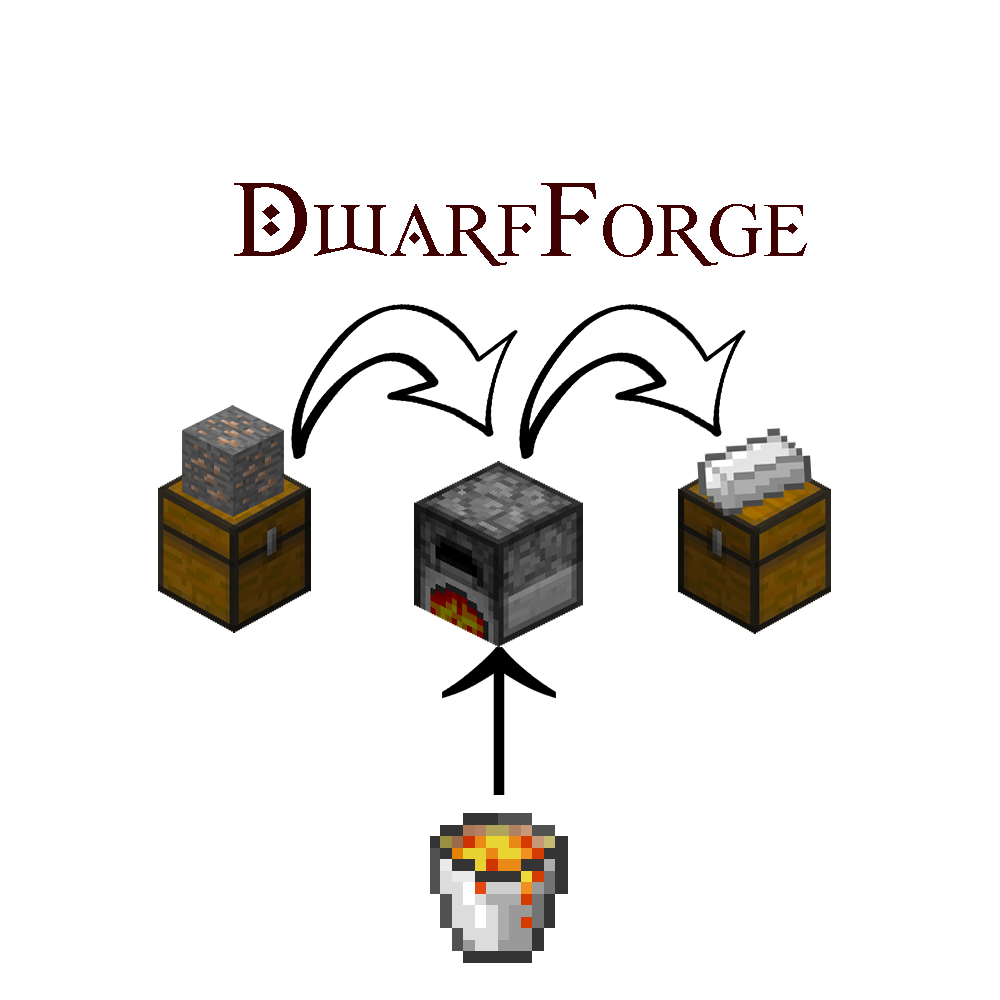
The Dwarfs learned long ago how to manipulate lava to their will. By building their furnaces directly above lava, they can smelt metals and bake goods for a long time without hauling buckets about. Now, you can too. Build your furnace directly above a lava block, then punch the furnace to ignite it. Punch it again to douse the flames. No fuel/buckets needed!
There is a minimal configuration file; the plugin will automatically generate a default config.yml file if none is present. Just drop the JAR into your plugins folder and reload.
Featured Videos
Features
- Runs forever! No fuel/buckets needed.
- However, Forges can be required to operate with fuel, which is pulled from the input chest along with raw materials.
- Punching the furnace toggles it on/off.
- Dwarf Forges stack vertically. Lava only necessary under the lowest forge. (Lava is powerful, man!) Stacked forges can all access the same set of input/output chests.
- Input and output chests (left and right of forge, respectively, when facing it) supported. Double-size chests also supported. Additionally, you can "stack" horizontally to access nearby chests.
- Stacking limits are configurable (defaults: 3 high, 4 wide).
- Can change the cooking time: warp speed!
- Blocks in a short, 3-block radius from any Dwarf Forge are protected against fire from lava.
- Supports Permissions.
- Supports Metrics
Demonstration
Originally developed by matt_moss and DonRedhorse.
Як встановити DwarfForge
A server on Paper or Spigot
The plugin runs on the server core; players do not need to install anything.
File goes into the plugins folder
Download the file DwarfForge.jar (48 KB) and put it into the server’s plugins folder.
Restart the server
On startup the plugin creates its own settings folder in plugins.
Use the “To server” button
On Millida Hosting, the button at the top of the page uploads the file to your server and restarts it for you.
Версії
Із залежностями
| Minecraft | Завантажувач | Файл | Дата | Дії |
|---|---|---|---|---|
| — | — | DwarfForge v2.1748.4 КБ |
Часті питання
Do players need to install DwarfForge?
No, the plugin goes only on the server, into the plugins folder: players do not need to download anything.
Where can I download DwarfForge safely?
On this page: the file DwarfForge.jar (48 KB) is stored on Millida’s server, with no link shorteners. SHA-1 checksum: 86bbe08d44488d4e22a3a66bc6313106920988b6.
Відгуки
Станьте першим, хто оцінить DwarfForge



