

Animated-TabList Плагін для Minecraft 1.21
Безкоштовна альтернатива таблісту з меншою кількістю опцій (призначена лише для зміни таблісту)
Commands & Permissions | Placeholders | Symbols
Bug report and feature request here!
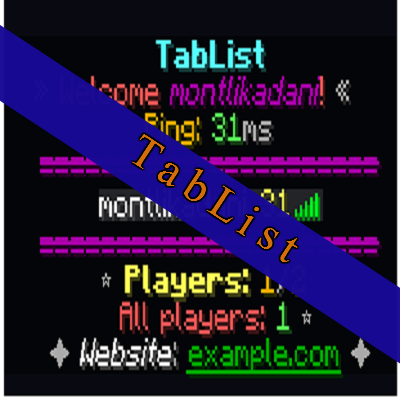
Preview
https://gph.is/g/4L18VQE
Features
➢ Creating animations to display on header/footer or in player tablist name
➢ Option to randomize the displayed texts ➢ Option to set refreshing interval for each animation
➢ Automatic refreshing of tablist (in server ticks) ➢ Ability to display custom JSON texts ➢ Customizable tablist groups (prefix + tabName + suffix)
➢ Ability to hide group when player AFK or vanish ➢ Command to set the specified group prefix, suffix or tab name ➢ Option to use any placeholders for tab name ➢ Ability to work groups only in given worlds ➢ Ability to use Vault groups or permissions, to see the set of prefix ➢ Option to synchronize Vault groups into tablist through a permission provider plugin
➢ Option to show the AFK status format in player list ➢ Text formatting
➢ 160 symbols to use unicode without breaking the file encoding ➢ 1.16+ hex color support ➢ Basic color supports ➢ 1.16+ custom fonts, documentation
➢ Option to remove gray colour name from spectator players from the player list ➢ Create fake players to only append in player list (random players with names)
➢ Set fake player display name, ping value ➢ Ability to set skin for fake players using real player's skin properties
➢ Ping & TPS placeholder formatting with logical operators ➢ Per world player list, to show for each worlds
➢ Ability to share the same list of players in different worlds
➢ Different tab options with limitations to
➢ Per-world/per-group/per-player
➢ Per-permission
➢ Switching tab visibility, toggles for all available players or just for one user ➢ Tablist object types (health, ping tab & custom value) ➢ Disabled worlds where tablist and objectives won't appear ➢ Option to sort AFK players to the bottom or individually on player list ➢ Option to automatically download and apply the new releases without clicking download button ➢ Option to hide player from tab when is in AFK or vanished
Soft-dependencies
- PlaceholderAPI (optional)
- Adds ability to use placeholders
- Vault (optional)
- Adds ability to use per-group tablist
- Adds ability to use vault group names for group prefixes/suffixes to display without permissions
- EssentialsX or CMI (optional)
- Ability to ignore the vanished players in %online-players% placeholder
- Displaying AFK status
- SuperVanish (optional)
- Ability to ignore the vanished players in %online-players% placeholder
Questions about plugin
- If I use %online-players% placeholder, and if a player is vanished, will it counts that player to all players?
It depends on the ignore-vanished-players-in-online-players option, if enabled it will not count those hidden players.
- Why freezes the tablist when a new player joins the server?
In the config.yml file, the update interval for the tablist is set to 0 so the tab not refresh anymore. But still freezes! What can I do? I can't help that much because the plugin updates the tablist when a player joins the server. Try restart your server completely.
- Is it possible for temporary groups? (time)
Yes!! If you use the LuckPerms plugin, you can set a timer with its temporary command and the specified group permission, so that after the time has elapsed, the player will not see the groups on the tablist.
- Why there is no way to modify the name tags above players with groups?
Name tags are not related to tablist functionality. This resource is specifically for tablist feature expansion only, not chat/nametag and everything else. One or two options can be found in the configuration files, but they are only there to ensure that the plugin don't break the functionality of other features, such as the name tags disappearing when we use groups.
Videos
Thanks @ChestHub the video!
PlaceholderAPI usage
Download the appropriate expansion: /papi ecloud download Player
Now reload placeholderapi: /papi reload
Finally, reload tablist plugin: /tl reload
and use the placeholder you want to display from Player expansion.
More information: https://github.com/PlaceholderAPI/PlaceholderAPI/wiki/Placeholders
bStats
Як встановити Animated-TabList
A server on Paper or Spigot
The plugin runs on the server core for Minecraft 1.8–1.21; players do not need to install anything.
File goes into the plugins folder
Download the file TabList-bukkit-v5.7.7.jar (382 KB) and put it into the server’s plugins folder.
Restart the server
On startup the plugin creates its own settings folder in plugins.
Use the “To server” button
On Millida Hosting, the button at the top of the page uploads the file to your server and restarts it for you.
Minecraft 1.21 runs on Java 21: with a different Java version the game may close right after launch.
Версії
Із залежностями
| Minecraft | Завантажувач | Файл | Дата | Дії |
|---|---|---|---|---|
| 1.21 | — | TabList v5.7.7382 КБ |
Часті питання
Which Minecraft versions does Animated-TabList work on?
There are files for 1.8–1.21, 14 versions in total. The newest is 1.21.
Do players need to install Animated-TabList?
No, the plugin goes only on the server, into the plugins folder: players do not need to download anything.
Which Java does Animated-TabList need?
Minecraft 1.21 runs on Java 21. If the game closes right after launch, the usual cause is the wrong Java version in the profile settings.
Where can I download Animated-TabList safely?
On this page: the file TabList-bukkit-v5.7.7.jar (382 KB) is stored on Millida’s server, with no link shorteners. SHA-1 checksum: bfdf1e8bf6b12b1d898faaf47753c268b02c92cb.
Відгуки
Станьте першим, хто оцінить Animated-TabList


