
Vanilla Zoom Мод для Minecraft 26.3
🔍 [Клієнт] Додає гарячу клавішу для зуму на ходу з використанням предмета підзорної труби.
 Fabric
 Forge
Forge NeoForge
 Quilt
QuiltПро мод Vanilla Zoom
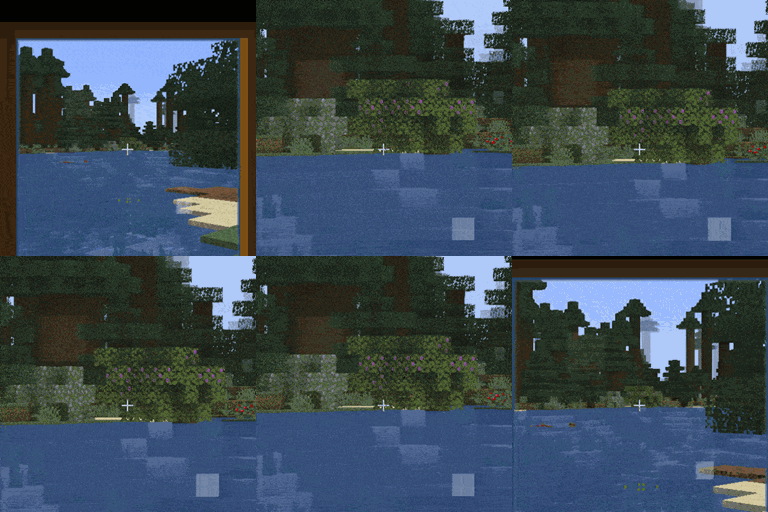
Vanilla Zoom is a client-side mod which adds functionality to zoom on-the-go via a hotkey. In 1.17, the Spyglass item was added to Minecraft. If you're like me, you've probably never found a use for it. It's a hassle to bring with you in the hotbar, and selecting it even more so. The zoom function is incredibly useful though. And with this mod, you'll be able to use it anywhere. Think of it as spawning with a spyglass, in any world.
By default the hotkey used to zoom in is Left Alt, but this can be set in the Keybind menu. While pressing this, a spyglass item is temporarily added to the offhand. The spyglass is automatically used, until the hotkey is let go. This will also make the spyglass item disappear again. Any held item in the offhand will return as soon as the hotkey is unpressed.
Zooming in with the hotkey:
The Hotkey:
You may freely use this mod in any modpack, as long as the download remains hosted within the CurseForge or Modrinth ecosystem.
Serilum.com contains an overview and more information on all mods available.
Comments are disabled as I'm unable to keep track of them across so many separate mod pages. For issues, ideas, suggestions or anything else there is the Github repo. Thanks!
Як встановити Vanilla Zoom
With Millida Launcher
Install Millida Launcher
The launcher is free: download it at millida.net/launcher and sign in with any nickname.
Click “Install” on this page
The launcher opens and installs the mod for Minecraft 1.19.3–26.3 on Fabric, Forge, NeoForge or Quilt automatically.
Launch the game
A profile with it appears in the launcher: click “Play”.
Manually
Install Fabric, Forge, NeoForge or Quilt
The loader must match the game version of the mod file, for example Minecraft 26.3. After installing it, a separate profile appears in your launcher.
Download the file for your version
In the version list above, pick the file vanillazoom-26.3.0-3.2.jar (34 KB) for your game version and loader.
Put it in the mods folder
The folder is inside .minecraft (Windows: %appdata%\.minecraft\mods). If it does not exist, create it.
Launch the loader profile
Open “Mods” in the main menu: Vanilla Zoom should be in the list.
Версії
Із залежностями
| Minecraft | Завантажувач | Файл | Дата | Дії |
|---|---|---|---|---|
| 26.3 | Fabric, Forge, NeoForge, Quilt | [Fabric/Forge/Neo] 26.3.0-3.2 | Vanilla Zoom33.8 КБ 23 | ||
| 1.19.3 | Forge | vanillazoom_1.19.3-1.0.jar8.2 КБ |
Часті питання
Which Minecraft versions does Vanilla Zoom work on?
There are files for 26.3, 1.19.3. The newest is 26.3.
Is Vanilla Zoom for Forge or Fabric?
There are files for Fabric: 26.3, for Forge: 1.19.3–26.3, for NeoForge: 26.3 and for Quilt: 26.3.
Does Vanilla Zoom need other mods?
The author lists no required dependencies: the Fabric, Forge, NeoForge or Quilt loader is enough.
Where can I download Vanilla Zoom safely?
On this page: the file vanillazoom-26.3.0-3.2.jar (34 KB) is stored on Millida’s server, with no link shorteners. SHA-1 checksum: 06673a65efadbf9a4f09500ec0b5dd12d7a34878.
Відгуки
Станьте першим, хто оцінить Vanilla Zoom


