

toNeko Мод для Minecraft 1.21.1
Перетворіть гравців на кішкодівчат у Minecraft
 NeoForge
 Fabric
You are so cute. Yes, I said you!
简体中文 | English
We are Neko!
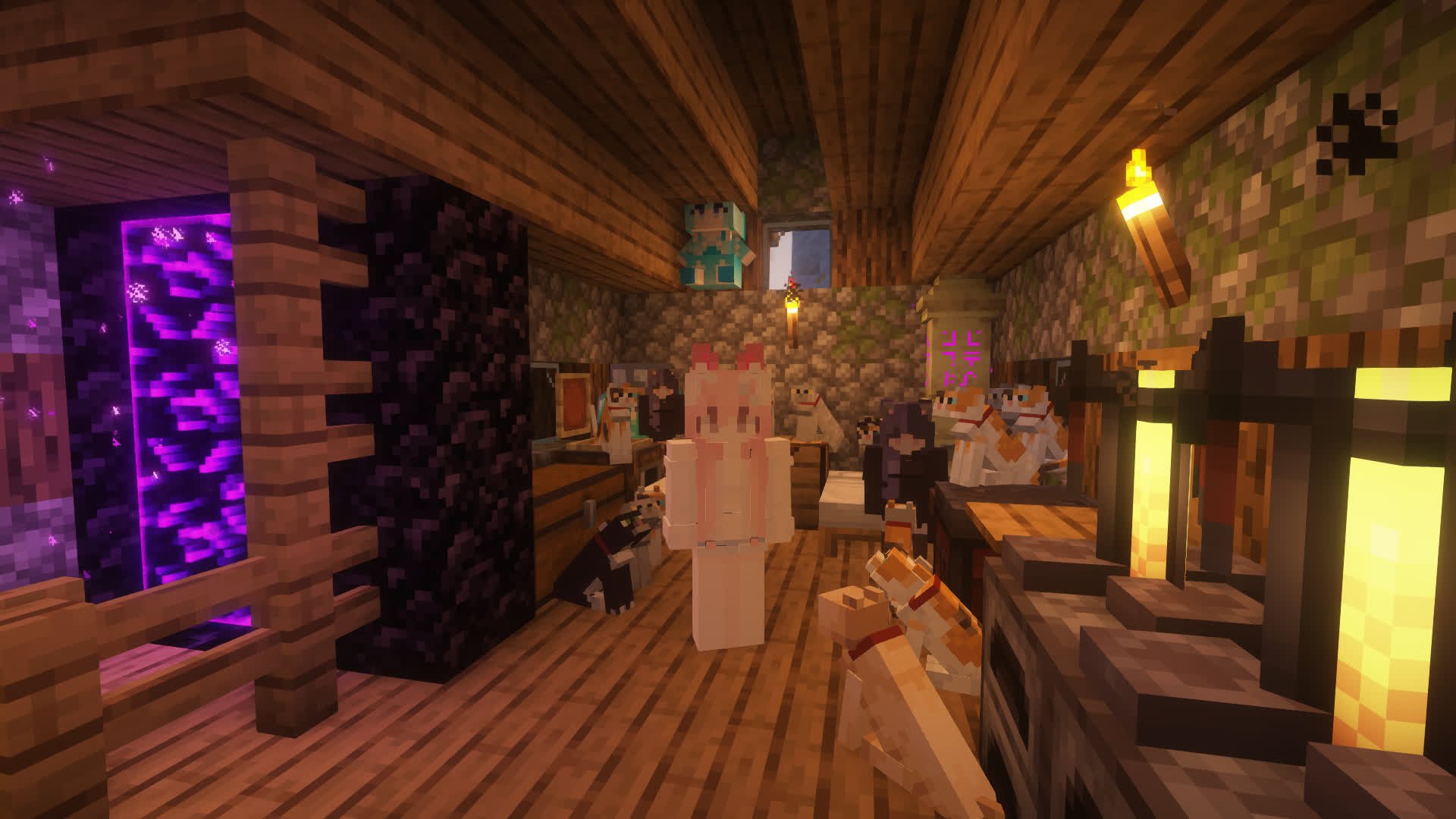
Brief Introduction
Meow meow meow~
toNeko is a Minecraft mod that turns you into a neko! Beyond becoming a catgirl, there's also AI chat, genetics, a quirk system, catnip farming, boss battles, and more waiting for you to explore nya~
If you like this mod, please give it a star~
Download:
Mod Version
Supported Versions:
- Fabric 1.21.1
- NeoForge 1.21.1
Required Mods
- geckolib (required)
- Forgified Fabric API (NeoForge only)
Optional:
- trinkets (adds accessory slot support)
- luckperms (permission management)
Features
- 🧬 Genetics System — Mendelian inheritance mechanics! Nekos have heritable genes (like moe trait genes), and you can edit them with the Gene Editor tool nya~
- 🤖 AI Chat — Supports multiple AI providers (Google, OpenAI, SiliconFlow, Groq, etc.), letting neko NPCs chat with you, plus TTS voice support nya~
- 🎀 LoliHead — Automatically adjusts head size when the player's body shrinks, making loli nekos even cuter nya~
- 🌿 Catnip — Growable catnip crop that you can farm, harvest, and turn into catnip sandwiches nya~
- 🔧 Neko Aggregator — A dedicated crafting workbench for making various items from the mod nya~
- 📦 Moe Resource Pack — Built-in Chinese translation fix pack, fixing translation issues for 25+ mods nya~
- 🔌 EMI Integration — View Neko Aggregator recipes directly in EMI nya~
How to Use
Just put the mod into the mods folder of your server/client, meow~
Tips
If you find that some text isn't in your language, you can change the language setting through the Mod Menu config screen in-game~
How to Become a Neko
If you want to become a neko, it's very simple. Just craft a Neko Collector and get close to cats. When the energy is full, a Neko Potion will drop. Just drink it, meow~
If you want to become the owner of another neko (yes, you can be one yourself too), just run /toneko player <player name>. The prerequisite is that the other player must already be a neko (Tips: a neko can have multiple owners)
Keybinds
Some toNeko features can be used with keybinds. The defaults are:
- K: Ride nearby creatures (same as /neko ride)
- I: Lie down (literally)
- O: Get down (also literally)
- J: Open the quirks settings screen
These keybinds all have corresponding commands (I'll never tell you that they just call the commands directly)
Neko NPCs
toNeko adds neko entities so there's stuff to do in single-player mode. You can encounter them in the wild, or just spawn them directly~
Shift+right-click a neko to open the interaction menu. Different nekos may have slightly different menus. The effective range is 16 blocks — if you walk too far away, the buttons won't work~
Each neko spawns with a different skin. There aren't many built-in skins yet, but you can add new ones through resource packs. As for how, I'll write a dedicated guide once the skin system is more complete, so stay tuned~ ^_^~
Nekos come in different variants, including Adventurer Neko, Ghost Neko, Crystal Neko, Fighting Neko, and more, each spawning in different biomes. If you want to add yourself as one, just tell me and I'll try my best to do it! There's also a special variant — the Crystal Neko — that only spawns on toNeko's birthday (September 26th)~
There's also a powerful Mouflet Boss waiting for you to challenge! It steals your items, flies around while attacking — it's not easy to deal with!
Accessories
toNeko adds several accessories (neko ears, tail, paws, etc.) that you can find in the creative inventory. Of course, they're all craftable. Accessories can be worn directly in armor slots, and if you have trinkets installed, they can go in accessory slots too~
Commands & Permissions (all granted by default)
To learn how to use each command, add "help" after it, e.g. /toneko help # Commands for owners (permission: command.toneko.xxx) /toneko # Commands for nekos (permission: command.neko.xxx) /neko # Commands for admins (permission: command.tonekoadmin.xxx) /tonekoadmin # Set your quirks (permission: command.quirk.xxx) /quirk # View genetic info (permission: command.genetics.xxx) /genetics
Community & Support
- Discord
Integrations
Integrated mods: luckperms
That's not all.
Як встановити toNeko
With Millida Launcher
Install Millida Launcher
The launcher is free: download it at millida.net/launcher and sign in with any nickname.
Click “Install” on this page
The launcher opens and installs the mod for Minecraft 1.20.2–1.21.1 on Fabric or NeoForge automatically.
Launch the game
A profile with it appears in the launcher: click “Play”.
Manually
Install Fabric or NeoForge
The loader must match the game version of the mod file, for example Minecraft 1.21.1. After installing it, a separate profile appears in your launcher.
Download the file for your version
In the version list above, pick the file toneko-neoforge-1.9.7.jar (3.7 MB) for your game version and loader.
Put it in the mods folder
The folder is inside .minecraft (Windows: %appdata%\.minecraft\mods). If it does not exist, create it.
Launch the loader profile
Open “Mods” in the main menu: toNeko should be in the list.
Minecraft 1.21.1 runs on Java 21: with a different Java version the game may close right after launch.
Версії
Із залежностями
| Minecraft | Завантажувач | Файл | Дата | Дії |
|---|---|---|---|---|
| 1.21.1 | NeoForge | toneko-neoforge-1.9.7.jar3.7 МБ | ||
| 1.21.1 | Fabric | toneko-fabric-1.9.7.jar3.7 МБ | ||
| 1.21.1 | NeoForge | toneko-neoforge-1.9.0.jar4.7 МБ | ||
| 1.20.2 | Fabric | toNeko 0.0.787.9 КБ |
Часті питання
Which Minecraft versions does toNeko work on?
There are files for 1.21.1, 1.20.2. The newest is 1.21.1.
Is toNeko for Forge or Fabric?
There are files for Fabric: 1.20.2–1.21.1 and for NeoForge: 1.21.1. There are no files for Forge: a mod for another loader will not start.
Does toNeko need other mods?
The author lists no required dependencies: the Fabric or NeoForge loader is enough.
Which Java does toNeko need?
Minecraft 1.21.1 runs on Java 21. If the game closes right after launch, the usual cause is the wrong Java version in the profile settings.
Відгуки
Станьте першим, хто оцінить toNeko


