
 Fabric
 NeoForge
 Forge
ForgeПро мод TNTUtils
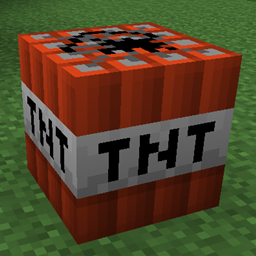
A small mod that provides some config options and tags to control how explosions behave.
TNTUtils can be installed on a server without the clients requiring it.
Note that explosions from other mods are not guaranteed be affected by TNTUtils, unless they use one of the Level.explode overloads.
Current features:
- Change the size of explosions or disable them entirely
- in 1.20+, the entity type tags #tntutils:deny_explosions and #tntutils:allow_explosions can be used to disallow or allow certain entity types to create explosions
- in 1.20+, the entity tags (they are applied with the /tag command, not to be confused with entity type tags) tntutils.deny_explosions and tntutils.allow_explosions can be used to disallow or allow individual entities to create explosions
- Disable TNT explosions
- Prevent TNT from chain-reacting
- A "/explode" command (called "/explosion" in 1.12.2 and earlier)
- Change blast resistances of individual blocks
- Modify the chance that a destroyed block will drop as an item
- in 1.20+, see also the game rules "mobExplosionDropDecay", "tntExplosionDropDecay" and "blockExplosionDropDecay"
- Prevent explosions from destroying blocks
- in 1.20+, individual blocks can be blacklisted or whitelisted with the block tags #tntutils:explosion_blacklist and #tntutils:explosion_whitelist, respectively. The whitelist takes precedence over the blacklist and over any config option.
- in 1.12.2 and earlier, individual blocks can be specified in the config file
- Prevent Creepers from destroying blocks ("environmentally friendly creepers")
- Prevent explosions from triggering blocks (e.g. Wind Charge explosion flipping levers)
- the block tags #tntutils:trigger_blacklist and #tntutils:trigger_whitelist can be used to blacklist or whitelist individual blocks
- Prevent explosions from damaging all or certain entities
- in 1.20+, the entity type tags #tntutils:explosion_blacklist and #tntutils:explosion_whitelist can be used to blacklist or whitelist individual entity types
- Prevent explosions from damaging items laying on the ground
- in 1.20+, the item tags #tntutils:explosion_blacklist and #tntutils:explosion_whitelist can be used to blacklist or whitelist individual items
All of these features can be toggled in the config file.
Licensing and Credits
You are free to add the mod to a modpack.
TNTUtils is licensed under the MIT license. The Fabric version also includes Fiber for the configuration system, which is licensed under the Apache-2.0 License.
Як встановити TNTUtils
With Millida Launcher
Install Millida Launcher
The launcher is free: download it at millida.net/launcher and sign in with any nickname.
Click “Install” on this page
The launcher opens and installs the mod for Minecraft 1.9–26.2 on Fabric, Forge or NeoForge automatically.
Launch the game
A profile with it appears in the launcher: click “Play”.
Manually
Install Fabric, Forge or NeoForge
The loader must match the game version of the mod file, for example Minecraft 26.2. After installing it, a separate profile appears in your launcher.
Download the file for your version
In the version list above, pick the file tntutils-fabric-26.2-2.0.4.jar (233 KB) for your game version and loader.
Put it in the mods folder
The folder is inside .minecraft (Windows: %appdata%\.minecraft\mods). If it does not exist, create it.
Launch the loader profile
Open “Mods” in the main menu: TNTUtils should be in the list.
Версії
Із залежностями
| Minecraft | Завантажувач | Файл | Дата | Дії |
|---|---|---|---|---|
| 1.21.11 | Fabric | tntutils-fabric-1.21.11-2.0.5.jar234 КБ 18 | ||
| 26.2 | Fabric | tntutils-fabric-26.2-2.0.4.jar233 КБ 7 | ||
| 26.2 | NeoForge | tntutils-neoforge-26.2-2.0.4.jar29.2 КБ 1 | ||
| 1.20.1 | Forge | tntutils-forge-1.20.1-2.0.4.jar28.8 КБ 3 | ||
| 1.21.11 | NeoForge | tntutils-neoforge-1.21.11-2.0.3.jar27.4 КБ | ||
| 1.20.1 | Forge | tntutils-forge-1.20.1-2.0.2-fix.jar27.8 КБ | ||
| 1.21.1 | Fabric | tntutils-fabric-1.21.1-2.0.1.jar224 КБ 1 | ||
| 1.21.1 | NeoForge | tntutils-neoforge-1.21.1-2.0.1.jar23.6 КБ 2 |
Часті питання
Which Minecraft versions does TNTUtils work on?
There are files for 1.9–26.2, 8 versions in total. The newest is 26.2.
Is TNTUtils for Forge or Fabric?
There are files for Fabric: 1.21.1–26.2, for Forge: 1.20.1 and for NeoForge: 1.21.1–26.2.
Does TNTUtils need other mods?
The author lists no required dependencies: the Fabric, Forge or NeoForge loader is enough.
Where can I download TNTUtils safely?
On this page: the file tntutils-fabric-26.2-2.0.4.jar (233 KB) is stored on Millida’s server, with no link shorteners. SHA-1 checksum: 7e3a6bd2e48a8ef06e09234cde134ab5c5ece06c.
Відгуки
Станьте першим, хто оцінить TNTUtils


