

Spawn Balance Utility Мод для Minecraft 1.20.1, 1.21.11
Дозволяє контролювати ваги спавну та розмір груп мобів за біомом і структурою. Це контролює суміш мобів, які з'являються, і не змінює ліміт спавну, як наш інший мод "Spawncap Control Utility".
 Forge
Forge Fabric
Про мод Spawn Balance Utility
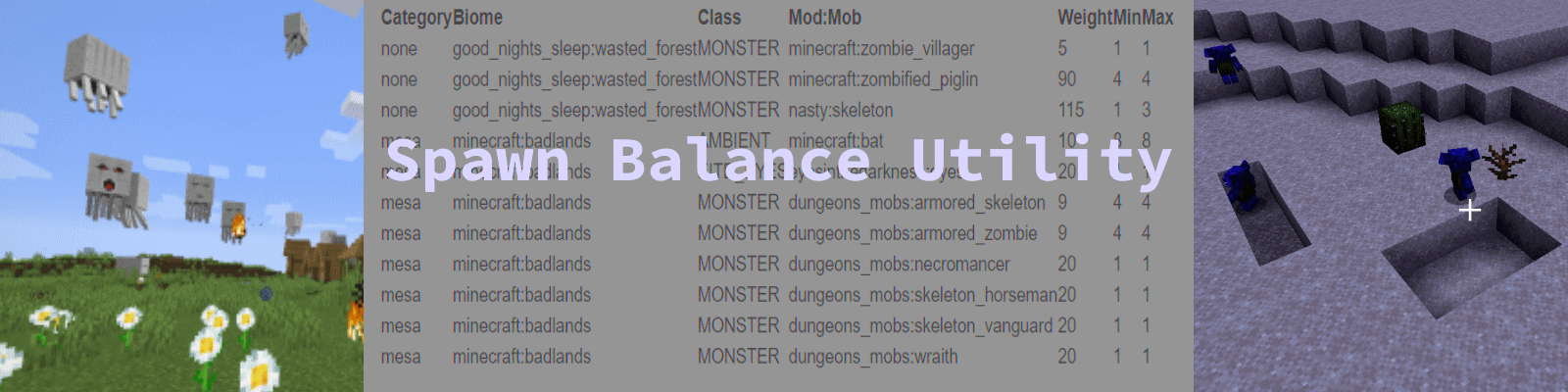
- Spawn Balance Utility (SBU)
This mod is on Forge and Fabric currently. Neoforge is more of a wish than a plan at this point.
Forge is caught up. Fabric will be worked on soon through 1.21.8.
Now with limited fabric support for version 1.20.X (see more notes below)
Overview
We were having issues balancing all the mob spawn weights in our modpack so I wrote this utility mod.
Spawn balance utility ("SBU") will help Modpack Designers, Server Operators, Ordinary people running a personal game with multiple mob mods, and Mod Developers to indentify and adjust spawn balance issues. SBU will save you endless iterations of trying a value- seeing how it works- and then restarting again. You'll be able to make better informed choices when editing spawn weights and group sizes in mods.
With SBU, you be able to control spawnweights for modded and normal mobs on an individual biome by biome basis.
You'll be able to add any mob in the pack to any biome in the pack. (The mob still has to pass it's internal spawning requirements tho!)
Five Common Uses
Case 1: A new mod makes existing creatures too rare. Cod have a default weight of 5 in lukewarm oceans and the ImaginaryWaterCreatures mod adds "HappyFish" with a weight of 20. And now the ocean is full of happy fish and the Cod are gone. Spawn Balance Utility will help you identify and fix this.
Case 2: A new mod is added but you never see the creatures from it. SBU will help you see why and let you adjust spawn rates to make the new monster more common.
Case 3: You are writing a new mod and you want some good default spawn weights. The Spawn Balance Utility will help you to choose better spawnweights easier.
Case 4: You just want to fix the most extreme cases where spawn weights are easy too high or low. Say you just want to drop it in and quickly fix the worst problems of mobs never showing up or showing up way too much. By default, it sets a floor and cieling spawn weights of 5 and 80.
Case5: You want no mobs to spawn. Each biome must have at least one mob. I suggest using bats. Remove all lines except bats.
Some Other Features
SBU now has the option to increase existing spawn weights to a configurable minimum weight.
SBU can add Zombified Piglin and Ghasts to nether biomes if they are missing. Some biomes are basically empty now so this helps increase the danger back to normal.
Easy to Use
As a typical user, you may use SBU as a plug and play mod. Simply drop it in with default values and it will fix the worst problems. Minecraft creatures won't disappear, some modded creatures will become a little more common while other modded creatures will become a little less common. You don't need to do anything else.
It will create a some files in a folder /spawnbiomeutility that you can use to see what the current spawn rates are. For example, in our case Mutant Beasts had a value of 45 but they were in biomes with a lot of other modded creatures which had higher spawn rates. As a result we never saw them. We raised this to 100 and they were too common. Then we lowered them to 80 an it was "just right" how often they showed up.
However...
Powerful with total control if you dig a little deeper.
As a server owner or modpack designer, you can use SBU to gain total control over spawn weights, make mobs more or less common, even add them to biomes they don't currently appear in. This can be done with a text editor but a spreadsheet makes it easiest.
2. Documentation
Configuration File
Note: Please Use Wordpad, Notepad++, Textpad to edit Forge config files or they will look like one long line and be hard to read. Don't use Notepad.
Configuration File(version 3, 1.36.0.3) Summary
["Spawn Balance UtilityControl Values"]
#Fix min, max values and add nether creatures fixSpawnValues = true #minimum Spawn Weight #Range: 1 ~ 1000 minSpawnWeight = 5 #maximum Spawn Weight #Range: 1 ~ 1000 maxSpawnWeight = 80 #fixEmptyNether fixEmptyNether = true #generateReport generateReport = true #Use the BiomeMobWeight.CSV file to balance Biome spawn values balanceBiomeSpawnValues = true #Use the StructMobWeight.CSV file to balance structure spawn values balanceStructureSpawnValues = true debugLevel = 0
Configuration Field Documentation
#Fix min, max values and add nether creatures fixSpawnValues = true
If this is true, Spawn Balance Utility (SBU) will raise spawnweights to the minimum values and lower spawnweights to the maximum values.
This helps when minecraft defaults to very low spawnweight values like "1" because it only had one mob in the biome. Then when mods added new monsters with higher spawnweights, normal minecraft creatures became very rare.
#minimum Spawn Weight #Range: 1 ~ 1000 minSpawnWeight = 5
If the default minecraft spawnweight is '1' (like for Cod) then any new mods will make Cod become rare unless those mods also use a spawn weight of '1'. #maximum Spawn Weight #Range: 1 ~ 1000 maxSpawnWeight = 80
Some mods default to very high spawn weights. Anything over 50 is probably unnecessary. The default value limits maximum spawn values to 80. So if a mob had a weight of 100, it would become 80. In combination with minSpawnWeight, you end up with spawnweights between 5 and 80. #fixEmptyNether fixEmptyNether = true
Some new minecraft nether biomes don't have traditional nether mobs like zombified piglin and ghasts. This results in a very boring empty nether. When you set this to true, SBU adds zombified Piglin and Ghasts to all nether biomes using the minSpawnWeight value. Please note that Ghasts still have a hard time spawning in biomes with no 5x5 sections of open ground. Also note that Ghasts are limited to 1 successful spawn per chunk. They have a group size of 4 so they will try to spawn 4 times before giving up. #generateReport generateReport = true
this generates the two SBU reports (BiomeMobWeight.txt, StructureMobWeight.txt) which are csv format files to be used for configuration. NOTE: The structure spawn file is informational at this point. Using it to add monsters and creatures to structures is coming. For example: Mansion's don't spawn illagers- they generate them at world build time. When complete, you could make Mansions spawn Illagers, Broken Nether Portals spawn Hoglins, and Shipwrecks spawn modded water creatures like River Guardians or Slippery Biters from our HostileWaterMobs mod. #Use the CSV file to balance spawn values balanceSpawnValues = true
When this is true, SBU will use the BiomeSpawnUtility.csv file if it exists to modify the spawn values. SBU does this once when the world starts. It never runs again. It creates no ongoing server load.
#suppressMinecraftMobReporting
suppressMinecraftMobReporting = false
Set this to "true" if you just want to remove minecraft mobs from the .txt report.
#Mod Name set separated by SemiColons of mods to report.
includedReportModsSet = ";"
Type a list of mods separated by semi-colons ";" to include on the report. When blank (default) , it will report all mods. Example: "undergarden;greekfantasy;dreamlands". Used when you are adding a new mod and you just want to see the mobs it is adding so you can add them to the .csv balancing file.
#Debug Level: 0 = Off, 1 = Log, 2 = Chat+Log #Range: 0 ~ 2 debugLevel = 0
The debugLevel determines how verbose the logging is.
Level 1 outputs important errors to the log noted by a "SpawnBiomeUtility Error" line.
Level 2 outputs warnings and a lot of informational messages (but only once each time the server/world is started).
#list of Mod:MobName,DefaultSpawnweight; #list of Mod:MobName,DefaultSpawnweight;
defaultSpawnWeightList = "minecraft:enderman,5;modname:mobname,6;"
Put the "modname:mobname", a comma, and then an integer. This will override default minimum and maximum spawnweight values. It won't add a mob to a biome.
"Spawn Placement Fixes" #Add mobs spawning in the air and falling to this list .
defaultSpawnWeightList = "minecraft:piglin_brute;goblinanddungeon:gob;goblinanddungeon:Hobgob;" This fixes the problem of mobs naturally spawning in the air because they have no registered spawn placements. (Version 13 and later)
- Total Control: BiomeMobWeight file.
After changing all spawn values, Spawn Balance Utility ("SBU") outputs a file with all spawnweight values titled BiomeMobWeight.txt in the folder /config/spawnbiomeutility.
You can rename this file to BiomeMobWeight.CSV and SBU will use it as a configuration file.
You can edit this file with a spreadsheet and change spawn weights and group size for mobs line by line or multiple lines at a time. For example, you could change skeletons to be less common in every biome and then make them more common in forest biomes by using a spreadsheet to sort by the mob name (minecraft:skeleton).. select those lines and use find and replace to change the spawnweights from 80 to 50... and then change the forest category skeleton spawn weights to 90.
Example: BiomeMobWeight (with example header row added to help you understand)
Line#, Biome Category, Biome, Classification, Mod:Monster, Spawnweight, MinGroup#, MaxGroup#
1, taiga, byg:snowy_blue_taiga_hills, MONSTER, minecraft:spider, 80, 4, 4 2, taiga, byg:snowy_blue_taiga_hills, MONSTER, minecraft:zombie, 80, 4, 4 3, taiga, byg:snowy_blue_taiga_hills, MONSTER, minecraft:zombie_villager, 10, 1, 1 4, taiga, byg:snowy_blue_taiga_hills, MONSTER, minecraft:skeleton, 80, 4, 4 5, taiga, byg:snowy_blue_taiga_hills, MONSTER, minecraft:creeper, 80, 4, 4 6, taiga, byg:snowy_blue_taiga_hills, MONSTER, minecraft:slime, 80, 4, 4
Friendly
If SBU encounters a bad line- it issues an error message with the bad line and the field where it had the error.
Then it continues with the next line. Bad data is handled. It doesn't crash. So check your logs for these error messages.
Adding Mobs to Structures
You can also use SBU to add mobs to structures. Currently this only works for minecraft structures. SBU does add them to modded structures but Forge is handling their spawns differently somehow.
I used it to add hostile and peaceful fish to shipwrecks. And to add some peaceful fish to Underwater Monuments.
The same sequence applies. The first run, SBU creates a StructureMobWeight TXT report file. You copy it to StructureMobWeight CSV and then edit the values.
Example: raw StructureMobWeight csv file.
1, minecraft:swamp_hut, HEADING, header:ignore, 0, 0, 0 2, minecraft:swamp_hut, MONSTER, minecraft:witch, 10, 1, 1 4, minecraft:swamp_hut, CREATURE, minecraft:cat, 13, 1, 1 6, minecraft:pillager_outpost, HEADING, header:ignore, 0, 0, 0 7, minecraft:pillager_outpost, MONSTER, minecraft:pillager, 41, 1, 1 9, minecraft:monument, HEADING, header:ignore, 0, 0, 0 10, minecraft:monument, MONSTER, minecraft:guardian, 70, 2, 4 12, minecraft:monument, CREATURE, minecraft:cod, 13, 2, 4 14, minecraft:fortress, HEADING, header:ignore, 0, 0, 0 15, minecraft:fortress, MONSTER, minecraft:blaze, 11, 2, 3 17, minecraft:fortress, MONSTER, minecraft:zombified_piglin, 53, 4, 4 19, minecraft:fortress, MONSTER, minecraft:wither_skeleton, 79, 5, 5 21, minecraft:fortress, MONSTER, minecraft:skeleton, 19, 5, 5 23, minecraft:fortress, MONSTER, minecraft:magma_cube, 33, 4, 4 25, minecraft:mineshaft, HEADING, header:ignore, 0, 0, 0 26, minecraft:mansion, HEADING, header:ignore, 0, 0, 0 27, minecraft:jungle_pyramid, HEADING, header:ignore, 0, 0, 0 28, minecraft:desert_pyramid, HEADING, header:ignore, 0, 0, 0 29, minecraft:igloo, HEADING, header:ignore, 0, 0, 0 30, minecraft:ruined_portal, HEADING, header:ignore, 0, 0, 0 31, minecraft:shipwreck, HEADING, header:ignore, 0, 0, 0 32, minecraft:stronghold, HEADING, header:ignore, 0, 0, 0 33, minecraft:ocean_ruin, HEADING, header:ignore, 0, 0, 0 34, minecraft:endcity, HEADING, header:ignore, 0, 0, 0 35, minecraft:buried_treasure, HEADING, header:ignore, 0, 0, 0 36, minecraft:village, HEADING, header:ignore, 0, 0, 0 37, minecraft:nether_fossil, HEADING, header:ignore, 0, 0, 0 38, minecraft:bastion_remnant, HEADING, header:ignore, 0, 0, 0
Adding Mobs to every Biome Easily
SBU reads the contents of "MassAdditionMobs.CSV" and adds any mobs in the file to biomes based on one of four options (All, Overworld, Nether,End).
SBU will create a template for you to use named "MassAdditionMobs.TXT" in the spawnbalanceutility sub-folder inside the config folder. It looks like this:
Example mob mass addition file. Add mobs with the pattern below and rename file to MassAdditionMobs.csv Line, Category*, Class**, Namespace:Mob, Weight, Mingroup , Maxgroup
1, A, MONSTER, minecraft:phantom, 10, 1, 4
- A, O, N, E for All, Overworld, Nether, The End
** MONSTER,CREATURE,AMBIENT
This file would add minecraft:phantom to every biome in all dimensions. It would also print some non-fatal error messages for the text lines.
A proper file might look like this:
1, A, MONSTER, minecraft:phantom, 10, 1, 4
1, N, AMBIENT, minecraft:bat, 15, 1, 4
1, E, CREATURE, abynormalcraft:twistedbunny, 10, 1, 4
1, O, MONSTER, minecraft:silverfish, 5, 3, 6
This file would
- add phantoms as a rare monster (you might see 1 per night) in every biome in the game.
- add bats as ambient mobs too every biome (they would still be restricted to dark low area by the BatEntity rules).
- add twisted bunnies from the (made up) abynormalcraft mod as creatures (like sheep... cows...) to every End biome.
- Add minecraft silverfish as a very rare spawn in all overworld biomes (but ignore other dimensions).
- Spawn Balance Utility Workflow
Install Spawn Balance Utility
Run Minecraft.
With the default values, it will raise any spawnweights below 5 up to 5 and lower any spawnweights above 80 down to 80.
If you want to customize further- here is how:
Create a world.
Exit.
Browse to the /config folder and look in the /spawnbalanceutility folder.
You will see two reports
- BiomeMobWeight.txt
- StructMobWeight.txt
Як встановити Spawn Balance Utility
With Millida Launcher
Install Millida Launcher
The launcher is free: download it at millida.net/launcher and sign in with any nickname.
Click “Install” on this page
The launcher opens and installs the mod for Minecraft 1.20–1.21.11 on Fabric or Forge automatically.
Launch the game
A profile with it appears in the launcher: click “Play”.
Manually
Install Fabric or Forge
The loader must match the game version of the mod file, for example Minecraft 1.21.11. After installing it, a separate profile appears in your launcher.
Download the file for your version
In the version list above, pick the file Forge-SpawnBalanceUtility-1.21.9-59.13.9.jar (78 KB) for your game version and loader.
Put it in the mods folder
The folder is inside .minecraft (Windows: %appdata%\.minecraft\mods). If it does not exist, create it.
Launch the loader profile
Open “Mods” in the main menu: Spawn Balance Utility should be in the list.
Minecraft 1.21.11 runs on Java 21: with a different Java version the game may close right after launch.
Версії
Із залежностями
| Minecraft | Завантажувач | Файл | Дата | Дії |
|---|---|---|---|---|
| 1.21.9 | Forge | Forge-SpawnBalanceUtility-1.21.9-59.13.9.jar78.1 КБ | ||
| 1.21.8 | Fabric | fabric-release-spawnbalanceutility-1.21.5-11.jar98.9 КБ | ||
| 1.20.2 | Fabric | fabric-release-spawnbalanceutility-1.20-3.jar85.6 КБ |
Часті питання
Which Minecraft versions does Spawn Balance Utility work on?
There are files for 1.20–1.21.11, 10 versions in total. The newest is 1.21.11.
Is Spawn Balance Utility for Forge or Fabric?
There are files for Fabric: 1.20–1.21.11 and for Forge: 1.21.9–1.21.10. There are no files for NeoForge: a mod for another loader will not start.
Does Spawn Balance Utility need other mods?
The author lists no required dependencies: the Fabric or Forge loader is enough.
Which Java does Spawn Balance Utility need?
Minecraft 1.21.11 runs on Java 21. If the game closes right after launch, the usual cause is the wrong Java version in the profile settings.
Where can I download Spawn Balance Utility safely?
On this page: the file Forge-SpawnBalanceUtility-1.21.9-59.13.9.jar (78 KB) is stored on Millida’s server, with no link shorteners. SHA-1 checksum: 59ec6a29b05d646745ec88503b34ddbe91a89702.
Відгуки
Станьте першим, хто оцінить Spawn Balance Utility


