

Sable Beyond Мод для Minecraft 1.21.1
Sable Beyond розширює мод Sable додатковими функціями, покращеннями зручності та підтримкою сумісності. Він створений, щоб додати ідеї, які не є частиною основного моду, зберігаючи ігровий досвід узгодженим із Sable.
 Fabric
 NeoForge
Sable Beyond
Sable Beyond expands the Sable mod with additional features, quality-of-life improvements, and compatibility support. It is designed to add ideas that are not part of the main mod while keeping the gameplay experience consistent with Sable.
Each feature is highly configurable. For example, if you do not want entity mass, no problem you can disable it in the config. You just need to locate the config/sable_beyond folder, where all the config files are stored, or use the in-game config screen.
⚠️ This mod is still in alpha, so please make a backup beforehand. Also, if you encounter a bug, please report it on the GitHub Issues page.

Features
Some features are disabled by default, so please check the config
Version - Feature - NeoForge - Fabric
0.0.1 - Mechanical Arms can interact with Sable sublevels - ✅ - ❌ 0.0.1 - Create Encased Fans can push and pull sublevels - ✅ - ❌ 0.0.1 - Configurable entity mass system with formula support (disabled by default) - ✅ - ✅ 0.0.2 - In-game configuration screen using Cloth Config - ✅ - ✅ 0.0.2 - Dynamic mass system with real-time mass changes (disabled by default) - ✅ - ✅ 0.0.2 - Dynamic mass support for Create Fluid Tanks, Spouts, Drains and Basins - ✅ - ❌ 0.0.2 - Upside-down Basins in sublevels drop their items (disabled by default) - ✅ - ❌ 0.0.2 - KubeJS integration (WIP) - ✅ - ❌ 0.4.0 - Improved fire spreading between sublevels and the real world - ✅ - ✅ 0.4.0 - Lava can ignite flammable blocks inside sublevels - ✅ - ✅ 0.4.0 - Fire is extinguished when a sublevel enters water or a solid block - ✅ - ✅ 0.5.0 - Flowing fluids apply configurable forces to sublevels - ✅ - ✅ 0.5.0 - Fluid escapes from upside-down Basins and can enter fluid containers (disabled by default) - ✅ - ❌ 0.5.0 - Upward-facing Basins absorb fluid source blocks above them (disabled by default) - ✅ - ❌ 0.5.0 - Powered Water Wheels generate configurable propulsion while touching water - ✅ - ❌

Entity Mass (disabled by default)
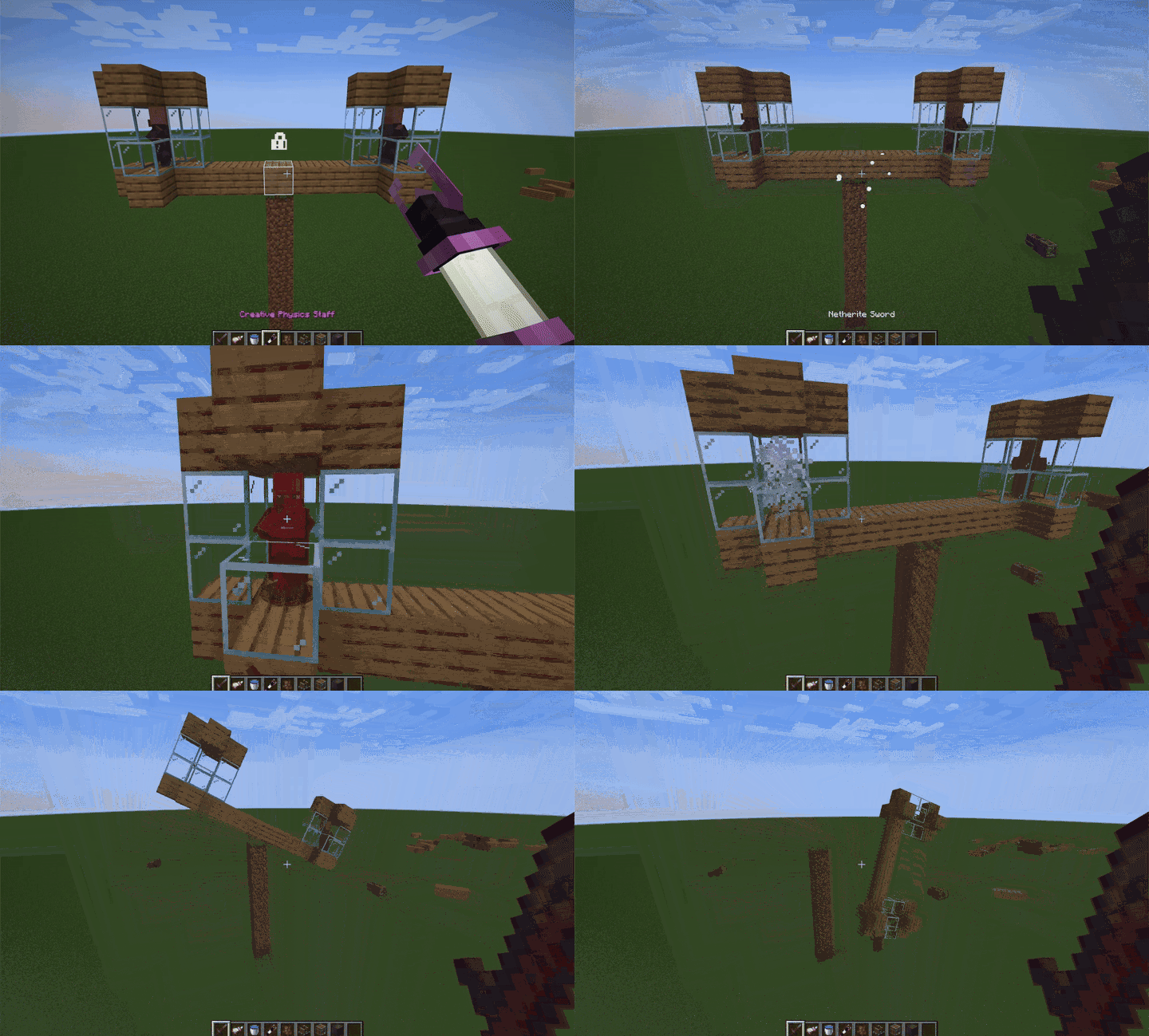
Entities now react to forces based on their configured mass, creating more realistic movement behavior.
- An advanced config for the entity mass and formula system with functions and operators
Create advanced formulas with operators and functions to fine-tune mass calculations.
Dynamic Mass (disabled by default)
Some blocks now carry their contents with them: supported Create fluid-related blocks, such as Fluid Tanks, Basin, etc, dynamically adjust their mass based on what they contain.
Fire
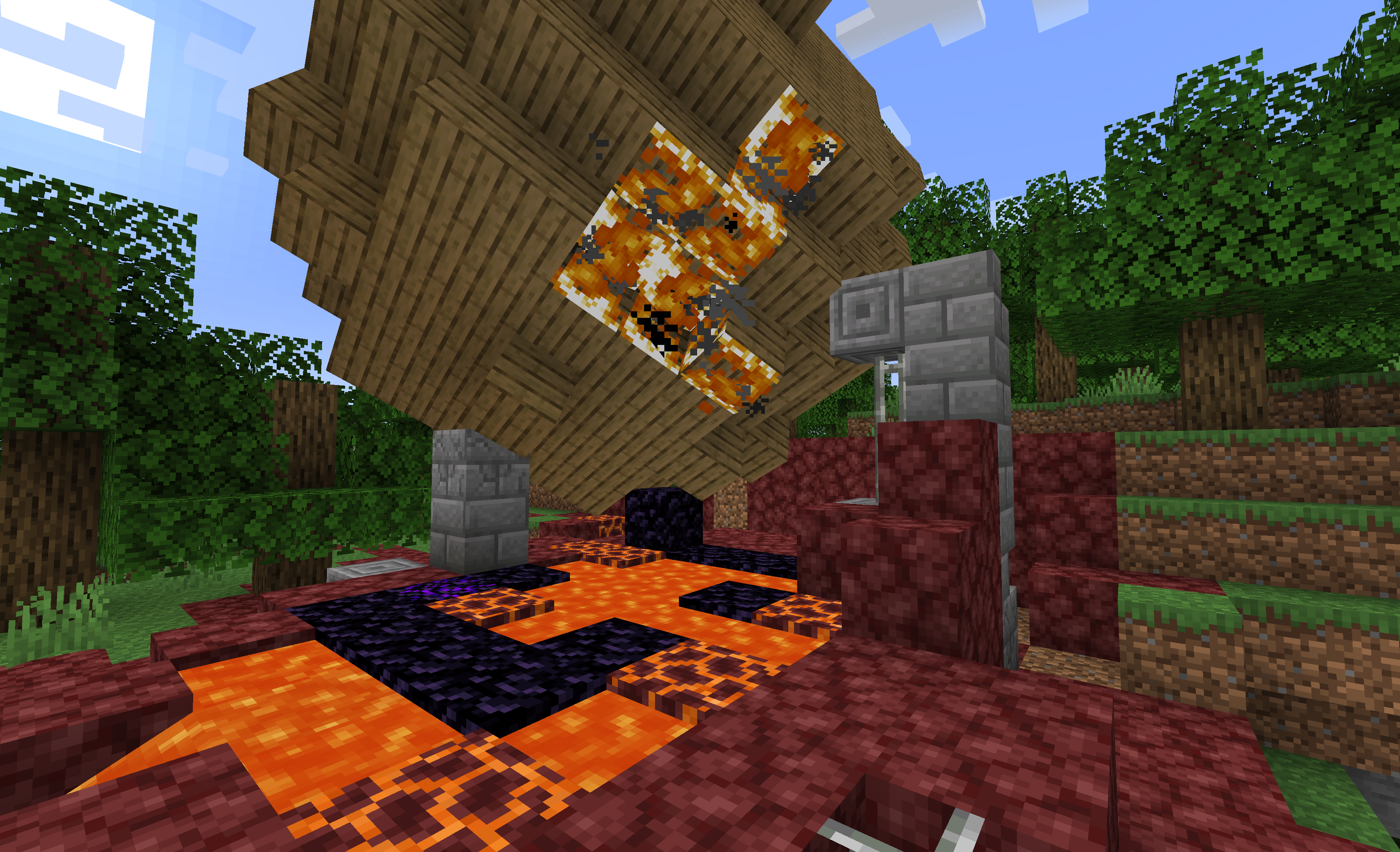
Lava can ignite flammable blocks inside sublevels.
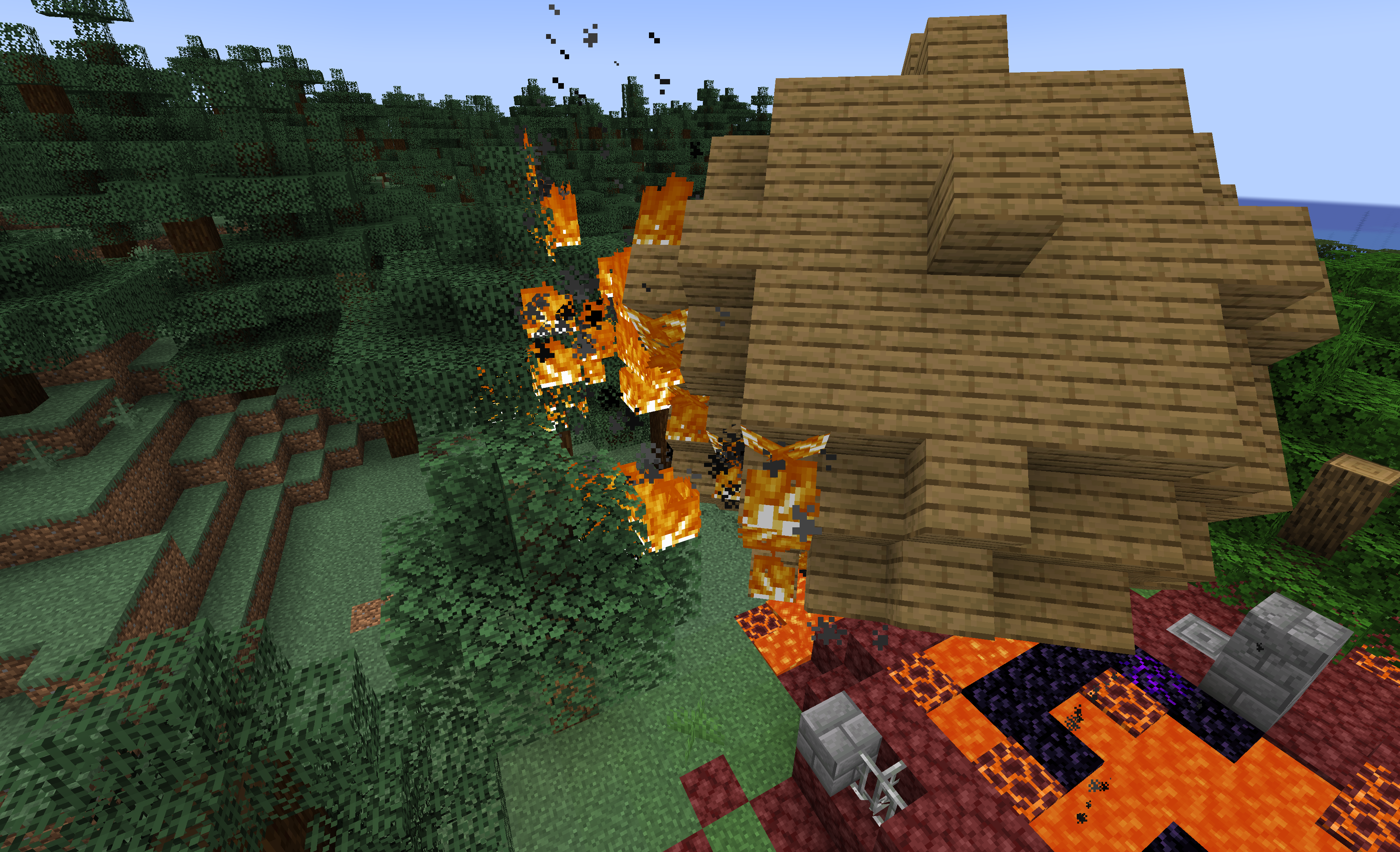
Fire spreading between sublevels and the real world.
Fire is extinguished when a sublevel enters water or a solid block.
Mechanical arm compatibility with Sable sublevels
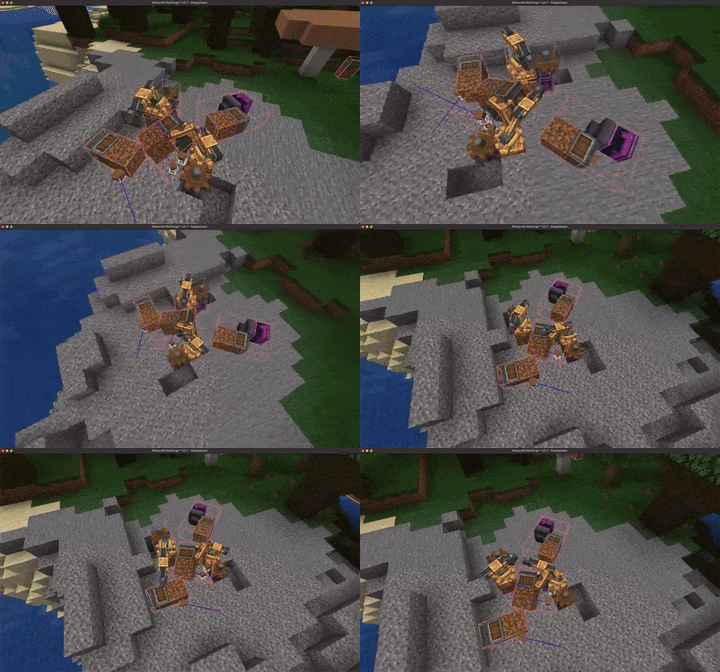
Mechanical Arms can now interact and operate correctly across different Sable sublevels.
Encased Fan can push/pull sublevels
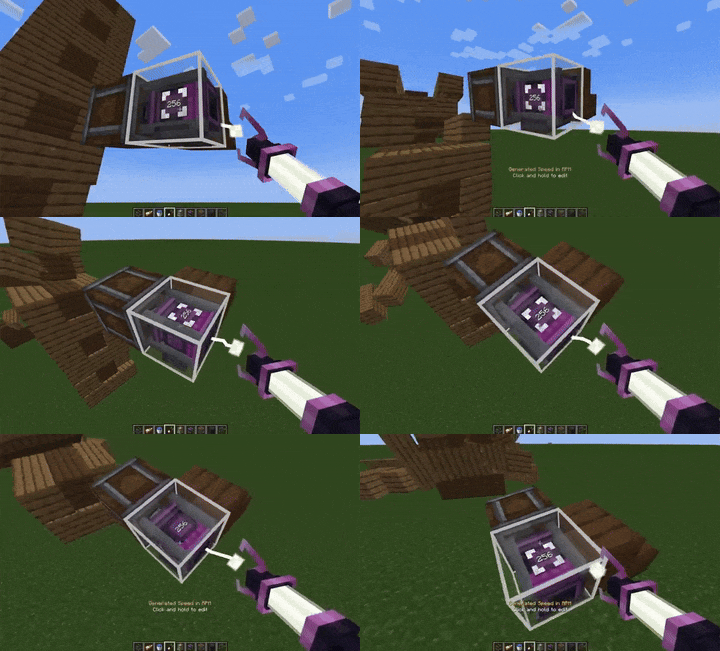
Encased Fans are now able to push and pull entire sublevels, expanding automation possibilities.
The Basin has revised its Newtonian physics lessons (disabled by default)
Basin drops its items when the basin is upside-down.
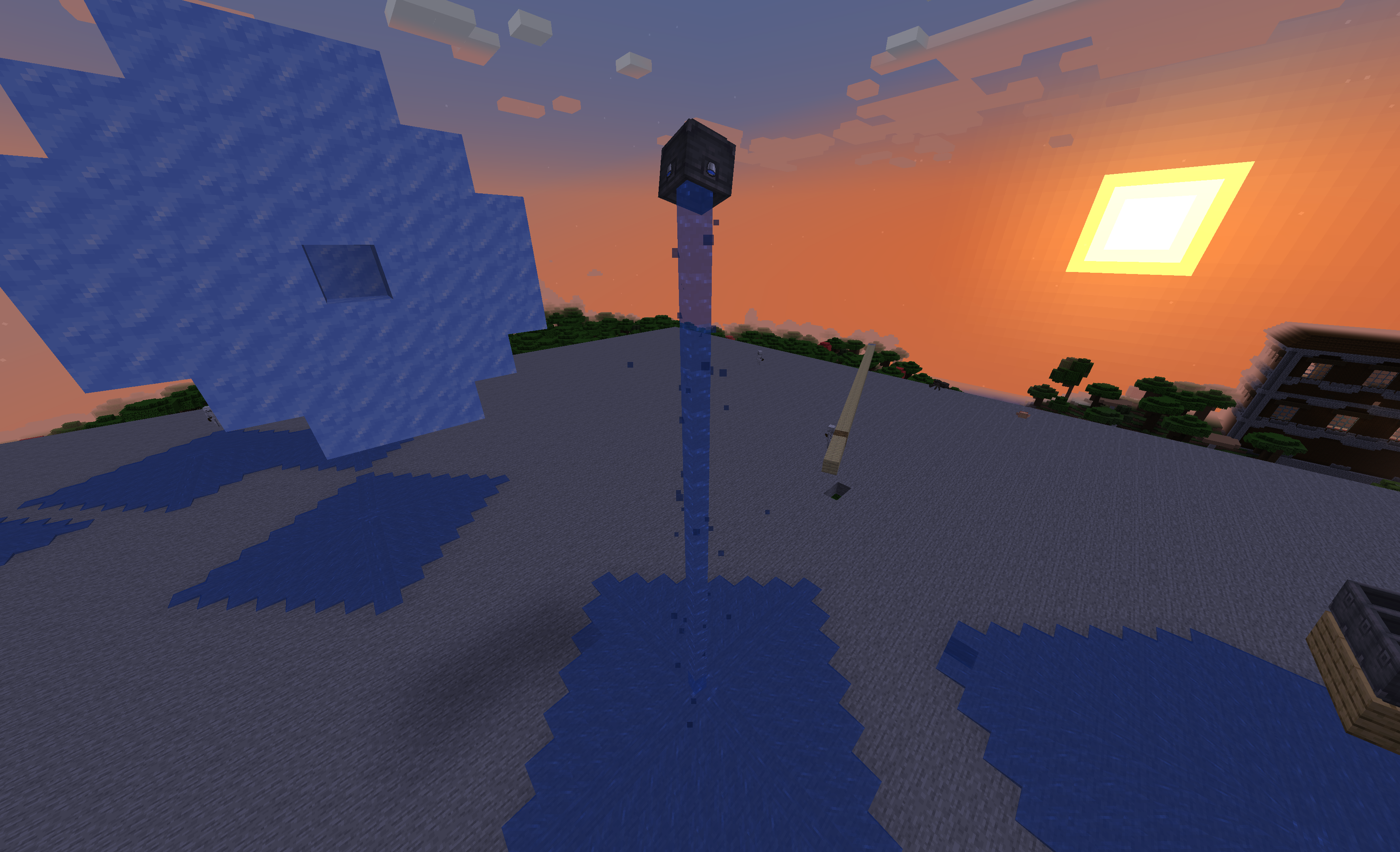
Fluid escape from a upside-down basin
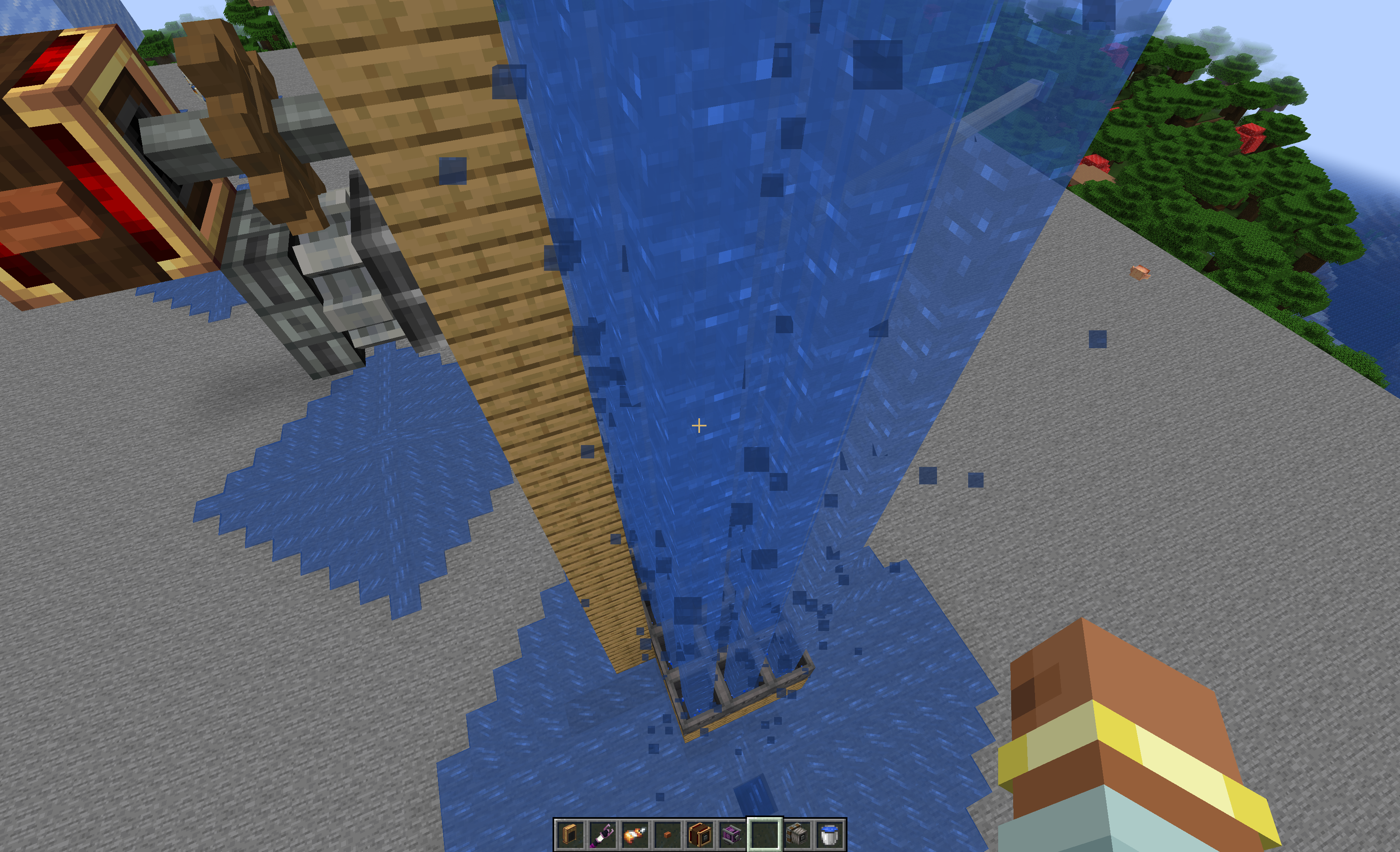
Fluid escaping from a basin can be transfered to any fluid container if aimed propelly !
Як встановити Sable Beyond
With Millida Launcher
Install Millida Launcher
The launcher is free: download it at millida.net/launcher and sign in with any nickname.
Click “Install” on this page
The launcher opens and installs the mod for Minecraft 1.21.1 on Fabric or NeoForge automatically, together with its dependencies: Create, Sable.
Launch the game
A profile with it appears in the launcher: click “Play”.
Manually
Install Fabric or NeoForge
The loader must match the game version of the mod file, for example Minecraft 1.21.1. After installing it, a separate profile appears in your launcher.
Download the file for your version
In the version list above, pick the file sablebeyond-fabric-1.21.1-v0.5.0.jar (1.2 MB) for your game version and loader.
Put it in the mods folder
The folder is inside .minecraft (Windows: %appdata%\.minecraft\mods). If it does not exist, create it. Required dependencies go there too: Create, Sable.
Launch the loader profile
Open “Mods” in the main menu: Sable Beyond should be in the list.
On a server
A server on Fabric or NeoForge
The mod only works on a server with the same loader and game version, for example 1.21.1.
File goes into the server’s mods folder
Stop the server, put the mod file into the mods folder and start the server again.
Use the “To server” button
On Millida Hosting, the button at the top of the page uploads the file to your server and restarts it for you.
Minecraft 1.21.1 runs on Java 21: with a different Java version the game may close right after launch.
Версії
Із залежностями
| Minecraft | Завантажувач | Файл | Дата | Дії |
|---|---|---|---|---|
| 1.21.1 | Fabric | 1.21.11.2 МБ 1 | ||
| 1.21.1 | NeoForge | 1.21.11.2 МБ 11 | ||
| 1.21.1 | NeoForge | 1.21.11.2 МБ | ||
| 1.21.1 | Fabric | 1.21.11.1 МБ | ||
| 1.21.1 | NeoForge | 1.21.11.2 МБ | ||
| 1.21.1 | Fabric | 1.21.11.1 МБ | ||
| 1.21.1 | NeoForge | 1.21.11.2 МБ | ||
| 1.21.1 | Fabric | 1.21.11.1 МБ |
Що потрібно для запуску
- Cloth Config APIуже включено
- Createобов'язково
- Sableобов'язково
Відгуки
Станьте першим, хто оцінить Sable Beyond


