
 NeoForge
 Forge
ForgeПро мод Petrock - Forge
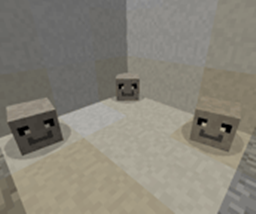
Pet Rock Mod — це єдиний мод Pet Rock, який вам коли-небудь знадобиться. Вам ніколи не доведеться годувати, вигулювати, купати, розчісувати чи стерилізувати! Усі Pet Rocks уже навчені "сидіти" та "залишатися", а найкраще те, що ваш pet rock — це єдина тваринка, яка ніколи не втече!
Що ви отримаєте в коробці:
- 1 Petrock
100% гарантія кам'яної надійності!
Як отримати одного:
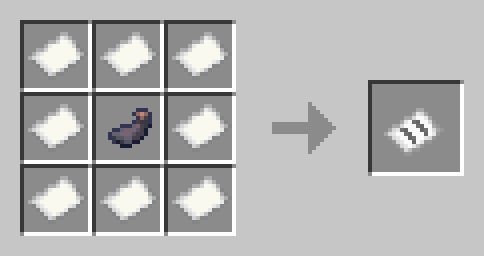
клацніть правою кнопкою миші, і ви отримаєте PetRock у коробці. Якщо ви клацнете правою кнопкою миші по коробці, біля ваших ніг з'явиться Untamed PetRock. Щоб приручити PetRock, вам потрібно добути Stoneium зі Stoneium Ore
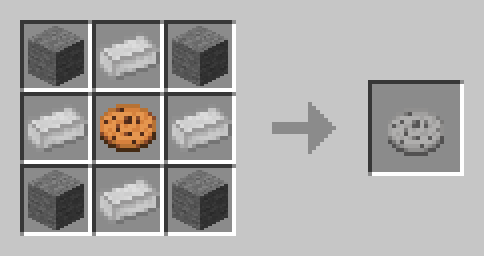
Щоб вилікувати пошкоджений камінь, вам потрібно створити Rock Kibble:
Неприручений:
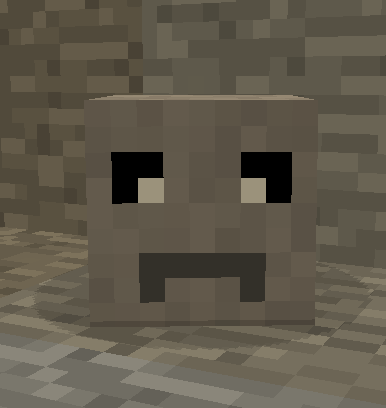
Приручений: слідує та сидить:
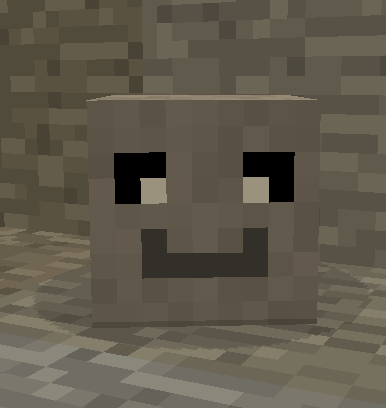
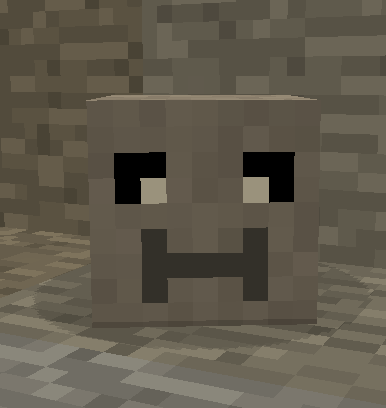
Інформація про розповсюдження моду:
Щоб розповсюджувати поза CuseForge, будь ласка, перейдіть сюди:
https://manmaed.net/mod-redistribution-info/
Відповідь, найімовірніше, буде Ні
Як встановити Petrock - Forge
With Millida Launcher
Install Millida Launcher
The launcher is free: download it at millida.net/launcher and sign in with any nickname.
Click “Install” on this page
The launcher opens and installs the mod for Minecraft 1.10.2–1.21.1 on Forge or NeoForge automatically.
Launch the game
A profile with it appears in the launcher: click “Play”.
Manually
Install Forge or NeoForge
The loader must match the game version of the mod file, for example Minecraft 1.21.1. After installing it, a separate profile appears in your launcher.
Download the file for your version
In the version list above, pick the file petrock-neo-0.18.7.jar (658 KB) for your game version and loader.
Put it in the mods folder
The folder is inside .minecraft (Windows: %appdata%\.minecraft\mods). If it does not exist, create it.
Launch the loader profile
Open “Mods” in the main menu: Petrock - Forge should be in the list.
Minecraft 1.21.1 runs on Java 21: with a different Java version the game may close right after launch.
Версії
Із залежностями
| Minecraft | Завантажувач | Файл | Дата | Дії |
|---|---|---|---|---|
| 1.21 | NeoForge | PetRock v0.18.7 - NeoForge - 1.21658 КБ | ||
| 1.21 | NeoForge | PetRock v0.18.4 - NeoForge - 1.21647 КБ | ||
| 1.19.2 | Forge | Petrock v0.11.16 - 1.19.2240 КБ | ||
| 1.19.2 | Forge | Petrock v0.11.14 - 1.19.2250 КБ | ||
| 1.12.2 | — | PetRock v 0.3.0 - 1.12.286.1 КБ | ||
| 1.10.2 | — | PetRock v0.1.0 - 1.10.238.5 КБ |
Часті питання
Which Minecraft versions does Petrock - Forge work on?
There are files for 1.21.1, 1.21, 1.19.2, 1.12.2, 1.10.2. The newest is 1.21.1.
Is Petrock - Forge for Forge or Fabric?
There are files for Forge: 1.19.2 and for NeoForge: 1.21–1.21.1. There are no files for Fabric: a mod for another loader will not start.
Does Petrock - Forge need other mods?
The author lists no required dependencies: the Forge or NeoForge loader is enough.
Which Java does Petrock - Forge need?
Minecraft 1.21.1 runs on Java 21. If the game closes right after launch, the usual cause is the wrong Java version in the profile settings.
Where can I download Petrock - Forge safely?
On this page: the file petrock-neo-0.18.7.jar (658 KB) is stored on Millida’s server, with no link shorteners. SHA-1 checksum: 600d8956869925d65bd8cbf181fe163b2fcfa9ac.
Відгуки
Станьте першим, хто оцінить Petrock - Forge


