

Perception Мод для Minecraft 1.21.1, 26.3
Збагачує світ захопливими візуальними ефектами
 Fabric
 NeoForge
Про мод Perception
Perception is a Minecraft mod designed to enrich the game’s visual experience through immersive effects. Rather than focusing on highly specialized visuals, Perception provides carefully crafted enhancements that influence gameplay in a more holistic way. Our aim is to offer new perspectives on the world around you, making every encounter feel more vivid and interactive.
Currently, Perception includes two main features:
- Trails that follow projectiles and entities, adding a dynamic layer of movement to the world around you.
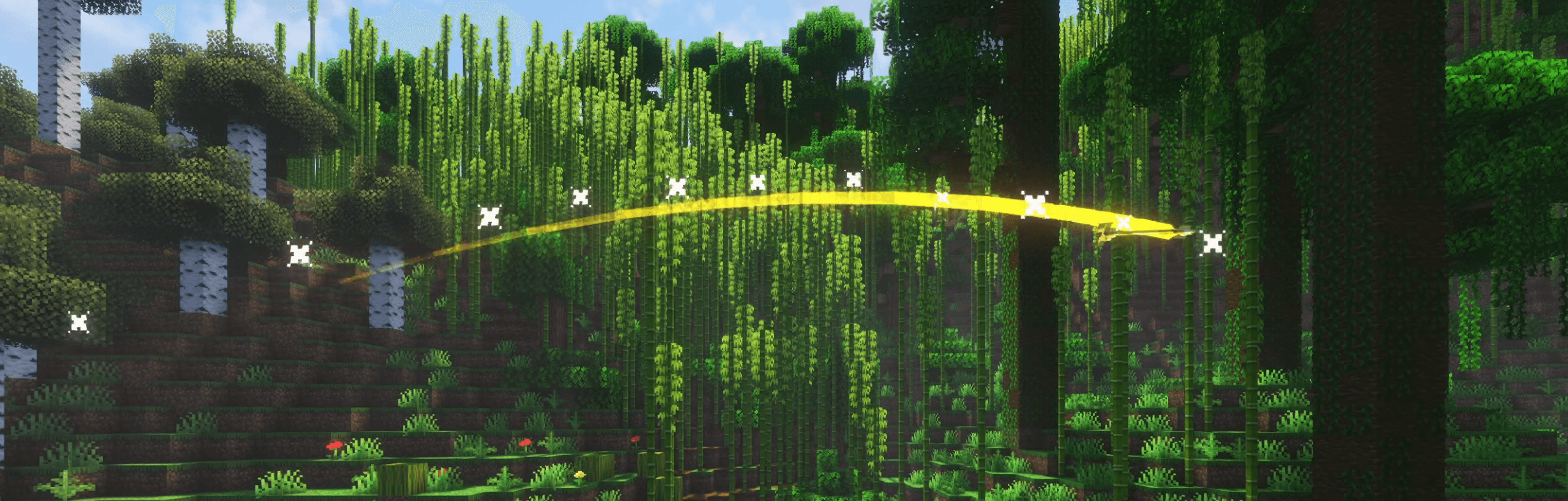
- Directional screen-shaking effects triggered by loud sounds, explosions, or swift movements. Not only does this intensify your sense of immersion, it also helps you pinpoint the origin of potential threats, enhancing both atmosphere and situational awareness.
Please keep in mind that Perception is still in active development. Its features may, and likely will, evolve and expand over time. If you have any ideas for new effects or suggestions to improve existing ones, feel free to share them on our Discord.
Як встановити Perception
With Millida Launcher
Install Millida Launcher
The launcher is free: download it at millida.net/launcher and sign in with any nickname.
Click “Install” on this page
The launcher opens and installs the mod for Minecraft 1.21.1–26.3 on Fabric or NeoForge automatically, together with its dependencies: ShatterLib | OctoLib.
Launch the game
A profile with it appears in the launcher: click “Play”.
Manually
Install Fabric or NeoForge
The loader must match the game version of the mod file, for example Minecraft 26.3. After installing it, a separate profile appears in your launcher.
Download the file for your version
In the version list above, pick the file Perception-FABRIC-0.1.6.1+26.3.jar (78 KB) for your game version and loader.
Put it in the mods folder
The folder is inside .minecraft (Windows: %appdata%\.minecraft\mods). If it does not exist, create it. Required dependencies go there too: ShatterLib | OctoLib.
Launch the loader profile
Open “Mods” in the main menu: Perception should be in the list.
Perception works on the player’s side only: there is no need to install it on a server.
Версії
Із залежностями
| Minecraft | Завантажувач | Файл | Дата | Дії |
|---|---|---|---|---|
| 26.3 | Fabric | 26.378.5 КБ | ||
| 26.3 | NeoForge | 26.377.3 КБ | ||
| 1.21.1 | NeoForge | 1.21.176.8 КБ | ||
| 1.21.1 | Fabric | 1.21.176.1 КБ | ||
| 1.21.11 | Fabric | 1.21.1165.7 КБ 3 | ||
| 1.21.11 | NeoForge | 1.21.1166.3 КБ | ||
| 1.21.11 | NeoForge | 1.21.1166.3 КБ | ||
| 1.21.11 | Fabric | 1.21.1165.6 КБ |
Що потрібно для запуску
- ShatterLib | OctoLibобов'язково
Часті питання
Which Minecraft versions does Perception work on?
There are files for 26.3, 1.21.11, 1.21.8, 1.21.1. The newest is 26.3.
Is Perception for Forge or Fabric?
There are files for Fabric: 1.21.1–26.3 and for NeoForge: 1.21.1–26.3. There are no files for Forge: a mod for another loader will not start.
What does Perception need to work?
Required: ShatterLib | OctoLib. Without it the mod will not start: dependencies go into the same mods folder.
Do I need to install Perception on a server?
No. Perception works on the player’s side only: there is no need to install it on a server.
How do I download Perception?
With Millida Launcher: it installs Perception into a modpack by itself, for the right game version and loader. The launcher is free.
Відгуки
Станьте першим, хто оцінить Perception


