

 NeoForge
 Forge
Про мод Myths & Legends

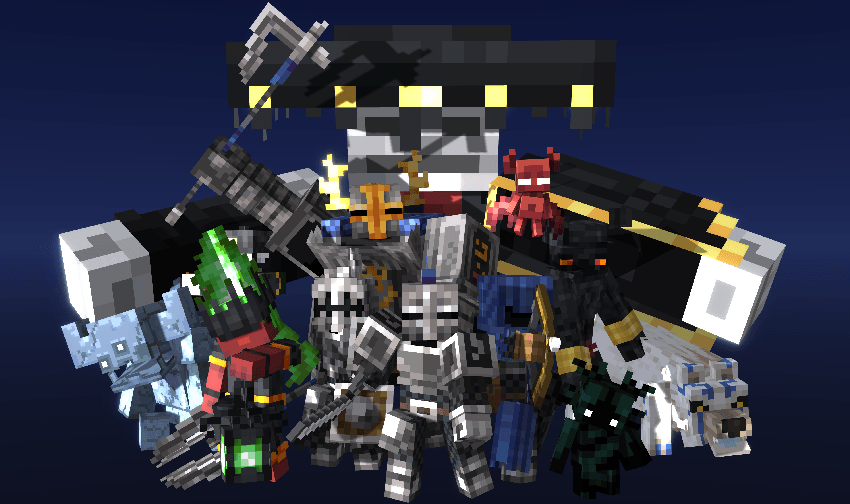
Myths & Legends introduces unique creatures inspired by folklore from around the world, each with distinctive abilities and mechanics. The mod focuses on delivering a dark and immersive atmosphere, bringing a fresh layer of exploration and danger to your Minecraft experience.
The creatures you’ll encounter include:

- Imp
- Possessed Armor - Knight/Archer/Inquisitor
- Gargoyle
- The Black Charro
- Condemned Soul
- Alp
- Lampad
- Abaddon
- Karakondjul
- Scorched Sentinel
- Amarok
Items:
- Fire Heart
- Cursed Core
- Bound Soul Ingot
- Armor Fragments
- Ironshade Armor
- Soulpiercer Armor
- Stony Shield
- Gargoyle Axe
- Gargoyle Fragment
- Gargoyle Shard
- Altar of the Dead
- Ethereal Flame
- Soulbinder Amulet
- Umbra's Whisper
- Molten Fist
- Scorched Skin
- Scorched Bone
- Core of Abaddon
- Svarog's Ring
- Antique Emblem
- Amarok Essence
- Amarok Hide
- Frosthowl Armor
- Necklace of Torngarsuk

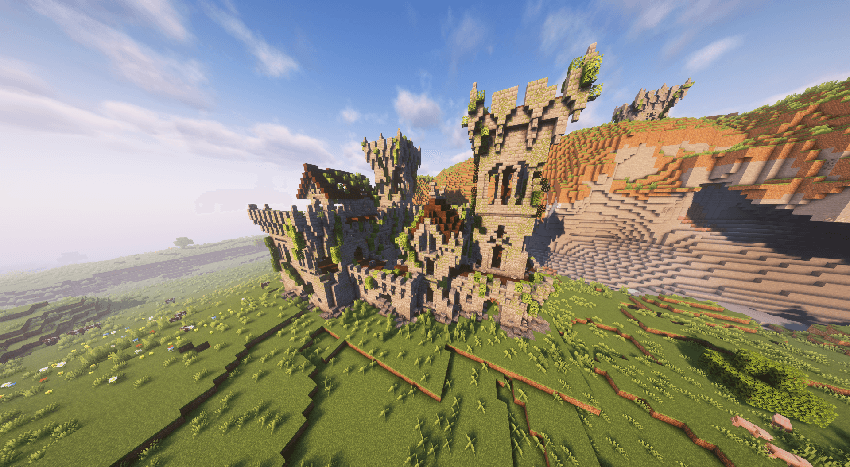
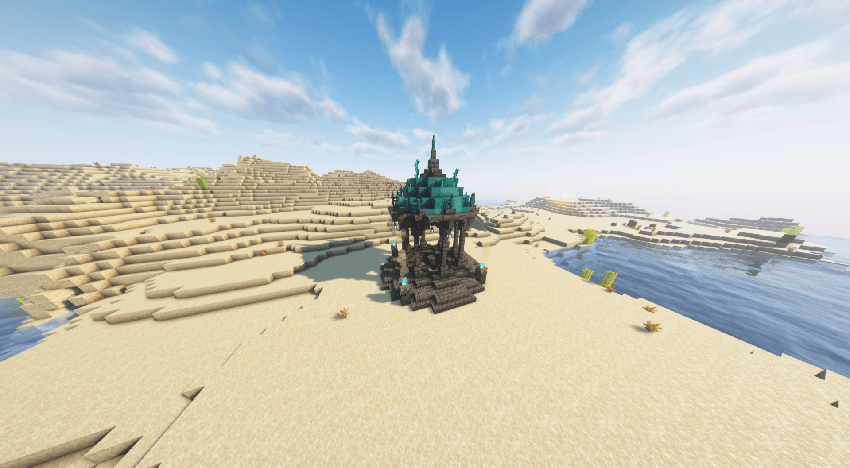
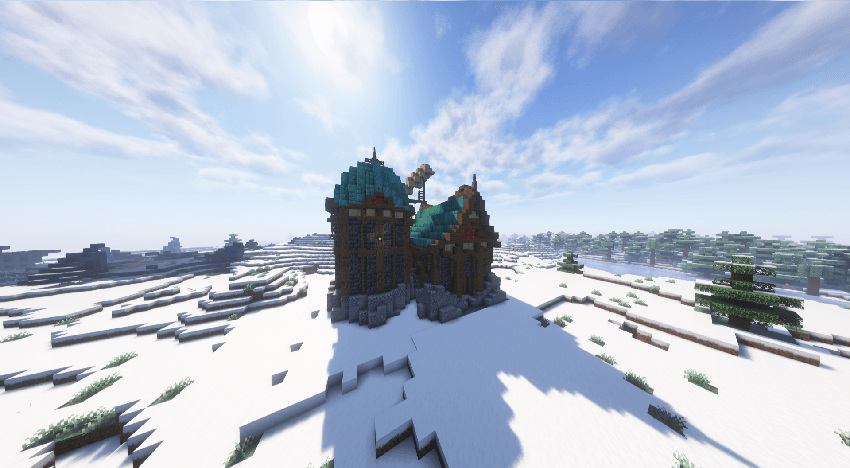
Structures:
- Ancient Vestiges
- Mausoleum
- Chronicler's House
- Old Camp
- Scorched Nest
Note: This mod is currently in alpha, meaning it is still under active development. Features and entities may be adjusted or removed in future updates, and there may be bugs or performance issues. I appreciate feedback and patience as I work to improve and expand the mod!


Mod Wiki:
https://moddedmc.wiki/es/project/myths-n-legends/latest
Addons: https://www.curseforge.com/minecraft/texture-packs/reanimated-myths-legends
Other Projects: https://www.curseforge.com/minecraft/texture-packs/reimagined-myths-of-the-sea https://www.curseforge.com/minecraft/mc-mods/fables

Як встановити Myths & Legends
With Millida Launcher
Install Millida Launcher
The launcher is free: download it at millida.net/launcher and sign in with any nickname.
Click “Install” on this page
The launcher opens and installs the mod for Minecraft 1.20.1–1.21.1 on Forge or NeoForge automatically.
Launch the game
A profile with it appears in the launcher: click “Play”.
Manually
Install Forge or NeoForge
The loader must match the game version of the mod file, for example Minecraft 1.21.1. After installing it, a separate profile appears in your launcher.
Download the file for your version
In the version list above, pick the file mythsandlegends-1.0.7.jar (27 MB) for your game version and loader.
Put it in the mods folder
The folder is inside .minecraft (Windows: %appdata%\.minecraft\mods). If it does not exist, create it.
Launch the loader profile
Open “Mods” in the main menu: Myths & Legends should be in the list.
Minecraft 1.21.1 runs on Java 21: with a different Java version the game may close right after launch.
Версії
Із залежностями
| Minecraft | Завантажувач | Файл | Дата | Дії |
|---|---|---|---|---|
| 1.21.1 | NeoForge | mythsandlegends-1.0.7.jar27.3 МБ 2 | ||
| 1.20.1 | Forge | [Forge] mythsandlegends-1.0.3.jar27.1 МБ 3 |
Часті питання
Which Minecraft versions does Myths & Legends work on?
There are files for 1.21.1, 1.20.1. The newest is 1.21.1.
Is Myths & Legends for Forge or Fabric?
There are files for Forge: 1.20.1 and for NeoForge: 1.21.1. There are no files for Fabric: a mod for another loader will not start.
Does Myths & Legends need other mods?
The author lists no required dependencies: the Forge or NeoForge loader is enough.
Which Java does Myths & Legends need?
Minecraft 1.21.1 runs on Java 21. If the game closes right after launch, the usual cause is the wrong Java version in the profile settings.
Where can I download Myths & Legends safely?
On this page: the file mythsandlegends-1.0.7.jar (27 MB) is stored on Millida’s server, with no link shorteners. SHA-1 checksum: 993dac60d1aa9372e64d23f9b11ee4bbed96123e.
Відгуки
Станьте першим, хто оцінить Myths & Legends


