

Modpack Configuration Checker Мод для Minecraft 1.12.2, 1.21
Мод, який дозволяє творцям модпаків показувати титри модпаку та перевіряти, чи модпак налаштовано правильно.
 Forge
Forge Fabric
Про мод Modpack Configuration Checker
Будь ласка, повідомляйте про будь-які помилки у трекері проблем тут
Modpack Configuration Checker
Modpack Configuration Checker — це мод із широкими можливостями налаштування, який дозволяє творцям модпаків налаштовувати Minecraft для кращої підтримки модпаків. Він дозволяє такі функції, як відображення вебсторінок під час запуску, та такі, як перевірка, чи користувач модпаку виділив достатньо оперативної пам'яті для модпаку. Цей мод значно розширює кількість опцій, доступних авторові модпаку.
Мод можна легко налаштувати прямо з гри (інструкції нижче). Однак без налаштування Modpack Configuration Checker перевіряє, що для модпаку виділено щонайменше 2gb оперативної пам'яті, що значно підвищує продуктивність і мінімізує збої.
Деякі з функцій, які пропонує мод:
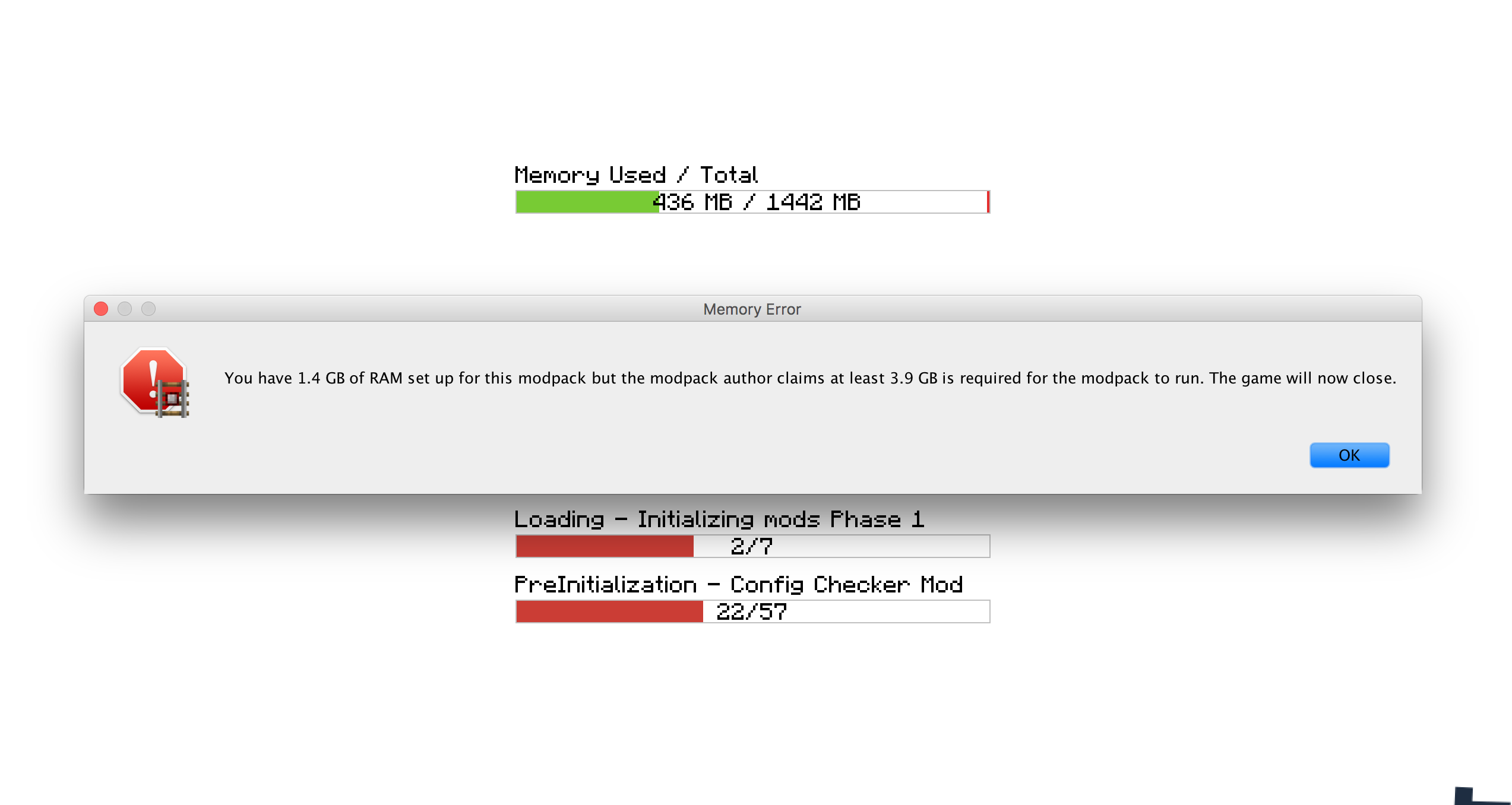
- Встановлення необхідної кількості оперативної пам'яті, потрібної для роботи модпаку. Якщо цю вимогу не виконано, користувача попереджають і гра закривається.
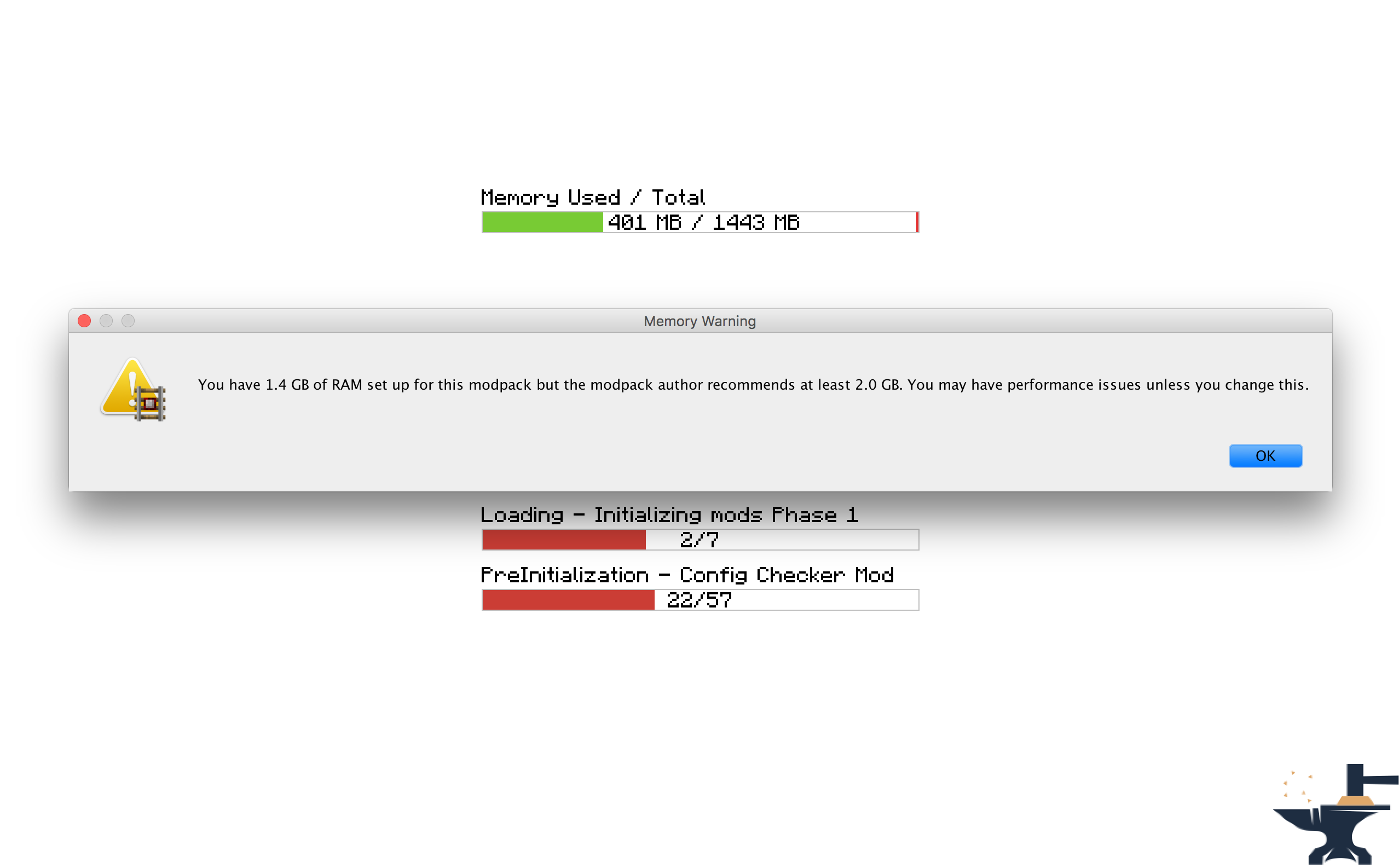
- Встановлення рекомендованої кількості оперативної пам'яті, рекомендованої для роботи модпаку. Якщо цю вимогу не виконано, користувача попереджають.
- Встановлення вебсайту, який відкривається під час запуску гри. Корисно для відкриття вебсайту модпаку або сторінок підтримки.
- Встановлення власного повідомлення, яке відображається під час завантаження гри, наприклад, для показу титрів.
- Встановлення власних повідомлень, які відображаються, коли вимоги до оперативної пам'яті не виконано. Корисно, щоб мод відповідав стилю вашого паку.
- Можливість змінити, чи з'являються вікна повідомлень поверх інших вікон.
- Встановлення власних вітальних повідомлень, які з'являються в чаті під час завантаження гри.
Ліцензія
Не соромтеся використовувати цей мод у будь-яких модпаках і публікувати на інших форумах. Лише обов'язково додайте посилання сюди. Переглянути повну ліцензію тут
Скриншоти
Як налаштувати (Minecraft 1.13 +
Я наполегливо рекомендую включити цей мод у ваш модпак: https://www.curseforge.com/minecraft/mc-mods/configured.
Це дозволить налаштовувати з гри, що значно полегшить вашу роботу.
Крок 1) Натисніть кнопку 'Mods' на головному екрані меню.
Крок 2) Виберіть 'Modpack Config Checker зі списку модів ліворуч.
Крок 3) Натисніть кнопку 'Config' у нижньому лівому куті.
Примітки
- Якщо ви не впевнені, що робить те чи інше налаштування, наведення курсора на нього покаже короткий опис, який має все прояснити. Однак якщо ви все ще не впевнені, експериментуйте!! Або, якщо бажаєте, надішліть мені особисте повідомлення чи залиште коментар у цій темі. Я буду радий пояснити вам будь-які механіки моду.
Ручне налаштування (1.13.x - 1.20.x)
Ручне налаштування (розташоване в папці гри за адресою: Config\concheckrmd-client.toml)
Цей розділ показує, як налаштувати мод вручну без додаткового GUI. Відкрийте файл конфігурації у notepad або текстовому редакторі.
Версія файлу конфігурації з кольоровим кодуванням. Це покаже вам, які значення можна, а які не можна змінювати.
Ключ кольорів
BLUE: Boolean (означає, що їх можна змінити лише на 'true' або 'false')
RED: String (означає, що їх можна змінити на будь-який текст. напр.: 'Hello World')
Green: Integers (означає, що їх можна змінити на будь-яке число. напр.: '512')
["Customisable Chat Greeting Message"] The color of the message to be displayed in chat. Allowed Values: Blue, Green, Red, Aqua, Yellow, White, Black, Grey, Purple, DarkBlue, DarkGreen, DarkRed, DarkPurple "3) Greeting Message Color" = "Yellow" The text to be displayed in chat. "2) Greeting Message Text" = "Hello there! Welcome to my modpack." Customisable message that will be displayed in chat when a world is loaded. "1) Display Chat Greeting Message?" = true
["Customisable Start Message"] Customisable message that will appear each time the game starts. This is useful for displaying credits. "1) Display message box?" = true Will the window show on top of all other windows? Recommended to keep set to True. "2) Display message box topmost?" = true The text that will be displayed in the message box. "3) Message Box Text" = "Hello Modpack Users! Made by mattr"
["Customisable First Start Message"] A message box that will be displayed when the game is started for the first time. This is useful for displaying instructions. "1) Display message box?" = true Will the window show on top of all other windows? Recommended to keep set to True. "2) Display message box topmost?" = true The text that will be displayed in the message box. "3) Message Box Text" = "Welcome. Thank you for starting my mofdpack for the first time!"
["Open A Website when the Game Starts"] Opens a webpage when the game starts. This is useful for modpack support. "1) Display Website when game starts?" = true The URL of the website that will be displayed. This can be formatted like: http://google.com, www.google.com or google.com. "2) Website URL" = "minecraft.curseforge.com/projects/config-checker"
["Amount of RAM Recommended for Game to Start"] The amount of RAM recommended for stable gameplay. Range: 128 ~ 51200 "1) Ram Recommended (IN MB)" = 12048 If the player has less than the recommended amount of RAM assigned to the modpack then a warning will be displayed when the game is started. "2) Check RAM meets recommendation?" = true The custom message to be displayed if you have set the previous setting to 'True'. Will display custom message instead of the default text. "5) Custom Message" = "You should assign more RAM to experience better performance." Will the window show on top of all other windows? I highly recommend this is left as true. "3) Display message box topmost?" = true Customise the text that appears in the warning message. Will display custom message instead of the default text. "4) Customise low RAM Warning?" = false
["Recommended RAM Chat Message"] The amount of RAM recommended for stable gameplay. Range: 128 ~ 51200 "1) Ram Recommended (IN MB)" = 51200 If the player has less than the recommended amount of RAM assigned to the modpack then a warning will be displayed in chat when a world is loaded. "2) Check RAM meets recommendation?" = true Customise the text that appears in the warning message. Will display custom message instead of the default text. "3) Customise low RAM Warning?" = true The custom message to be displayed in chat if you have set the previous setting to 'True'. Will display custom message instead of the default text. "4) Custom Message" = "You should assign more RAM to experience better performance."
["Amount of RAM Required for Game to Start"] If the player has less than the required amount of RAM assigned to the modpack then they will be alerted as the game starts and the game will close. "2) Check RAM meets requirement?" = true The amount of RAM required for the game to run. Range: 128 ~ 51200 "1) Ram Required (IN MB)" = 1024 The custom message to be displayed if you have set the previous setting to 'True'. Will display custom message instead of the default text. "5) Custom Message" = "You need more RAM. The game will close." Will the window show on top of all other windows? I highly recommend this is left as true. "3) Display message box topmost?" = true Customise the text that appears in the error message. Will display custom message instead of the default text. "4) Display custom text in messagebox?" = false
["Game Launch Time Limit"] If the game exceeds the launch timeout then a message box will be displayed and the game will close. "2) Check game meets launch timeout?" = false The custom message to be displayed if you have set the previous setting to 'True'. Will display custom message instead of the default text. "5) Custom Message" = "The game has taken too long too start to start this modpack. This is probably due to insufficient system resources. The game will now close." The maximum amount of time the game will be allowed to spend booting. (IN SECONDS) Range: 5 ~ 5400 "1) Launch Timeout (IN SECONDS)" = 30 Will the window show on top of all other windows? I highly recommend this is left as true. "3) Display message box topmost?" = true Customise the text that appears in the error message. Will display custom message instead of the default text. "4) Display custom text in error message?" = false
Як налаштувати (Minecraft 1.11 + 1.12)
Починаючи з версії 1.6 мод тепер можна повністю налаштувати прямо з гри. Це означає, що більше не потрібно редагувати жоден із файлів конфігурації вручну, що робить мод НАБАГАТО простішим у використанні. До екрана налаштувань можна дістатися, виконавши такі кроки:
Крок 1) Натисніть кнопку 'Mods' на головному екрані меню.
Крок 2) Виберіть 'Modpack Config Checker зі списку модів ліворуч.
Крок 3) Натисніть кнопку 'Config' у нижньому лівому куті.
Примітки
- Якщо ви не впевнені, що робить те чи інше налаштування, наведення курсора на нього покаже короткий опис, який має все прояснити. Однак якщо ви все ще не впевнені, експериментуйте!! Або, якщо бажаєте, надішліть мені особисте повідомлення чи залиште коментар у цій темі. Я буду радий пояснити вам будь-які механіки моду.
- Я створив інструмент міграції, який означає, що всі ваші налаштування перенесуться до оновлених версій моду. Це забезпечує безперешкодне перенесення, тож це не вплине на звичайного користувача. Якщо виявлено старий файл конфігурації, гра автоматично запропонує вам імпортувати старі налаштування. Я витратив багато часу на цю функцію, тож вона має дуже-дуже високий рівень успіху.
- Налаштування з гри доступне лише на 1.11.2 і вище (наразі). Це зумовлено більшою складністю такого налаштування на старіших версіях forge. Якщо у вас нижча версія Minecraft, вам доведеться використовувати застарілу конфігурацію, яку описано нижче. Якщо буде достатньо зацікавлення, я можу в майбутньому перенести на 1.10.2 або 1.7.10, але наразі ці версії більше не оновлюватимуться.
Застаріла конфігурація (Minecraft 1.10 і нижче) (розташована в папці гри за адресою: Config/concheckrmd.cfg)
Версія файлу конфігурації з кольоровим кодуванням. Це покаже вам, які значення можна, а які не можна змінювати.
Ключ кольорів
BLUE: Boolean (означає, що їх можна змінити лише на 'true' або 'false')
RED: String (означає, що їх можна змінити на будь-який текст. напр.: 'Hello World')
Green: Integers (означає, що їх можна змінити на будь-яке число. напр.: '512')
Файл конфігурації
"custom greeting message" {
B:"1. Display custom greeting message when joining a world?"=false
Повідомлення, яке відображатиметься в чаті під час завантаження гри. Відображатиметься лише якщо 'Display custom greeting message when joining a world?' дорівнює true [default: Hello there! Welcome to my modpack.]
S:"2. Custom greeting message text"=Hello there! Welcome to my modpack. }
"custom messagebox" { B:"1. Show custom messagebox when game loads?"=false B:"2. Display message box on top of all other windows?"=true
Введіть текст спливного вікна. Відображатиметься лише якщо 'Show custom messagebox when game loads?' дорівнює true [default: Hello World!!]
S:"3. Custom Messagebox text"=Hello World!! }
"display webpage" { B:"1. Open web browser to URL when game loads?"=false
Введіть URL для запуску. Відображатиметься лише якщо 'Open web browser to URL when game loads?' дорівнює true [default: http://minecraft.curseforge.com/projects/config-checker]
S:"2. URL to webpage"=minecraft.curseforge.com/projects/config-checker }
"ram recommendation" { I:"1. Ram Recommended (IN MB)"=2048 B:"2. Check RAM meets recommendation?"=true B:"3. Display message box on top of all other windows?"=true B:"4. Display custom text in message box if RAM recommendations not met?"=false
Введіть власний текст, який показуватиметься, якщо рекомендацію щодо оперативної пам'яті не виконано. Відображатиметься лише якщо 'Display custom text in message box if RAM recommendation not met?' дорівнює true [default: You should add more RAM.]
S:"5. Custom recommendation text"=You should add more RAM. B:"6. Display warning in game chat if RAM recommendation not met?"=true B:"7. Customise game chat RAM recommendation message?"=false
Введіть власний текст, який показуватиметься в ігровому чаті, якщо рекомендацію щодо оперативної пам'яті не виконано. Відображатиметься лише якщо 'Customise game chat RAM recommendation message?"' дорівнює true [default: [WARNING] You should assign more RAM to this modpack.]
S:"8. Custom chat message"=[WARNING] You should assign more RAM to this modpack. }
"ram requirement" { I:"1. Ram Required (IN MB)"=1024 B:"2. Check RAM meets requirement?"=false B:"3. Display message box on top of all other windows?"=true B:"4. Display custom text in message box if RAM requirement not met?"=false
Введіть власний текст, який показуватиметься, якщо вимогу щодо оперативної пам'яті не виконано. Відображатиметься лише якщо 'Display custom text in message box if RAM requirement not met?' дорівнює true [default: You need more RAM.]
S:"5. Custom requirement text"=You need more RAM. }
Як встановити Modpack Configuration Checker
With Millida Launcher
Install Millida Launcher
The launcher is free: download it at millida.net/launcher and sign in with any nickname.
Click “Install” on this page
The launcher opens and installs the mod for Minecraft 1.12–1.21 on Fabric or Forge automatically.
Launch the game
A profile with it appears in the launcher: click “Play”.
Manually
Install Fabric or Forge
The loader must match the game version of the mod file, for example Minecraft 1.21. After installing it, a separate profile appears in your launcher.
Download the file for your version
In the version list above, pick the file Modpack Configuration Checker-1.21.x-v1.9.5-forge.jar (146 KB) for your game version and loader.
Put it in the mods folder
The folder is inside .minecraft (Windows: %appdata%\.minecraft\mods). If it does not exist, create it.
Launch the loader profile
Open “Mods” in the main menu: Modpack Configuration Checker should be in the list.
Minecraft 1.21 runs on Java 21: with a different Java version the game may close right after launch.
Версії
Із залежностями
| Minecraft | Завантажувач | Файл | Дата | Дії |
|---|---|---|---|---|
| 1.20.6 | Fabric | Modpack Configuration Checker-1.20.6-v1.9.8-fabric.jar84 КБ | ||
| 1.21 | Forge | Modpack Configuration Checker-1.21.x-v1.9.5-forge.jar146 КБ | ||
| 1.12.1 | — | Modpack Configuration Checker-1.12.2-v1.9.5.jar154 КБ | ||
| 1.14.4 | — | Modpack Configuration Checker-1.14.x-v1.7.1.jar135 КБ |
Часті питання
Which Minecraft versions does Modpack Configuration Checker work on?
There are files for 1.21, 1.20.6, 1.14.4, 1.12.2, 1.12.1, 1.12. The newest is 1.21.
Does Modpack Configuration Checker need other mods?
The author lists no required dependencies: the Fabric or Forge loader is enough.
Which Java does Modpack Configuration Checker need?
Minecraft 1.21 runs on Java 21. If the game closes right after launch, the usual cause is the wrong Java version in the profile settings.
Відгуки
Станьте першим, хто оцінить Modpack Configuration Checker


