
 NeoForge
 Fabric
 Forge
Mech Trowel
A easy to use trowel to randomize which blocks to place, but with many advance options if you want it.
What it does
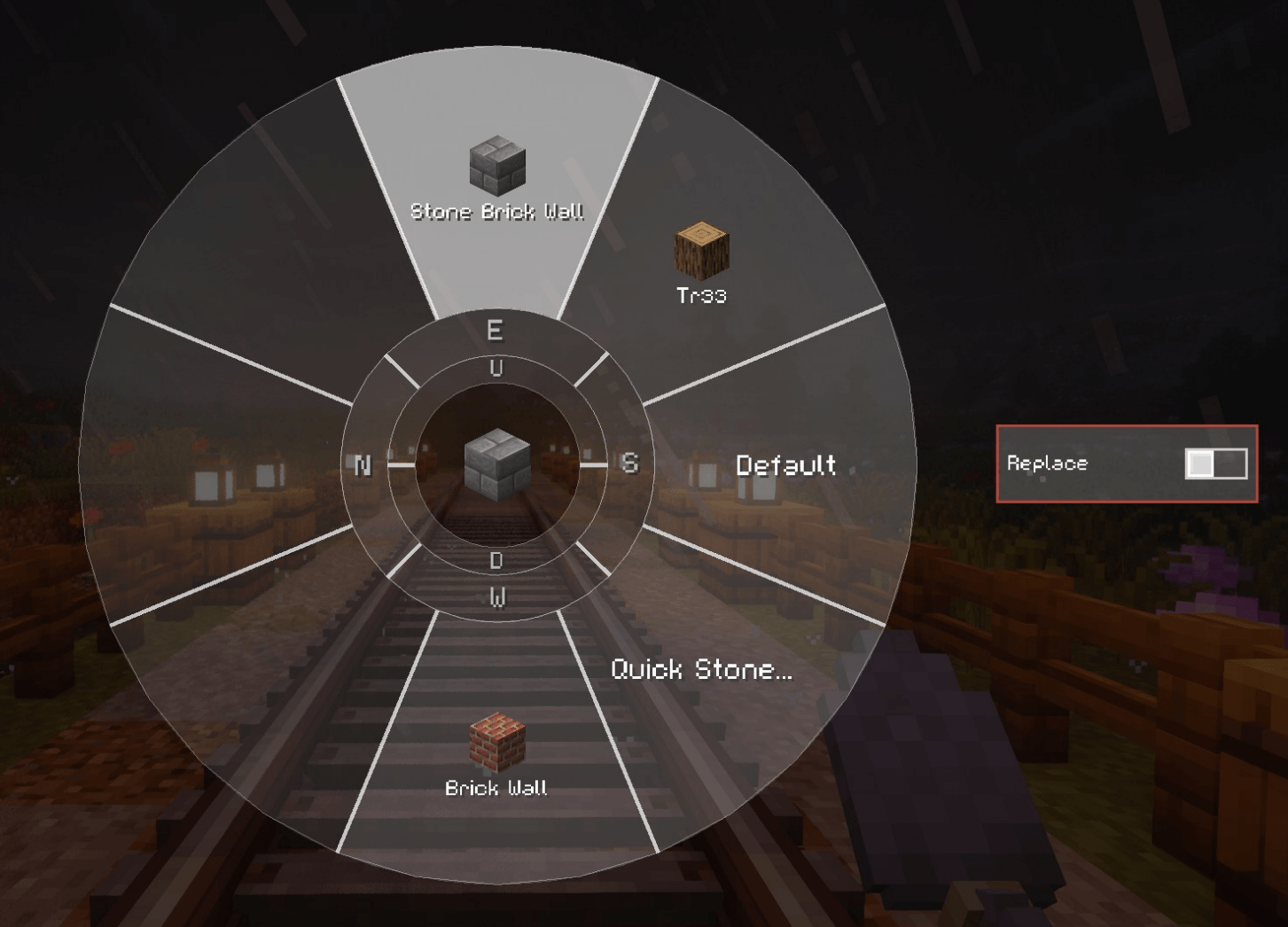
It's got 3 modes you can switch between with R: Quick - Just places random blocks from your hotbar (like other trowel/shuffle mods) Palette - Uses custom palettes you make with percentage for each block Wand - Places multiple connected blocks at once (needs an upgrade item or change config)
Main Features
Palettes - You can make up to 25 palettes with 28 blocks each. Set percentages for how often each block gets placed. Hold ALT to quickly switch between them.
Gradients - You can blend between multiple palettes to create smooth transitions. Has a GUI where you can set it up with different sections and blend modes. Works great with wand mode.
Rotation Settings - Lock blocks to face certain directions, control how stairs and slabs get placed.
Replace Mode - Replaces blocks instead of just placing on empty spaces. You can configure which blocks it's allowed to replace in the config or just disable replace mode entirely.
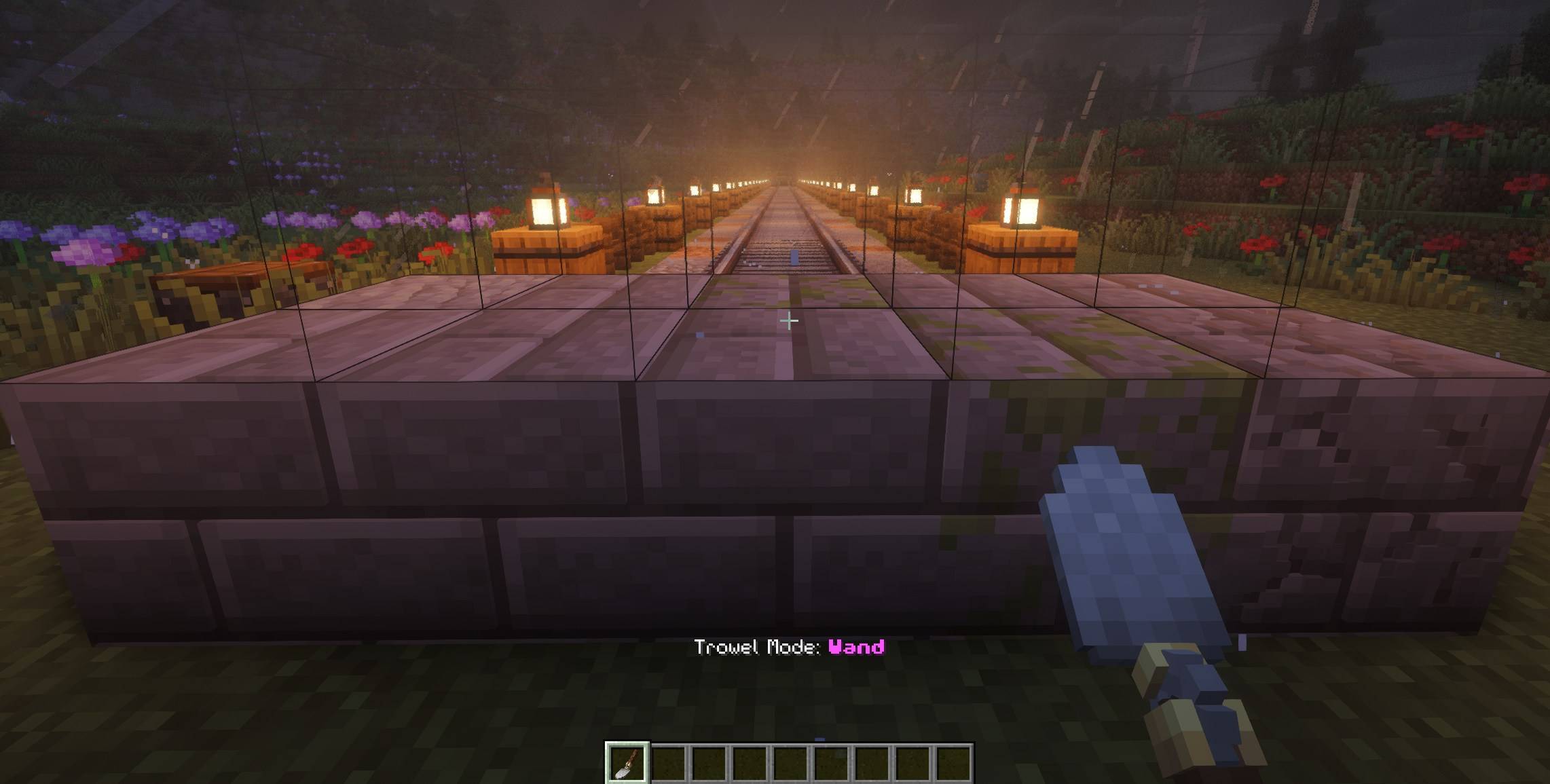
Wand Mode - Like other building wand mods but uses your palette blocks. Can place up to 64 blocks at once (or 128 with the upgrade). Has undo for the last 3 actions. Offhand can be used to change where blocks should be placed (Like on a grassblock instead of other palette blocks, work with replace too).
Other stuff
- Works with Create and Copycats+ blocks - you can set the material and properties
- Works with FramedBlocks - you can set the material
- JEI, Curios and backpack mods support
- Finds blocks in shulker boxes and Sophisticated Backpacks
- Preview wireframes so you can see where blocks will go, and how far along the gradient you are
- Bunch of config options if you want to tweak things
- Chipped Auto-converstion upgrade that allows to use the base block from inventory/backpacks if the chipped variant isnt available in inventory/backpacks.
- AE2 upgrade, allowing you to use blocks from your ME system
Controls
"G" - opens the palette GUI. "R" - switches trowel modes. "ALT" - for quick palette menu. "V" - for replace toggle.
I have made a seperate mod to make it work with deployers and rollers on trains and contraptions, so this mod dont need required dependencies: https://www.curseforge.com/minecraft/mc-mods/create-randomize-filters
Як встановити Mech Trowel
With Millida Launcher
Install Millida Launcher
The launcher is free: download it at millida.net/launcher and sign in with any nickname.
Click “Install” on this page
The launcher opens and installs the mod for Minecraft 1.20.1–1.21.1 on Fabric, Forge or NeoForge automatically.
Launch the game
A profile with it appears in the launcher: click “Play”.
Manually
Install Fabric, Forge or NeoForge
The loader must match the game version of the mod file, for example Minecraft 1.21.1. After installing it, a separate profile appears in your launcher.
Download the file for your version
In the version list above, pick the file mechtrowel-1.4.0-1.21.1-neoforge.jar (527 KB) for your game version and loader.
Put it in the mods folder
The folder is inside .minecraft (Windows: %appdata%\.minecraft\mods). If it does not exist, create it.
Launch the loader profile
Open “Mods” in the main menu: Mech Trowel should be in the list.
Minecraft 1.21.1 runs on Java 21: with a different Java version the game may close right after launch.
Версії
Із залежностями
| Minecraft | Завантажувач | Файл | Дата | Дії |
|---|---|---|---|---|
| 1.20.1 | Forge | mechtrowel-1.4.0-1.20.1-forge.jar511 КБ | ||
| 1.21.1 | NeoForge | mechtrowel-1.4.0-1.21.1-neoforge.jar527 КБ 2 | ||
| 1.21.1 | Fabric | mechtrowel-1.3.2.jar481 КБ |
Відгуки
Станьте першим, хто оцінить Mech Trowel


