

Luminax Мод для Minecraft 1.20.1, 26.1.2
Додає до гри купу простих блоків, що світяться
 NeoForge
 Forge
ForgeLuminax
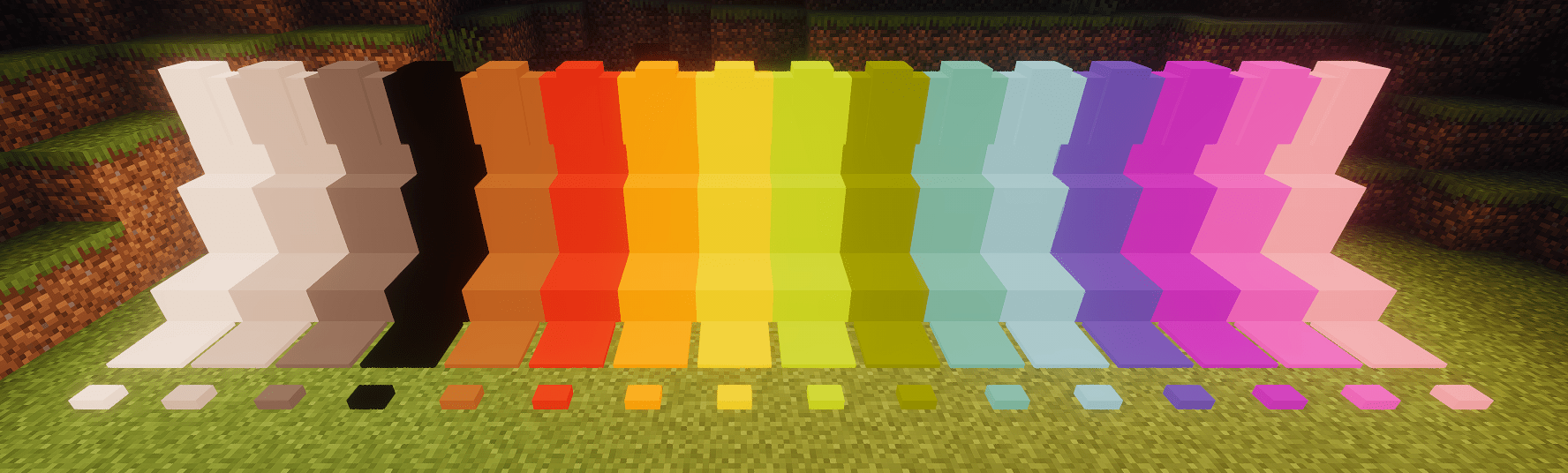
Цей дуже простий мод додає до гри кілька одноколірних блоків.
Ви можете використовувати Luminax Wand, щоб змінювати колір і світіння блоку.
Framed Blocks також повністю підтримується
Наразі включені блоки:
- Повний блок
- Плита
- Сходи
- Стіна
- Натискна плита
- Кнопка
Як встановити Luminax
With Millida Launcher
Install Millida Launcher
The launcher is free: download it at millida.net/launcher and sign in with any nickname.
Click “Install” on this page
The launcher opens and installs the mod for Minecraft 1.20.1–26.1.2 on Forge or NeoForge automatically.
Launch the game
A profile with it appears in the launcher: click “Play”.
Manually
Install Forge or NeoForge
The loader must match the game version of the mod file, for example Minecraft 26.1.2. After installing it, a separate profile appears in your launcher.
Download the file for your version
In the version list above, pick the file luminax-2.0.1+26.1.2.jar (527 KB) for your game version and loader.
Put it in the mods folder
The folder is inside .minecraft (Windows: %appdata%\.minecraft\mods). If it does not exist, create it.
Launch the loader profile
Open “Mods” in the main menu: Luminax should be in the list.
Версії
Із залежностями
| Minecraft | Завантажувач | Файл | Дата | Дії |
|---|---|---|---|---|
| 26.1.2 | NeoForge | [Neoforge] Luminax 2.0.1-26.2.1527 КБ | ||
| 1.20.1 | Forge | [Forge] Luminax 1.3.0-1.20.11 МБ |
Відгуки
Станьте першим, хто оцінить Luminax


