
 Fabric
 NeoForge
 Forge
Loading Protection
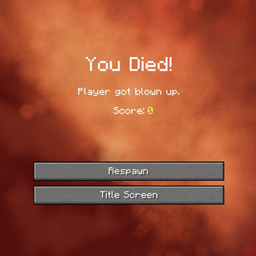
Are you tired of dying while loading into your server?
Protect players from spawn/join damage while the world (or server) finishes loading.
Loading Protection gives players a short, configurable window of safety when they join a world or server. During this time they can’t take damage, mobs won’t target them, and (to avoid abuse) they also can’t deal damage. Protection ends when the timer runs out or when the player moves.
Features
- Invulnerability on Join: Players are immune to damage for a configurable duration after joining.
- Mob Protection: Hostile mobs can’t target protected players.
- Anti Abuse: Protected players cannot deal damage to other players or mobs.
- Adaptive Timer: Protection lasts up to the configured maximum, but ends instantly once the player moves.
- Countdown Alerts (Optional): Optional per-player chat messages show how many seconds of protection remain and warn when it ends. Messages are sent only to the affected player and appear once per 5 seconds at most to avoid spam.
Requirements (Fabric)
Configuration
The mod creates a configuration file at:
config/loadingprotection-common.toml
Settings:
- protectionDuration - Duration of protection in seconds after joining (default: 60, range: 1–300)
- showMessages - Show countdown + expiration notice in chat (default: true)
Notes:
- Countdown messages are per-player only
- Shown at most once every 5 seconds
- A notice is also shown if protection ends early due to movement
Як встановити Loading Protection
With Millida Launcher
Install Millida Launcher
The launcher is free: download it at millida.net/launcher and sign in with any nickname.
Click “Install” on this page
The launcher opens and installs the mod for Minecraft 1.16.5–1.21.1 on Fabric, Forge or NeoForge automatically.
Launch the game
A profile with it appears in the launcher: click “Play”.
Manually
Install Fabric, Forge or NeoForge
The loader must match the game version of the mod file, for example Minecraft 1.21.1. After installing it, a separate profile appears in your launcher.
Download the file for your version
In the version list above, pick the file loadingprotection-1.0.2-fabric-1.21.1.jar (21 KB) for your game version and loader.
Put it in the mods folder
The folder is inside .minecraft (Windows: %appdata%\.minecraft\mods). If it does not exist, create it.
Launch the loader profile
Open “Mods” in the main menu: Loading Protection should be in the list.
Minecraft 1.21.1 runs on Java 21: with a different Java version the game may close right after launch.
Версії
Із залежностями
| Minecraft | Завантажувач | Файл | Дата | Дії |
|---|---|---|---|---|
| 1.21.1 | Fabric | loadingprotection-1.0.2-fabric-1.21.1.jar20.8 КБ | ||
| 1.16.5 | Forge | loadingprotection-1.0.2-forge-1.16.5.jar17.7 КБ | ||
| 1.21.1 | NeoForge | loadingprotection-1.0.2-1.21.1.jar16.5 КБ 1 |
Відгуки
Станьте першим, хто оцінить Loading Protection


