

Legendary Tabs Мод для Minecraft 1.20.1, 1.21.1
Додає вкладки у ваш інвентар для легкого перемикання між меню
 NeoForge
 Forge
ForgeПро мод Legendary Tabs


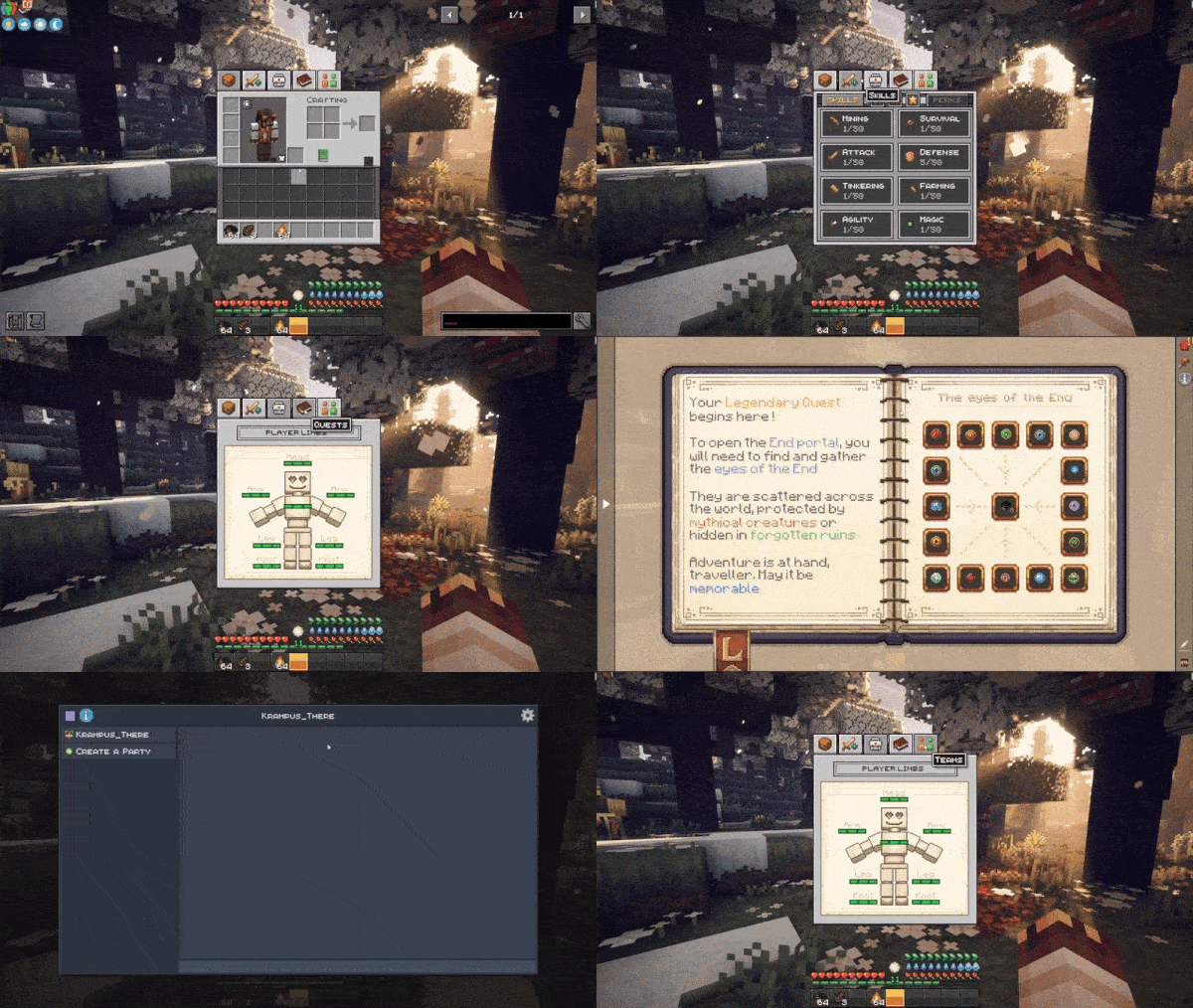
Legendary Tabs пропонує новий налаштовуваний спосіб доступу до меню модпаків за допомогою вкладок інвентарю. Цей мод дозволяє легко переходити до будь-якого меню, яке ви можете налаштувати через файли конфігурації.
Наразі інтегровані вкладки:
Backpacked, Quark Oddities, FTB Quests, FTB Teams, Reskillable (Reimagined), Legendary Survival Overhaul, Map Atlases, Xaeros's map, Journey Map
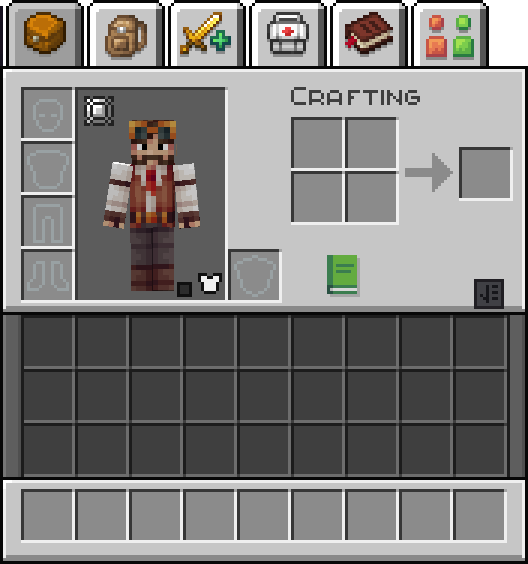
Приклад використання в грі
Цей мод є частиною модпаку Minecraft Legendary Edition!
Радимо пограти в цей модпак, щоб отримати найкращий досвід від цього моду.

Як встановити Legendary Tabs
With Millida Launcher
Install Millida Launcher
The launcher is free: download it at millida.net/launcher and sign in with any nickname.
Click “Install” on this page
The launcher opens and installs the mod for Minecraft 1.20.1–1.21.1 on Forge or NeoForge automatically.
Launch the game
A profile with it appears in the launcher: click “Play”.
Manually
Install Forge or NeoForge
The loader must match the game version of the mod file, for example Minecraft 1.21.1. After installing it, a separate profile appears in your launcher.
Download the file for your version
In the version list above, pick the file legendarytabs-1.21.1-2.0.jar (148 KB) for your game version and loader.
Put it in the mods folder
The folder is inside .minecraft (Windows: %appdata%\.minecraft\mods). If it does not exist, create it.
Launch the loader profile
Open “Mods” in the main menu: Legendary Tabs should be in the list.
Minecraft 1.21.1 runs on Java 21: with a different Java version the game may close right after launch.
Версії
Із залежностями
| Minecraft | Завантажувач | Файл | Дата | Дії |
|---|---|---|---|---|
| 1.21.1 | NeoForge | legendarytabs-1.21.1-2.0.jar148 КБ | ||
| 1.20.1 | Forge, NeoForge | legendarytabs-1.20.1-2.0.jar154 КБ 1 |
Часті питання
Which Minecraft versions does Legendary Tabs work on?
There are files for 1.21.1, 1.20.1. The newest is 1.21.1.
Is Legendary Tabs for Forge or Fabric?
There are files for Forge: 1.20.1 and for NeoForge: 1.20.1–1.21.1. There are no files for Fabric: a mod for another loader will not start.
Does Legendary Tabs need other mods?
The author lists no required dependencies: the Forge or NeoForge loader is enough.
Which Java does Legendary Tabs need?
Minecraft 1.21.1 runs on Java 21. If the game closes right after launch, the usual cause is the wrong Java version in the profile settings.
Where can I download Legendary Tabs safely?
On this page: the file legendarytabs-1.21.1-2.0.jar (148 KB) is stored on Millida’s server, with no link shorteners. SHA-1 checksum: 25868744d13e71e8c5b4b6ce4d1df9430f1f8cbd.
Відгуки
Станьте першим, хто оцінить Legendary Tabs


