

Jade 🔍 Мод для Minecraft 1.20.1, 1.21.1
Показує інформацію про те, на що ви дивитеся. (форк Hwyla/Waila для Minecraft 1.16+)
 NeoForge
 Fabric
 Quilt
Quilt Forge
ForgeJade 🔍
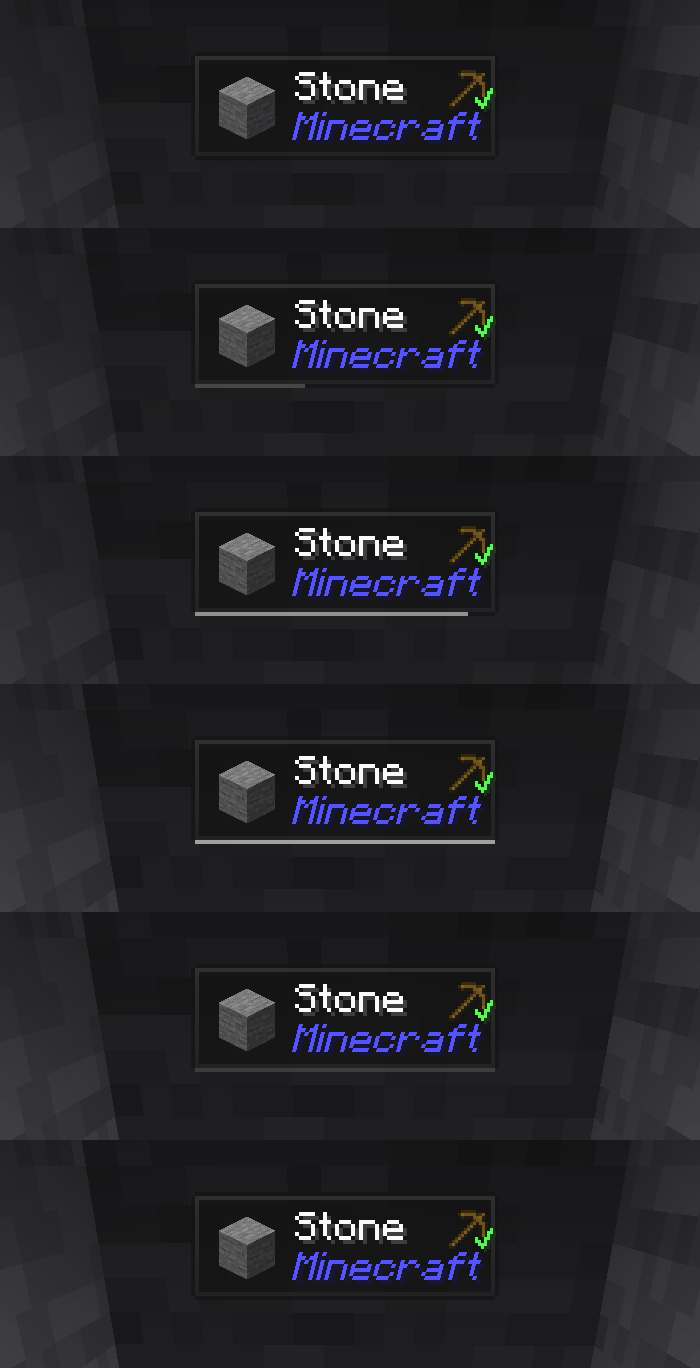
Jade — це мод інформаційного HUD - Hwyla/Waila для сучасних версій Minecraft. Створений для кращого досвіду користувача та API.
Jade можна встановити лише на стороні клієнта. Але багато функцій потребують Jade на стороні сервера. (зберігання предметів, кількість палива у варильній стійці, бджоли у вулику...)
Для інтеграції з модами спробуйте Jade Addons: NeoForge Fabric

Клавіші (за замовчуванням):
- Keypad 0: Відкрити екран налаштувань
- Keypad 1: Перемкнути оверлей
- Keypad 2: Перемкнути відображення рідини
- Keypad 3: Показати рецепти (Потрібен JEI)
- Keypad 4: Показати застосування (Потрібен JEI)
- Keypad 5: Озвучити ціль

Помітні зміни порівняно з Hwyla:
- Перероблений API
- Більше ванільних аддонів
- Вища конфігурованість
- Краща доступність
Як вимагає оригінальний проєкт Hwyla, Jade використовує ліцензію Creative Commons Attribution-NonCommercial-ShareAlike 4.0 International (CC BY-NC-SA 4.0).
Як встановити Jade 🔍
With Millida Launcher
Install Millida Launcher
The launcher is free: download it at millida.net/launcher and sign in with any nickname.
Click “Install” on this page
The launcher opens and installs the mod for Minecraft 1.16–26.3 on Fabric, Forge, NeoForge or Quilt automatically, together with its dependencies: Fabric API.
Launch the game
A profile with it appears in the launcher: click “Play”.
Manually
Install Fabric, Forge, NeoForge or Quilt
The loader must match the game version of the mod file, for example Minecraft 26.3. After installing it, a separate profile appears in your launcher.
Download the file for your version
In the version list above, pick the file Jade-mc26.3-NeoForge-26.3.5.jar (1.0 MB) for your game version and loader.
Put it in the mods folder
The folder is inside .minecraft (Windows: %appdata%\.minecraft\mods). If it does not exist, create it. Required dependencies go there too: Fabric API.
Launch the loader profile
Open “Mods” in the main menu: Jade 🔍 should be in the list.
On a server
A server on Fabric, Forge, NeoForge or Quilt
The mod only works on a server with the same loader and game version, for example 26.3.
File goes into the server’s mods folder
Stop the server, put the mod file into the mods folder and start the server again.
Use the “To server” button
On Millida Hosting, the button at the top of the page uploads the file to your server and restarts it for you.
Версії
Із залежностями
| Minecraft | Завантажувач | Файл | Дата | Дії |
|---|---|---|---|---|
| 26.1.2 | NeoForge | 26.1.21005 КБ 7 | ||
| 26.3 | NeoForge | 26.31 МБ 18 | ||
| 26.3 | Fabric, Quilt | 26.31 МБ 607 | ||
| 26.3 | NeoForge | 26.31 МБ 1 | ||
| 26.3 | Fabric, Quilt | 26.31 МБ | ||
| 26.3 | Fabric, Quilt | 26.31 МБ | ||
| 26.3 | Fabric, Quilt | 26.31 МБ | ||
| 26.3 | NeoForge | 26.31007 КБ |
Що потрібно для запуску
- Fabric APIобов'язково
- Just Enough Items (JEI)необов'язково
Контент, що його потребує
Відгуки
Станьте першим, хто оцінить Jade 🔍


