
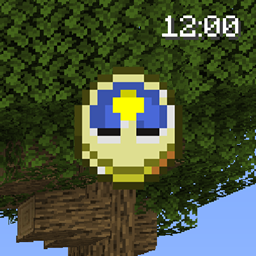
GUI Clock Мод для Minecraft 26.3
⏰ [Клієнт] Показує час/дні гри в GUI/HUD з годинником в інвентарі.
 Fabric
 Forge
Forge NeoForge
 Quilt
QuiltПро мод GUI Clock
GUI Clock is a minimalistic client-side mod which shows the time in the GUI on the screen when a clock is in the inventory. It can show in-game time or real time, and can be in the 24 hour format or with AM/PM. It can also show the world's age in days below the time. Instead of showing the time in numbers it's also possible to display the clock icon on the screen instead, can be enabled in the config.
By default the clock will automatically be lowered when a potion effect is active.
You may also be interested in GUI Compass.
All available config options:
mustHaveClockInInventoryForGameTime default true When enabled, will only show the game time when a clock is present in the inventory.
mustHaveClockInInventoryForRealTime default true When enabled, will only show the real time when a clock is present in the inventory.
lowerClockWhenPlayerHasEffects default true Whether the clock in the GUI should be lowered when the player has potion effects to prevent overlap.
_24hourformat default true Sets the format of the clock to the 24-hour format.
showOnlyMinecraftClockIcon default false When enabled, shows the clock item icon instead of a clock with numbers. When using Quark, the "Clock Nerf" feature must be disabled for this to work.
showBothTimes default false Show both in-game time and real local time.
showRealTime default false Show actual local time instead of in-game time.
showRealTimeSeconds default false Show the seconds in the clock.
showDaysPlayedWorld default true Show the days played in the world.
clockPositionIsLeft default false Places the GUI clock on the left.
clockPositionIsCenter default false Places the GUI clock in the middle.
clockPositionIsRight default true Places the GUI clock on the right.
clockHeightOffset default 5, min 0, max 3000 The vertical offset (y coord) for the Clock. This determines how far down the time should be on the screen. Can be changed to prevent GUIs from overlapping.
clockWidthOffset default 0, min -3000, max 3000 The horizontal offset (x coord) for the Clock.
drawTextShadow default true If the text displayed should have a shadow drawn below it.
RGB_R default 255, min 0, max 255 The red RGB value for the clock.
RGB_G default 255, min 0, max 255 The green RGB value for the clock.
RGB_B default 255, min 0, max 255 The blue RGB value for the clock.
The 24-hour clock.
The 12-hour clock.
The 24 hour clock with the PC's local time next to it.
The day counter:
And with the config option 'showOnlyMinecraftClockIcon' enabled:
With the config option 'lowerClockWhenPlayerHasEffects' enabled, the clock will automatically be lowered when a potion effect is active:
You may freely use this mod in any modpack, as long as the download remains hosted within the CurseForge or Modrinth ecosystem.
Serilum.com contains an overview and more information on all mods available.
Comments are disabled as I'm unable to keep track of them across so many separate mod pages. For issues, ideas, suggestions or anything else there is the Github repo. Thanks!
Як встановити GUI Clock
With Millida Launcher
Install Millida Launcher
The launcher is free: download it at millida.net/launcher and sign in with any nickname.
Click “Install” on this page
The launcher opens and installs the mod for Minecraft 1.19.3–26.3 on Fabric, Forge, NeoForge or Quilt automatically.
Launch the game
A profile with it appears in the launcher: click “Play”.
Manually
Install Fabric, Forge, NeoForge or Quilt
The loader must match the game version of the mod file, for example Minecraft 26.3. After installing it, a separate profile appears in your launcher.
Download the file for your version
In the version list above, pick the file guiclock-26.3.0-4.7.jar (52 KB) for your game version and loader.
Put it in the mods folder
The folder is inside .minecraft (Windows: %appdata%\.minecraft\mods). If it does not exist, create it.
Launch the loader profile
Open “Mods” in the main menu: GUI Clock should be in the list.
Версії
Із залежностями
| Minecraft | Завантажувач | Файл | Дата | Дії |
|---|---|---|---|---|
| 26.3 | Fabric, Forge, NeoForge, Quilt | [Fabric/Forge/Neo] 26.3.0-4.7 | GUI Clock52.5 КБ 8 | ||
| 1.19.3 | Forge | guiclock_1.19.3-3.7.jar12.1 КБ |
Часті питання
Which Minecraft versions does GUI Clock work on?
There are files for 26.3, 1.19.3. The newest is 26.3.
Is GUI Clock for Forge or Fabric?
There are files for Fabric: 26.3, for Forge: 1.19.3–26.3, for NeoForge: 26.3 and for Quilt: 26.3.
Does GUI Clock need other mods?
The author lists no required dependencies: the Fabric, Forge, NeoForge or Quilt loader is enough.
Where can I download GUI Clock safely?
On this page: the file guiclock-26.3.0-4.7.jar (52 KB) is stored on Millida’s server, with no link shorteners. SHA-1 checksum: 698de995efbf834d29386490ffecf8cce553c23f.
Відгуки
Станьте першим, хто оцінить GUI Clock


