
 NeoForge
 Forge
Про мод Gravestone mod - Graves
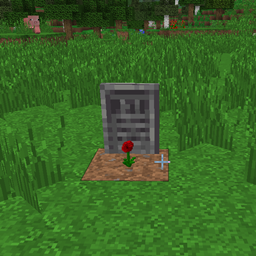
This mod adds gravestones to the game that spawn when a player, villager, dog, cat, or horse dies and store all of their items.
It also adds the Soulbound enchantment, which lets you keep your items after death, as well as 8 achievements.

If you'd like to craft a gravestone for decoration, you can use a special tool - the Chisel.
Since minecraft 1.8 and 1.21.11 this mod was splitted on three parts:
- "Graves"(this one)
- "Extended"(all another content - dungeon, items, blocks, enchantments).
- "Withered Lands" - all mobs (Since minecraft 1.21.11)
My other mods:
- Gravestone mod - Extended
- Withered Lands
- Sophisticated wolves
- Advanced Fishing
- Forged in Blocks

Як встановити Gravestone mod - Graves
With Millida Launcher
Install Millida Launcher
The launcher is free: download it at millida.net/launcher and sign in with any nickname.
Click “Install” on this page
The launcher opens and installs the mod for Minecraft 1.7.2–26.2 on Forge or NeoForge automatically.
Launch the game
A profile with it appears in the launcher: click “Play”.
Manually
Install Forge or NeoForge
The loader must match the game version of the mod file, for example Minecraft 26.2. After installing it, a separate profile appears in your launcher.
Download the file for your version
In the version list above, pick the file Gravestone-Mod-Graves-26.2-1.4.9.jar (762 KB) for your game version and loader.
Put it in the mods folder
The folder is inside .minecraft (Windows: %appdata%\.minecraft\mods). If it does not exist, create it.
Launch the loader profile
Open “Mods” in the main menu: Gravestone mod - Graves should be in the list.
Версії
Із залежностями
| Minecraft | Завантажувач | Файл | Дата | Дії |
|---|---|---|---|---|
| 26.2 | NeoForge | Gravestone-Mod-Graves-1.4.9762 КБ | ||
| 1.19.4 | Forge | GraveStone-Graves-1.3.1388 КБ | ||
| 1.12.2 | — | GraveStone-Graves-1.3.1912 КБ | ||
| 1.7.2 | — | GraveStone 2.9.0b5.jar876 КБ |
Часті питання
Which Minecraft versions does Gravestone mod - Graves work on?
There are files for 26.2, 1.19.4, 1.12.2, 1.7.2. The newest is 26.2.
Is Gravestone mod - Graves for Forge or Fabric?
There are files for Forge: 1.19.4 and for NeoForge: 26.2. There are no files for Fabric: a mod for another loader will not start.
Does Gravestone mod - Graves need other mods?
The author lists no required dependencies: the Forge or NeoForge loader is enough.
Where can I download Gravestone mod - Graves safely?
On this page: the file Gravestone-Mod-Graves-26.2-1.4.9.jar (762 KB) is stored on Millida’s server, with no link shorteners. SHA-1 checksum: 779bbb513106ad140dd69ee64c266132d42f2421.
Відгуки
Станьте першим, хто оцінить Gravestone mod - Graves


