

Geologic Expansion Мод для Minecraft 1.19.2
Мод, який додає нові функції для розширення Верхнього світу та геологічних аспектів гри.
 NeoForge
 Forge
Forge Fabric
 Quilt
QuiltПро мод Geologic Expansion
¿ Fabric / Quilt ?
You'll need Fabric API
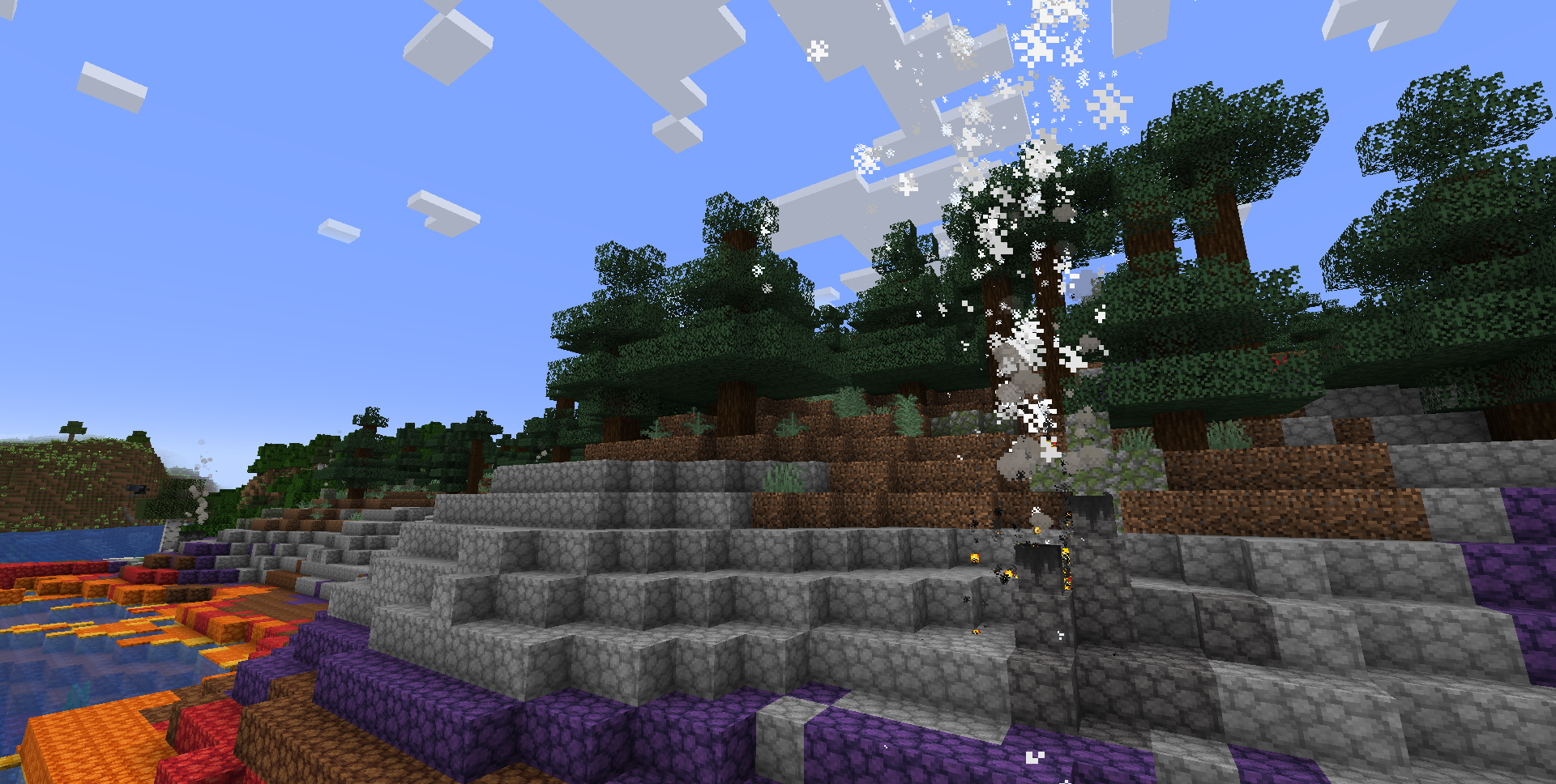
🌲 Explore and Discover.
Geologic Expansion adds new features to expand on the overworld and the geological aspects of the game.
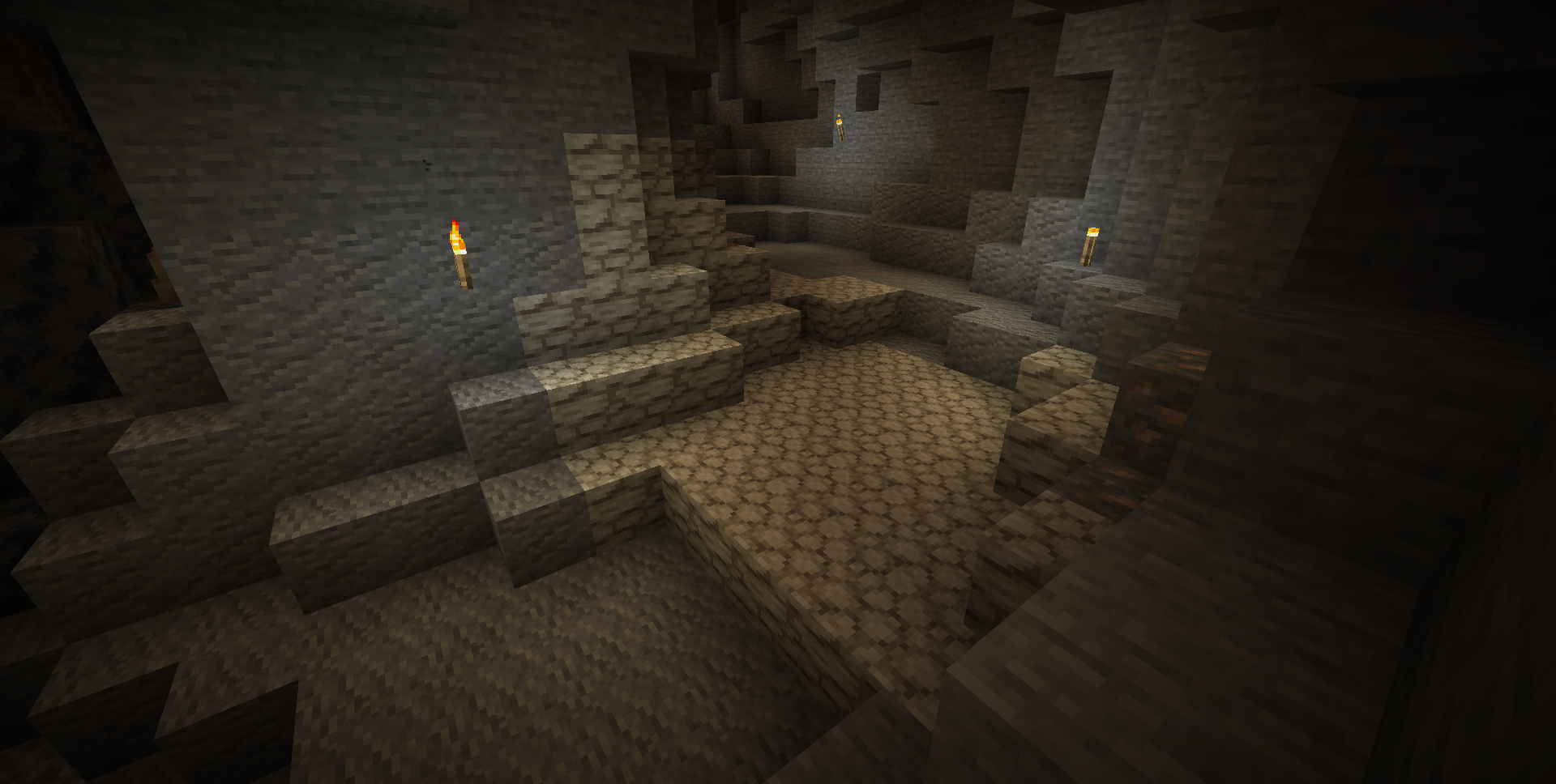
Features:
- Prismatic Caldera: A new thermal biome inspired on the Yellowstone's Caldera.
- Prismatic Stone: New stone type that can be dyed and polished! Enhance your builds with new colorful stairs, slabs and walls.
- Geysers: This new block cycles through different stages overtime, causing large eruptions to ocurr! can also be activated manually by powering it with redstone.
- Limestone: New stone type that can be found underground, commonly found above deepslate.
- Overgrowth: This new vegetation block can be used to add age into buildings, commonly found in areas with podzol and mossy cobblestone.
- Ducks: Friendly little creatures that love swimming and fishing! you can trade their findings with seeds, commonly found in swamps, meadows, rivers, taiga and prismatic caldera biomes.
Як встановити Geologic Expansion
With Millida Launcher
Install Millida Launcher
The launcher is free: download it at millida.net/launcher and sign in with any nickname.
Click “Install” on this page
The launcher opens and installs the mod for Minecraft 1.19.2 on Fabric, Forge, NeoForge or Quilt automatically.
Launch the game
A profile with it appears in the launcher: click “Play”.
Manually
Install Fabric, Forge, NeoForge or Quilt
The loader must match the game version of the mod file, for example Minecraft 1.19.2. After installing it, a separate profile appears in your launcher.
Download the file for your version
In the version list above, pick the file geologicexpansion-Forge-1.19.2-1.0.2.jar (1.3 MB) for your game version and loader.
Put it in the mods folder
The folder is inside .minecraft (Windows: %appdata%\.minecraft\mods). If it does not exist, create it.
Launch the loader profile
Open “Mods” in the main menu: Geologic Expansion should be in the list.
Minecraft 1.19.2 runs on Java 17: with a different Java version the game may close right after launch.
Версії
Із залежностями
| Minecraft | Завантажувач | Файл | Дата | Дії |
|---|---|---|---|---|
| 1.19.2 | NeoForge, Forge | GeologicExpansion-Forge-1.19.2-1.0.2.jar1.3 МБ | ||
| 1.19.2 | Fabric, Quilt | GeologicExpansion-Fabric-1.19.2-1.0.2.jar2.2 МБ |
Часті питання
Which Minecraft versions does Geologic Expansion work on?
Only Minecraft 1.19.2: there are no files for other versions.
Is Geologic Expansion for Forge or Fabric?
There are files for Fabric: 1.19.2, for Forge: 1.19.2, for NeoForge: 1.19.2 and for Quilt: 1.19.2.
Does Geologic Expansion need other mods?
The author lists no required dependencies: the Fabric, Forge, NeoForge or Quilt loader is enough.
Which Java does Geologic Expansion need?
Minecraft 1.19.2 runs on Java 17. If the game closes right after launch, the usual cause is the wrong Java version in the profile settings.
Where can I download Geologic Expansion safely?
On this page: the file geologicexpansion-Forge-1.19.2-1.0.2.jar (1.3 MB) is stored on Millida’s server, with no link shorteners. SHA-1 checksum: 84c213eeaad8a49c873176568b80e4f44a5dd3b4.
Відгуки
Станьте першим, хто оцінить Geologic Expansion


