
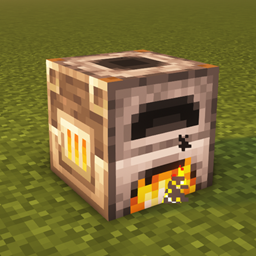
Fast Entity Transfer Мод для Minecraft 1.20.1, 1.16.5
Швидке перенесення сутностей у стилі Factorio на доменній печі, печі та коптильні
 NeoForge
 Quilt
Quilt Forge
Forge Fabric
Про мод Fast Entity Transfer
Have you ever played Factorio and stumbled across their QoL feature: "Fast Entity Transfer". A feature that lets you transfer items without opening a GUI.
This mod brings you exactly that, Factorio styled item transfer between the player and block entities.
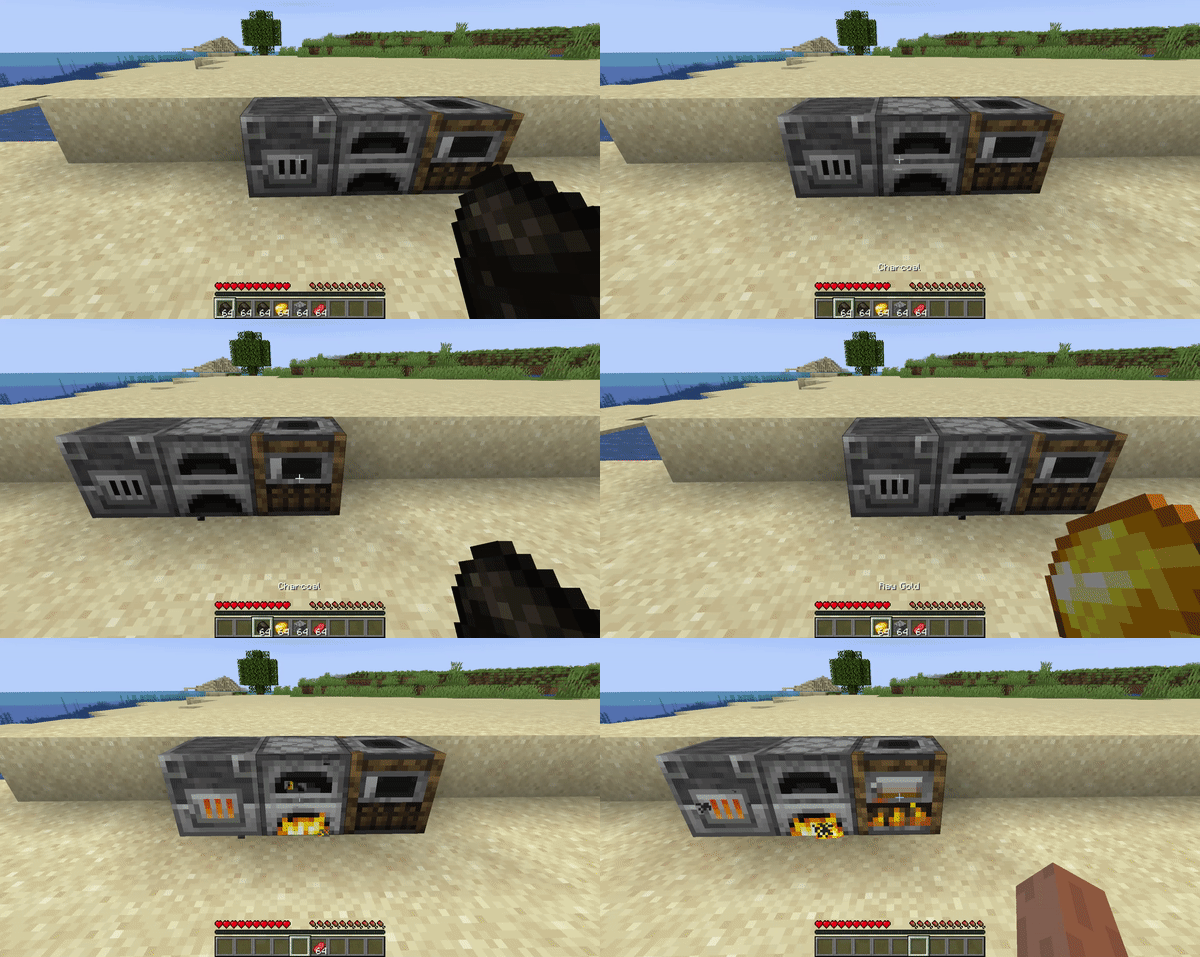
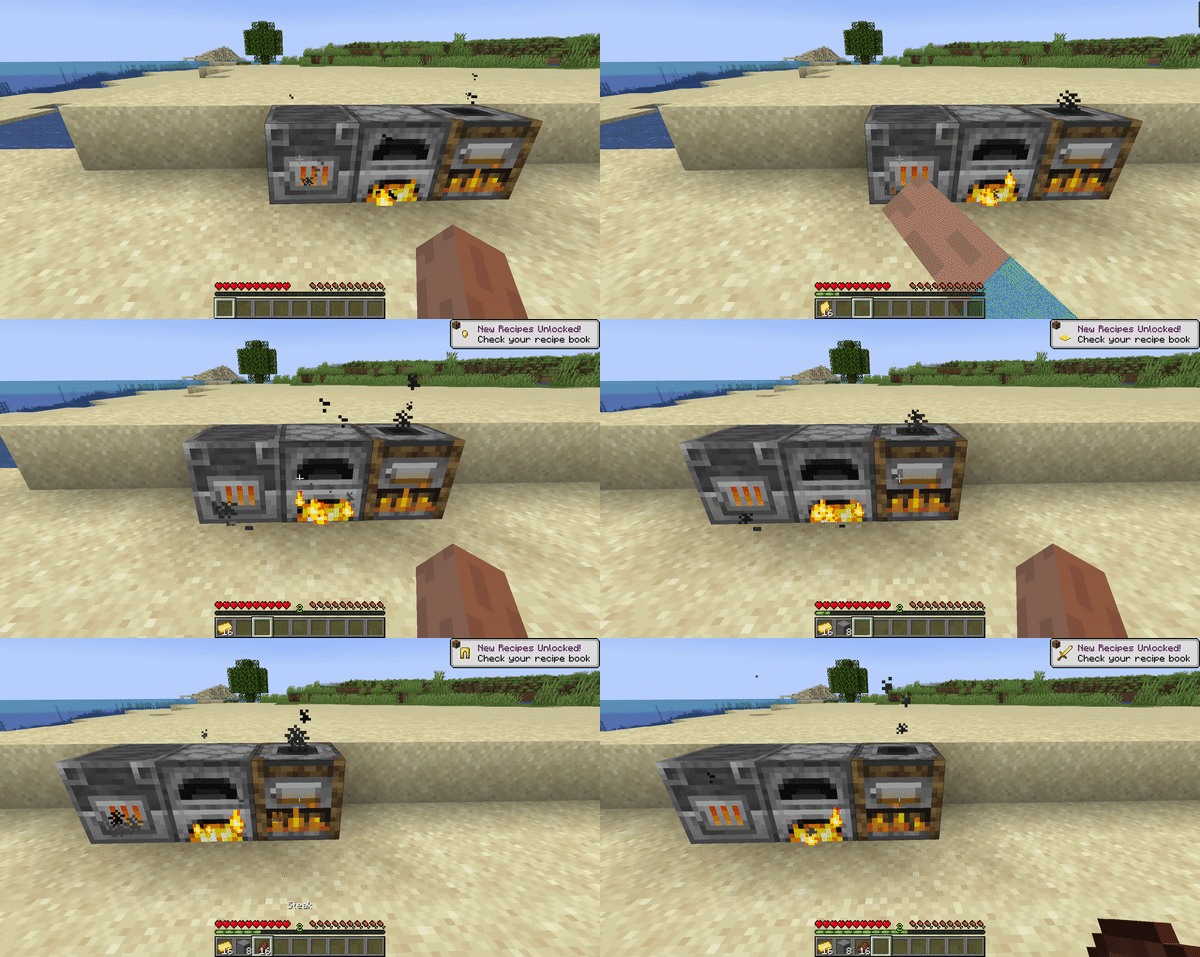
The "magic" explained:
- Start by pressing CTRL + LEFT/RIGHT click with suitable items
- If one of these three block entities have items or experience in their outputslot, the player will get this.
- Burnable items will go to the fuelslot.
- If an item is burnable and has a smelting recipe, it will first try to go to the fuelslot, then to the inputslot.
- Items with a Blasting/Smelting/Smoking recipe will go to the inputslot.
There is also support for modded block entities, if they are instanceof AbstractFurnaceBlockEntity, SmokerBlockEntity, or BlastFurnaceBlockEntity.
Як встановити Fast Entity Transfer
With Millida Launcher
Install Millida Launcher
The launcher is free: download it at millida.net/launcher and sign in with any nickname.
Click “Install” on this page
The launcher opens and installs the mod for Minecraft 1.14–1.20.4 on Fabric, Forge, NeoForge or Quilt automatically.
Launch the game
A profile with it appears in the launcher: click “Play”.
Manually
Install Fabric, Forge, NeoForge or Quilt
The loader must match the game version of the mod file, for example Minecraft 1.20.4. After installing it, a separate profile appears in your launcher.
Download the file for your version
In the version list above, pick the file fastentitytransfer-neoforge-20.4-1.3.1.jar (483 KB) for your game version and loader.
Put it in the mods folder
The folder is inside .minecraft (Windows: %appdata%\.minecraft\mods). If it does not exist, create it.
Launch the loader profile
Open “Mods” in the main menu: Fast Entity Transfer should be in the list.
Minecraft 1.20.4 runs on Java 17: with a different Java version the game may close right after launch.
Версії
Із залежностями
| Minecraft | Завантажувач | Файл | Дата | Дії |
|---|---|---|---|---|
| 1.16.5 | Forge | fastentitytransfer-forge-1.16.5-1.3.1.jar483 КБ | ||
| 1.16.5 | Fabric | fastentitytransfer-fabric-1.16.x-1.3.1.jar482 КБ | ||
| 1.20.4 | NeoForge | fastentitytransfer-neoforge-20.4-1.3.1.jar483 КБ | ||
| 1.20.2 | Quilt | fastentitytransfer-quilt-1.20.x-1.3.1.jar482 КБ | ||
| 1.14.4 | Fabric | fastentitytransfer-fabric-1.14.x-1.1.2.jar476 КБ |
Часті питання
Which Minecraft versions does Fast Entity Transfer work on?
There are files for 1.14–1.20.4, 11 versions in total. The newest is 1.20.4.
Is Fast Entity Transfer for Forge or Fabric?
There are files for Fabric: 1.14–1.16.5, for Forge: 1.16.5, for NeoForge: 1.20.4 and for Quilt: 1.20–1.20.2.
Does Fast Entity Transfer need other mods?
The author lists no required dependencies: the Fabric, Forge, NeoForge or Quilt loader is enough.
Which Java does Fast Entity Transfer need?
Minecraft 1.20.4 runs on Java 17. If the game closes right after launch, the usual cause is the wrong Java version in the profile settings.
How do I download Fast Entity Transfer?
With Millida Launcher: it installs Fast Entity Transfer into a modpack by itself, for the right game version and loader. The launcher is free.
Відгуки
Станьте першим, хто оцінить Fast Entity Transfer


