
FabricTailor Мод для Minecraft 26.3
Серверний/одиночний мод для зміни скінів і плащів для Fabric.
 Fabric
 Quilt
Про мод FabricTailor
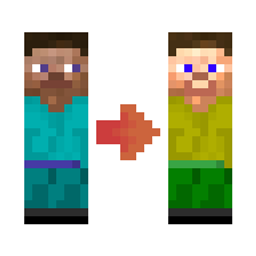
Need to quickly change your skin without going to minecraft.net? Or do you want per world-specific skin in your singleplayer world / server?
Fabric Tailor
A server-side or singleplayer skin & cape changing / restoring mod. All with one simple command (on server):
/skin
Or with keybind k (on client).
It supports skin fetching via player's name as well as via URL. If you use player name, cape is fetched as well (if player has one). Not fan of existing skins? No problem, mod supports uploading skin from local storage as well.
As a side feature, it also requests textures from ely.by and mojang to work like skin restorer for server / singleplayer.
If installed on client / singleplayer, you can use gui to set caoe as well! (If playing on server, it needs to use fabrictailor as well.)
Capes
If you don't like capes, you can also disable them (for everyone) in generated config.
Using Forge?
FabricTailor works with Connector mod (that you can install for forge, it will load fabrictailor then), you just need to use ForgifiedFabricApi. Happy skin forging!
Who sees what?

Scenario 0: only server has the mod
- all players can see vanilla skins & capes
- all players can set their skin from player's name, URL, upload it from server or custom source
Scenario 1: server & Steve have the mod, Alex doesn't
- same as Scenario 0 +
- Steve can upload skins from his PC
- Steve can choose a HD skin or custom cape, but Alex won't see it
Scenario 2: server & players have the mod
- same as Scenario 1, but capes & HD skins will be visible to everyone
Other info
- Having issues? Please report them on GitHub issue tracker
- Living on the edge? Get latest developer builds
- Feel like donating? Visit donate page
Servers
Do you want to host your own server? Try ApexHosting.
Click the image below!
Як встановити FabricTailor
With Millida Launcher
Install Millida Launcher
The launcher is free: download it at millida.net/launcher and sign in with any nickname.
Click “Install” on this page
The launcher opens and installs the mod for Minecraft 26.3 on Fabric or Quilt automatically.
Launch the game
A profile with it appears in the launcher: click “Play”.
Manually
Install Fabric or Quilt
The loader must match the game version of the mod file, for example Minecraft 26.3. After installing it, a separate profile appears in your launcher.
Download the file for your version
In the version list above, pick the file fabrictailor-2.11.0.jar (197 KB) for your game version and loader.
Put it in the mods folder
The folder is inside .minecraft (Windows: %appdata%\.minecraft\mods). If it does not exist, create it.
Launch the loader profile
Open “Mods” in the main menu: FabricTailor should be in the list.
Версії
Із залежностями
| Minecraft | Завантажувач | Файл | Дата | Дії |
|---|---|---|---|---|
| 26.3 | Fabric, Quilt | [26.3] FabricTailor extension 'publishMods' property 'version'197 КБ 1 |
Часті питання
Which Minecraft versions does FabricTailor work on?
Only Minecraft 26.3: there are no files for other versions.
Is FabricTailor for Forge or Fabric?
There are files for Fabric: 26.3 and for Quilt: 26.3. There are no files for Forge or NeoForge: a mod for another loader will not start.
Does FabricTailor need other mods?
The author lists no required dependencies: the Fabric or Quilt loader is enough.
Where can I download FabricTailor safely?
On this page: the file fabrictailor-2.11.0.jar (197 KB) is stored on Millida’s server, with no link shorteners. SHA-1 checksum: 1111979a07fc3051892808f972354879b150d64b.
Відгуки
Станьте першим, хто оцінить FabricTailor


