
Day Counter Мод для Minecraft 1.20.1, 26.1.2
Day Counter — це повністю налаштовуваний мод для Minecraft, який відстежує плин часу у вашому світі та оживляє його. Він додає цілком новий рівень прогресу та атмосфери у ваш геймплей.
 NeoForge
 Forge
Forge📝About:
- Day Counter is a fully customizable Minecraft mod that tracks the passage of time in your world and brings it to life. With features like date system, multiple UI options, Calendar item and block, and configurable day-based events and rewards, it adds a whole new layer of progression and atmosphere to your gameplay. Whether you're running a server or playing solo, Day Counter helps you stay in sync with your world day by day.
⚙️Features:
- Automaticaly counts
- Calendar block
- Calendar item
- Calendar item lore (V4.0 - V5.0)
- Commands
- Fully Customizable
- Sound
- In-game overlay UI text (V3.3
- Variables for our Hud Texts mod
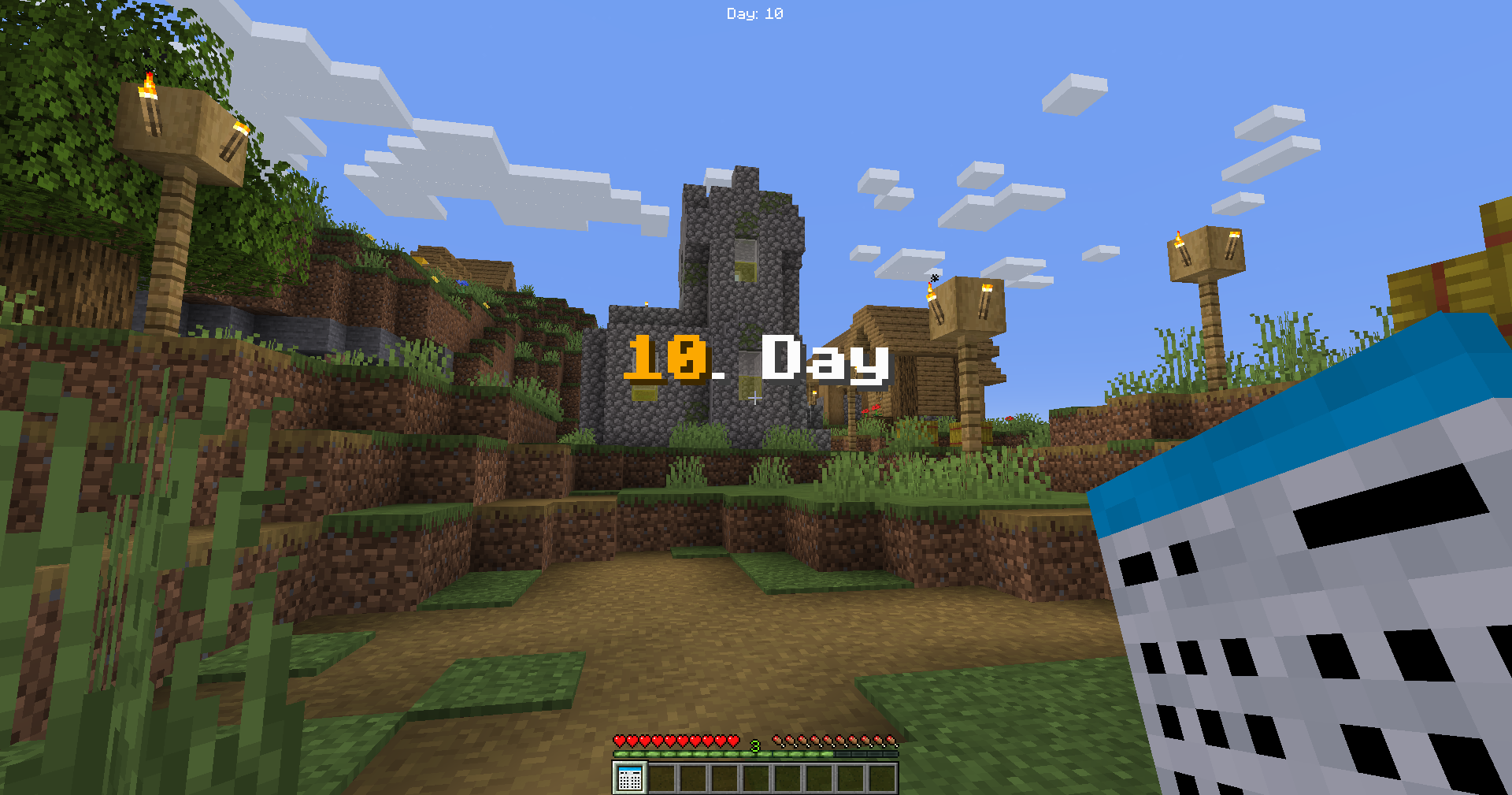
- New Day text display: Title, Subtitle, Chat, Actionbar
- Server & Player day(s)
- Week days (V3.1 - V3.2)
- Rewards on Specific day(s) (From: V4.0)
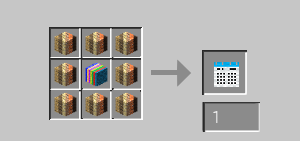
- For the crafts please see the images.
- Date system (From: V5.0)
❗️Required mods:
- Hud Texts | From V3.4
✅Compatible mods:

⌨️Commands:
/daycounter add <type> <player> <amount>
- With this you can add day(s) to player or server days.
/daycounter set <type> <player>
- With this you can set day(s) to player or server days.
/daycounter reset <type> <player>
- With this you can reset the player or server days.
/daycounter help
- With this you can see the help in the chat.
/daycounter reload
- With this you can reload the config file.
📜Our partner:
💡Ideas:
- If you have an idea which makes the mod better then,
- please write it on our discord server in the #💡idea-suggestions forum.
👾Bugs:
- If you have found a bug then,
- please write it on our discord server in the #🧰bug-reports forum.
Як встановити Day Counter
With Millida Launcher
Install Millida Launcher
The launcher is free: download it at millida.net/launcher and sign in with any nickname.
Click “Install” on this page
The launcher opens and installs the mod for Minecraft 1.20.1–26.1.2 on Forge or NeoForge automatically.
Launch the game
A profile with it appears in the launcher: click “Play”.
Manually
Install Forge or NeoForge
The loader must match the game version of the mod file, for example Minecraft 26.1.2. After installing it, a separate profile appears in your launcher.
Download the file for your version
In the version list above, pick the file ags_day_counter-6.1-neoforge-26.1.2.jar (577 KB) for your game version and loader.
Put it in the mods folder
The folder is inside .minecraft (Windows: %appdata%\.minecraft\mods). If it does not exist, create it.
Launch the loader profile
Open “Mods” in the main menu: Day Counter should be in the list.
Версії
Із залежностями
| Minecraft | Завантажувач | Файл | Дата | Дії |
|---|---|---|---|---|
| 26.1.2 | NeoForge | ags_day_counter-6.1-neoforge-26.1.2.jar577 КБ 5 | ||
| 1.20.1 | Forge | ags_day_counter-6.1-forge-1.20.1.jar582 КБ 1 |
Часті питання
Which Minecraft versions does Day Counter work on?
There are files for 26.1.2, 1.20.1. The newest is 26.1.2.
Is Day Counter for Forge or Fabric?
There are files for Forge: 1.20.1 and for NeoForge: 26.1.2. There are no files for Fabric: a mod for another loader will not start.
Does Day Counter need other mods?
The author lists no required dependencies: the Forge or NeoForge loader is enough.
Where can I download Day Counter safely?
On this page: the file ags_day_counter-6.1-neoforge-26.1.2.jar (577 KB) is stored on Millida’s server, with no link shorteners. SHA-1 checksum: 3cdff6cb88f280bd44ec3dec0a5619899ad5cfd7.
Відгуки
Станьте першим, хто оцінить Day Counter


