
Croptopia Additions Мод для Minecraft 1.20.1, 1.20.6
Усі страви, які ви знаєте й любите, додані до Croptopia!
 NeoForge
 Fabric
 Quilt
 Forge
Про мод Croptopia Additions
New Updates Coming! Suggest new foods in the comments!
Try out my new Cave Overhaul mod, What is Stone!
What is 'Stone'? (Colorful Caves) Minecraft Mods - CurseForge
Like Croptopia, but dislike the boring seed textures?
Check out my texture pack for Croptopia:
Fresh Croptopia Seeds! - Resource Packs - Minecraft - CurseForge
Description
This mod adds several new foods to Minecraft that you can craft using items from Croptopia and a few other mods!
To name a few additions:
- Several flavors of Sodas
- Cotton Candy
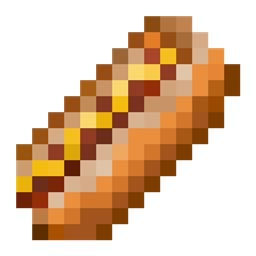
- Hot Dogs
- Ramen
- Beans on Toast
And a few more things!
Yeah, it's a pretty small mod, but it's a starting point for my modding journey. Hmm... If only there was some way I could figure out what to add to this mod...
That's where you come in!
Let me know what foods I should add next and/or what the recipe should be in the comments below!
Additionally, you can leave any issues you seem to be having or just features you'd like to see in this mod.
Other Things
I do plan to update this mod in the future!
If anyone can let me know how to port this mod to Fabric in a somewhat easy manner I'd be glad to do so!
Як встановити Croptopia Additions
With Millida Launcher
Install Millida Launcher
The launcher is free: download it at millida.net/launcher and sign in with any nickname.
Click “Install” on this page
The launcher opens and installs the mod for Minecraft 1.19.4–1.20.6 on Fabric, Forge, NeoForge or Quilt automatically.
Launch the game
A profile with it appears in the launcher: click “Play”.
Manually
Install Fabric, Forge, NeoForge or Quilt
The loader must match the game version of the mod file, for example Minecraft 1.20.6. After installing it, a separate profile appears in your launcher.
Download the file for your version
In the version list above, pick the file CroptopiaAdditions-1.20.6-NEOFORGE-2.4.jar (78 KB) for your game version and loader.
Put it in the mods folder
The folder is inside .minecraft (Windows: %appdata%\.minecraft\mods). If it does not exist, create it.
Launch the loader profile
Open “Mods” in the main menu: Croptopia Additions should be in the list.
Minecraft 1.20.6 runs on Java 21: with a different Java version the game may close right after launch.
Версії
Із залежностями
| Minecraft | Завантажувач | Файл | Дата | Дії |
|---|---|---|---|---|
| 1.20.6 | NeoForge | CroptopiaAdditions-1.20.6-NEOFORGE-2.4.jar78 КБ | ||
| 1.19.4 | Forge | CroptopiaAdditions-1.19.4-FORGE-2.4.jar83 КБ | ||
| 1.20.1 | Fabric, Quilt | CroptopiaAdditions-1.20.1-FABRIC-2.1.jar97.6 КБ |
Часті питання
Which Minecraft versions does Croptopia Additions work on?
There are files for 1.20.6, 1.20.1, 1.20, 1.19.4. The newest is 1.20.6.
Is Croptopia Additions for Forge or Fabric?
There are files for Fabric: 1.20–1.20.1, for Forge: 1.19.4, for NeoForge: 1.20.6 and for Quilt: 1.20–1.20.1.
Does Croptopia Additions need other mods?
The author lists no required dependencies: the Fabric, Forge, NeoForge or Quilt loader is enough.
Which Java does Croptopia Additions need?
Minecraft 1.20.6 runs on Java 21. If the game closes right after launch, the usual cause is the wrong Java version in the profile settings.
Where can I download Croptopia Additions safely?
On this page: the file CroptopiaAdditions-1.20.6-NEOFORGE-2.4.jar (78 KB) is stored on Millida’s server, with no link shorteners. SHA-1 checksum: 64de150c90f883e3736869d83fd022adc639214a.
Відгуки
Станьте першим, хто оцінить Croptopia Additions


