

 Forge

Need hosting?
Links:


Another mods:


About:
Vintage Improvements is Create addon which adds new Kinetics Machines, metal rods, wires, sheets & springs
Review
McCastle Gaming:
Content
Compats
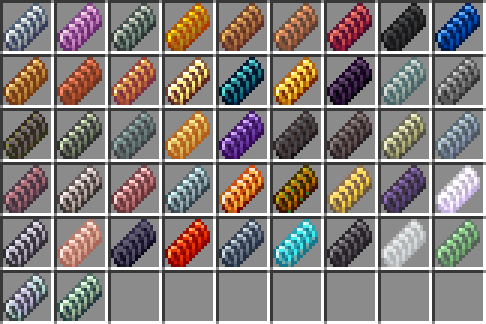
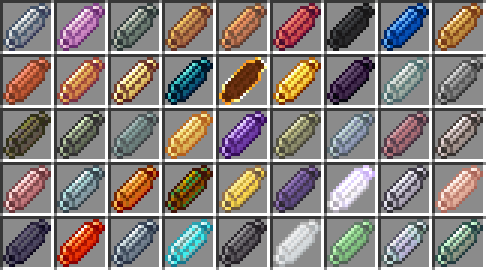
Rods, wires, springs & sheets can be made from materials, that other mods provide. List of supported mods:
- Ad Astra
- Create Crafts & Additions
- Create: The Factory Must Grow
- Mekanism
- Tinker's Construct
- Thermal Expansion
- Destroy
- Twilight Forest
- Create Big Cannons
Apotheosis Socketing supported via Helve Hammer
Sheets
Sheets can be made with pessing ingots.
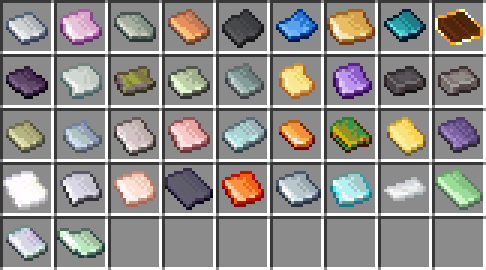
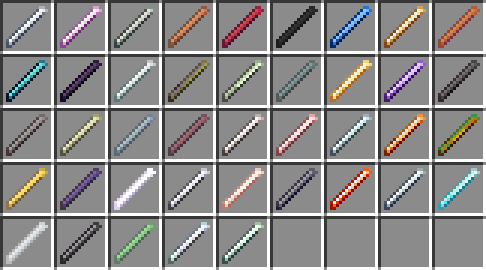
Rods
Rods can be made from plates.
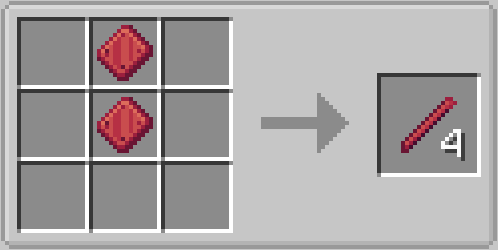
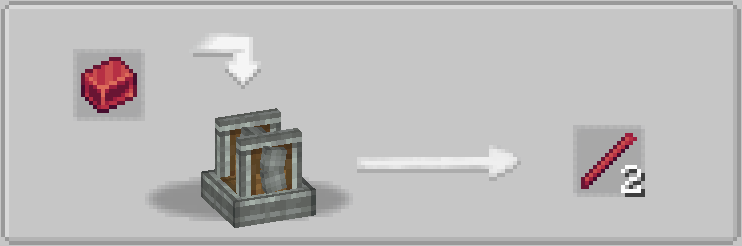
If Create Crafts & Addtitions installed, this craft will be replaced by rolling with Rolling Mill.
This rods can be used in custom recipes in mod packs.
Wires
Wires can be made from plates.
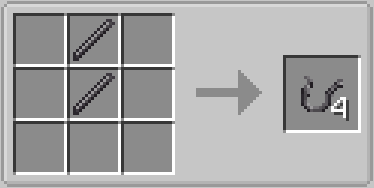
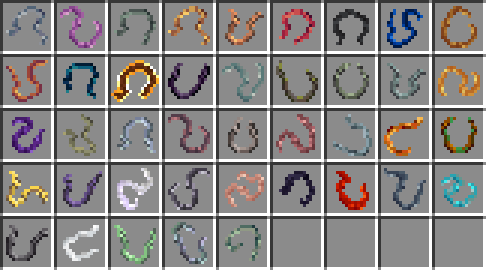
If Create Crafts & Addtitions installed, this craft will be replaced by rolling with Rolling Mill.
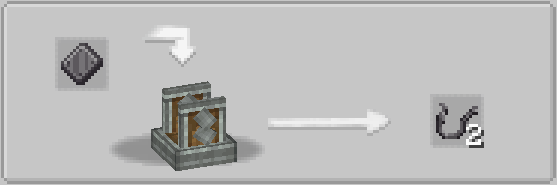
This wires can be used in custom recipes in mod packs.
Belt Grinder craft
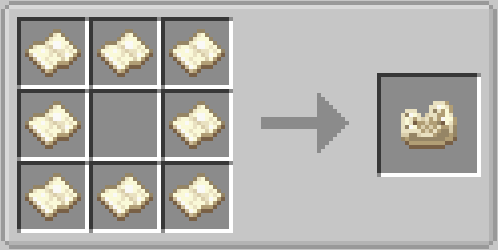
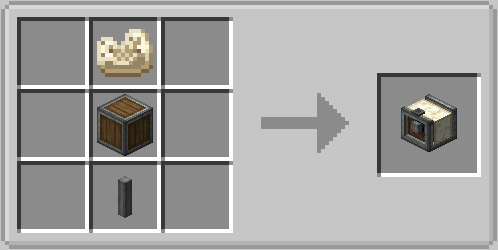
Grinder provides grinder polishing recipes with speed limits (any, low, medium & high). For example: Polished Rose Quartz recipe requires low speed (16 RPM or less, can be configured), otherwise recipe won't work and (if configured) Rose Quartz will be destroyed
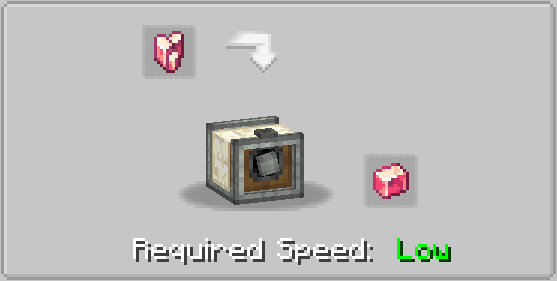
There is an option in the config file to turn on automatic recognition of sandpaper polishing recipes (enabled by default) and speed limits for this recipes (low speed by default)
Belt's appearance can be changed via right click with a Sand Paper. Create Crafts & Additions, Create: Sandpaper Overhaul are supported
Spring Coiling Machine craft
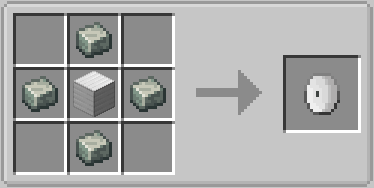
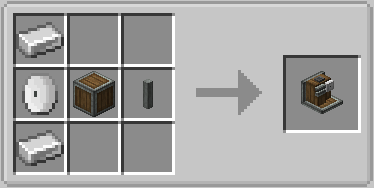
Grinder provides coiling recipes. You can craft springs & small springs.
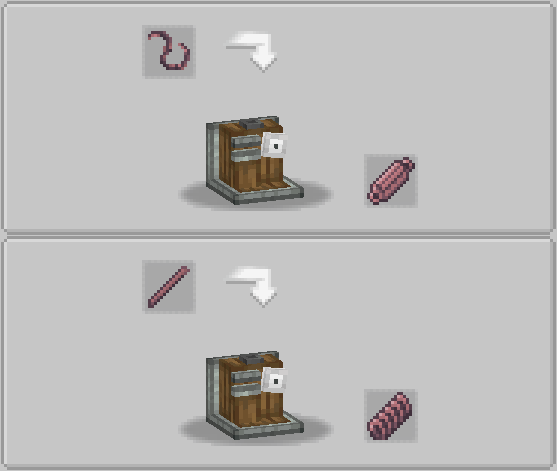
Compressor craft
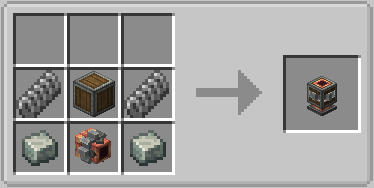
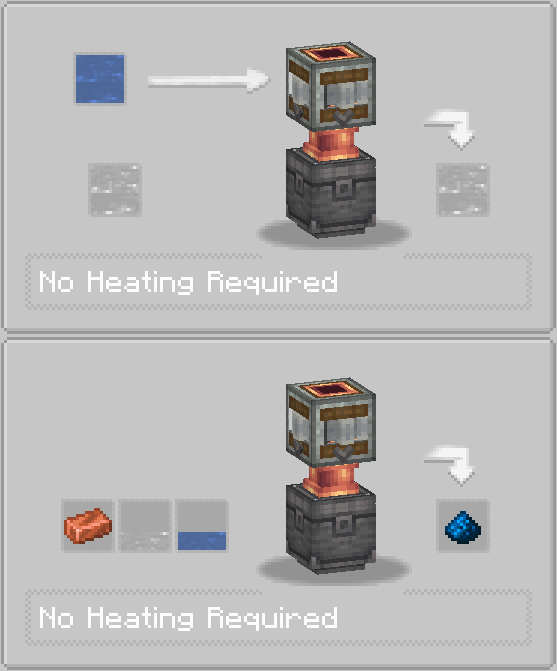
Compressor works with Basin and have two operating modes: vacuumizing and pressurizing
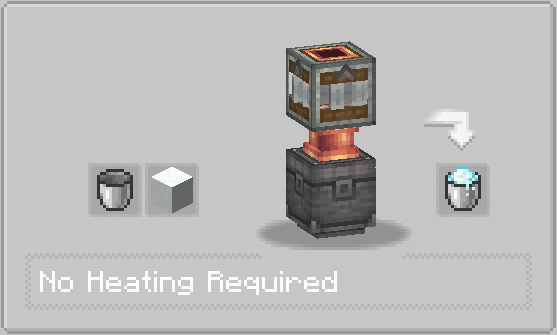
Modes can be switched via right click with Wrench. Recipes may require fluids inside the Compressor internal tank, or may produce fluids into the Compressor internal tank
Vibrating Table craft
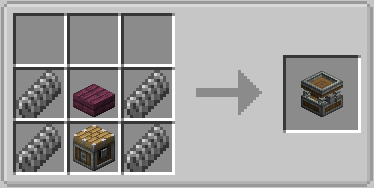
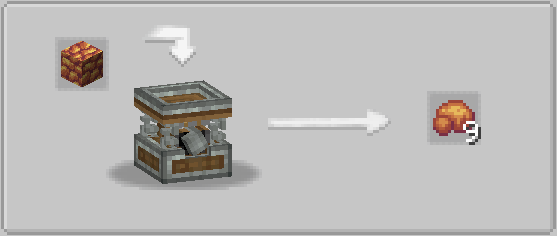
Vibrating Table provides vibrating recipes
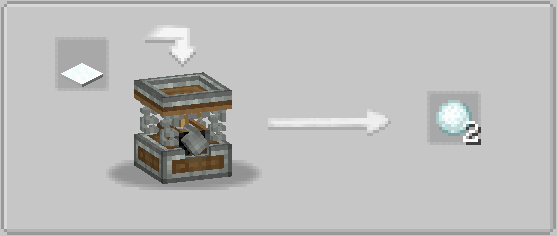
In config you can turn on unpacking and leaves vibrating recipes (enabled by default). Unpacking allows uncrafting storage blocks into materials by Vibrating Table. Vibrating leaves gives match drops
Centrifuge craft
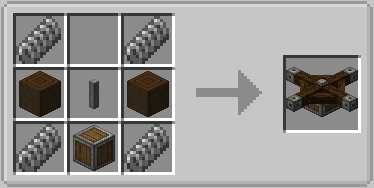
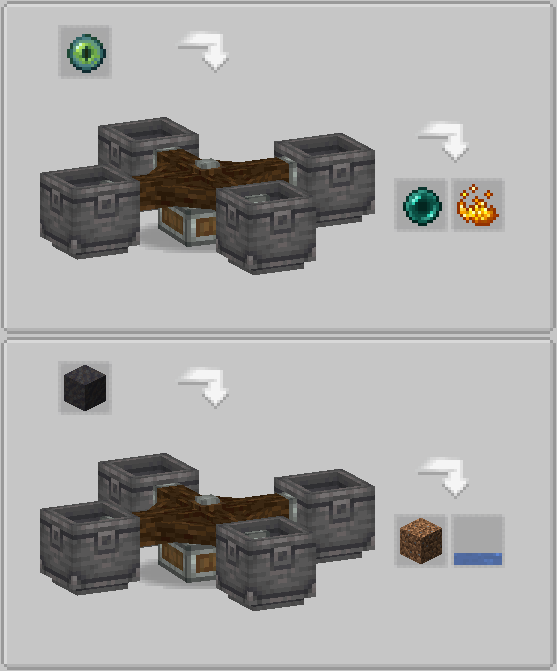
Centrifuge needs 4 Basins intsalled to work and provides centrifugation recipes
Curving Press craft
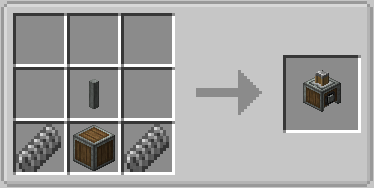
Curving Press provides curving recipes. Before work you must install one of Curving Heads. Different heads provides different recipes
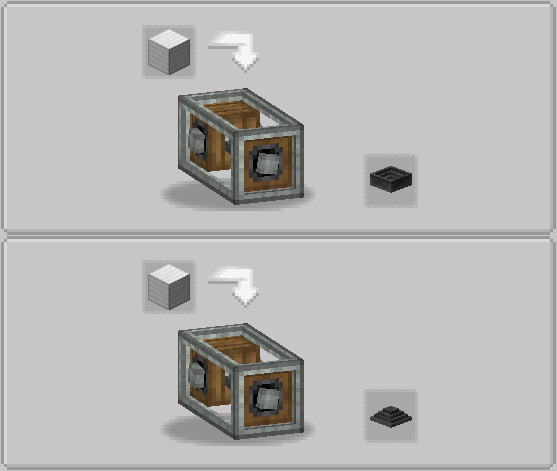
Stonecutter crafts
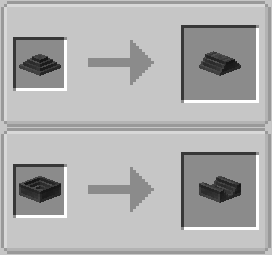
You also can create custom heads, just add "vintageimprovements:curving_heads" tag to item
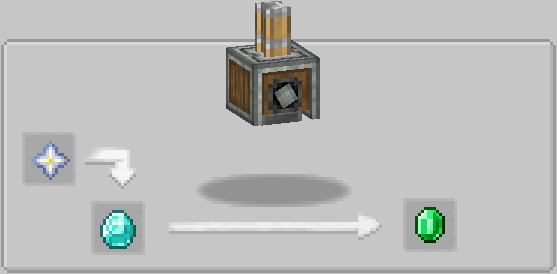
In the config you can turn on automatic recognition of bucket-like recipes for Curving Press (enabled by default)
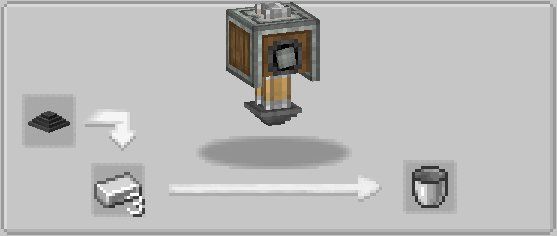
Some recipes cause damage to the curving heads, auto recipes damage can be customized via config
Helve Hammer craft
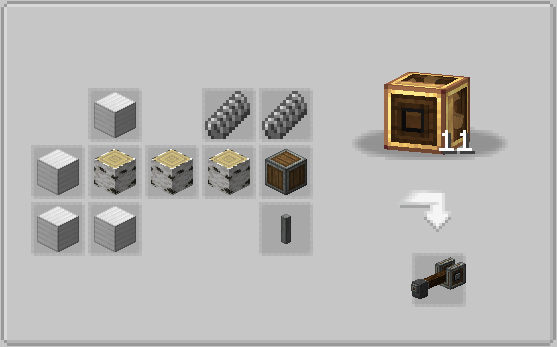
Helve Hammer works with Smithing Table or Anvil. With Anvil (or blocks with "vintageimprovements:anvils" tag) Helve Hammer provides hammering recipes
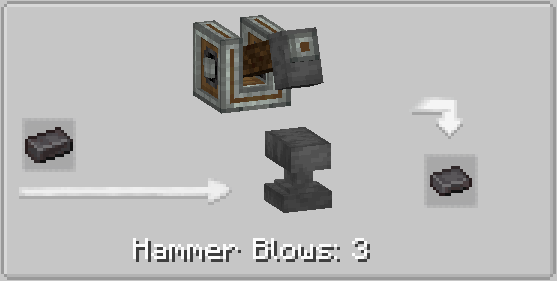
Netherite Sheet can be used in custom recipes in mod packs

With Smithing Table Helve Hammer provides auto smithing recipes
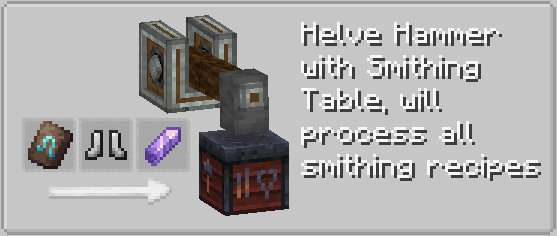
Some recipes may require specific block instead of anvil, this block must have "vintageimprovements:custom_hammering_blocks" tag
Lathe craft
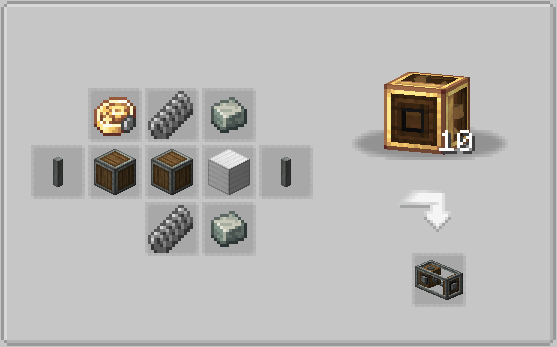
Lathe provides turning recipes
Як встановити Create: Vintage Improvements
With Millida Launcher
Install Millida Launcher
The launcher is free: download it at millida.net/launcher and sign in with any nickname.
Click “Install” on this page
The launcher opens and installs the mod for Minecraft 1.18.2–1.20.1 on Forge automatically.
Launch the game
A profile with it appears in the launcher: click “Play”.
Manually
Install Forge
The loader must match the game version of the mod file, for example Minecraft 1.20.1. After installing it, a separate profile appears in your launcher.
Download the file for your version
In the version list above, pick the file vintageimprovements-1.20.1-0.0.2.2-beta.jar (95 KB) for your game version.
Put it in the mods folder
The folder is inside .minecraft (Windows: %appdata%\.minecraft\mods). If it does not exist, create it.
Launch the loader profile
Open “Mods” in the main menu: Create: Vintage Improvements should be in the list.
Minecraft 1.20.1 runs on Java 17: with a different Java version the game may close right after launch.
Версії
Із залежностями
| Minecraft | Завантажувач | Файл | Дата | Дії |
|---|---|---|---|---|
| 1.18.2 | Forge | vintageimprovements-1.18.2-0.2.0.3.jar1.3 МБ | ||
| 1.20.1 | Forge | vintageimprovements-1.20.1-0.0.2.2-beta.jar95.5 КБ 5 |
Часті питання
Which Minecraft versions does Create: Vintage Improvements work on?
There are files for 1.20.1, 1.18.2. The newest is 1.20.1.
Is Create: Vintage Improvements for Forge or Fabric?
Only for Forge: 1.18.2–1.20.1. There are no files for Fabric or NeoForge: a mod for another loader will not start.
Does Create: Vintage Improvements need other mods?
The author lists no required dependencies: the Forge loader is enough.
Which Java does Create: Vintage Improvements need?
Minecraft 1.20.1 runs on Java 17. If the game closes right after launch, the usual cause is the wrong Java version in the profile settings.
How do I download Create: Vintage Improvements?
With Millida Launcher: it installs Create: Vintage Improvements into a modpack by itself, for the right game version and loader. The launcher is free.
Відгуки
Станьте першим, хто оцінить Create: Vintage Improvements


