
Create: Radars Мод для Minecraft 1.20.1, 1.21.1
Додає передові технології спостереження до Create!
 NeoForge
 Forge
ForgeПро мод Create: Radars
Потрібен Create
NEOFORGE ВИЙШОВ
Багато функцій з'явиться. Ми працюємо!
Приєднуйтесь до спільноти для ексклюзивних новин і підтримки:
https://discord.gg/create-arsenal-1044367456417882202
https://ko-fi.com/arsenalistsofcreate
Про мод
Ласкаво просимо до Create Radars — моду, що пропонує різноманітні інструменти та блоки для спостереження, виявлення та керування зброєю.
Додані технологічні елементи розроблено так, щоб залишити гравцеві якомога більше варіантів для творчості. З Create Radars гра не відбувається всередині купи інтерфейсів — вона заохочує вас створювати механізми з анімованих компонентів, що працюють разом у безлічі можливих конфігурацій, а також широкий вибір технік і функцій, які забезпечують стратегічну глибину та занурення.
Механіки натхненні реальними технологіями виявлення, але спрощені настільки, щоб будь-який гравець міг ними користуватися... і щоб розробка йшла швидше.
Поточні функції:
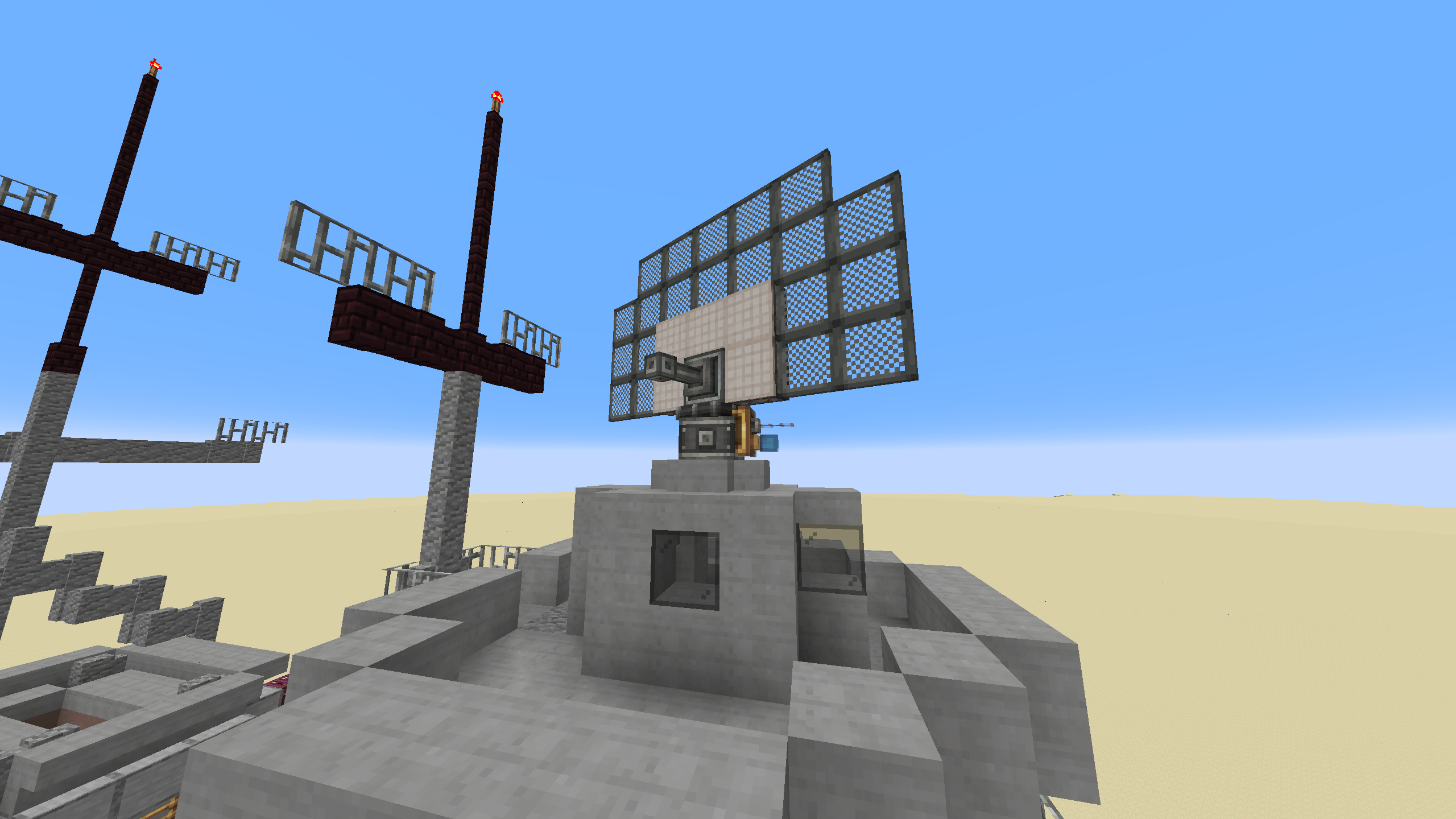
- Радарний пеленгаторний мультиблок: надайте своєму радару будь-якої форми, де кожна характеристика впливає на його можливості.
- Масштабований моніторний мультиблок: візуалізуйте свій радар, щоб мати огляд поля бою та без зусиль помічати будь-яких порушників.
- Контролер гармати: наводьте свої автоматичні гармати на порушників за допомогою ваших радарів.
Як встановити Create: Radars
With Millida Launcher
Install Millida Launcher
The launcher is free: download it at millida.net/launcher and sign in with any nickname.
Click “Install” on this page
The launcher opens and installs the mod for Minecraft 1.20.1–1.21.1 on Forge or NeoForge automatically.
Launch the game
A profile with it appears in the launcher: click “Play”.
Manually
Install Forge or NeoForge
The loader must match the game version of the mod file, for example Minecraft 1.21.1. After installing it, a separate profile appears in your launcher.
Download the file for your version
In the version list above, pick the file create_radar-0.4.9.4-1.21.1.jar (2.9 MB) for your game version and loader.
Put it in the mods folder
The folder is inside .minecraft (Windows: %appdata%\.minecraft\mods). If it does not exist, create it.
Launch the loader profile
Open “Mods” in the main menu: Create: Radars should be in the list.
Minecraft 1.21.1 runs on Java 21: with a different Java version the game may close right after launch.
Версії
Із залежностями
| Minecraft | Завантажувач | Файл | Дата | Дії |
|---|---|---|---|---|
| 1.21.1 | NeoForge | create_radar-0.4.9.4-1.21.1.jar2.9 МБ 378 | ||
| 1.20.1 | Forge | create_radar-0.4.6+mc1.20.1.jar2.8 МБ 60 | ||
| 1.21.1 | NeoForge | create_radar-0.4.6-1.21.1.jar15.7 МБ | ||
| 1.20.1 | Forge | create_radar-0.4.3+Create-5+mc1.20.1.jar2.8 МБ | ||
| 1.20.1 | Forge | Radars 3.5.2-Create 6.0.8.jar2.5 МБ 2 |
Часті питання
Which Minecraft versions does Create: Radars work on?
There are files for 1.21.1, 1.20.1. The newest is 1.21.1.
Is Create: Radars for Forge or Fabric?
There are files for Forge: 1.20.1 and for NeoForge: 1.21.1. There are no files for Fabric: a mod for another loader will not start.
Does Create: Radars need other mods?
The author lists no required dependencies: the Forge or NeoForge loader is enough.
Which Java does Create: Radars need?
Minecraft 1.21.1 runs on Java 21. If the game closes right after launch, the usual cause is the wrong Java version in the profile settings.
Where can I download Create: Radars safely?
On this page: the file create_radar-0.4.9.4-1.21.1.jar (2.9 MB) is stored on Millida’s server, with no link shorteners. SHA-1 checksum: 9726fced4bf86c9e2c0ea09b35bc39ed3ac007b6.
Відгуки
Станьте першим, хто оцінить Create: Radars


