

Create: Pattern Schematics Мод для Minecraft 1.20.1, 1.21.1
Будуйте за допомогою повторюваних схем!
 NeoForge
 Fabric
 Forge
ForgeФункції
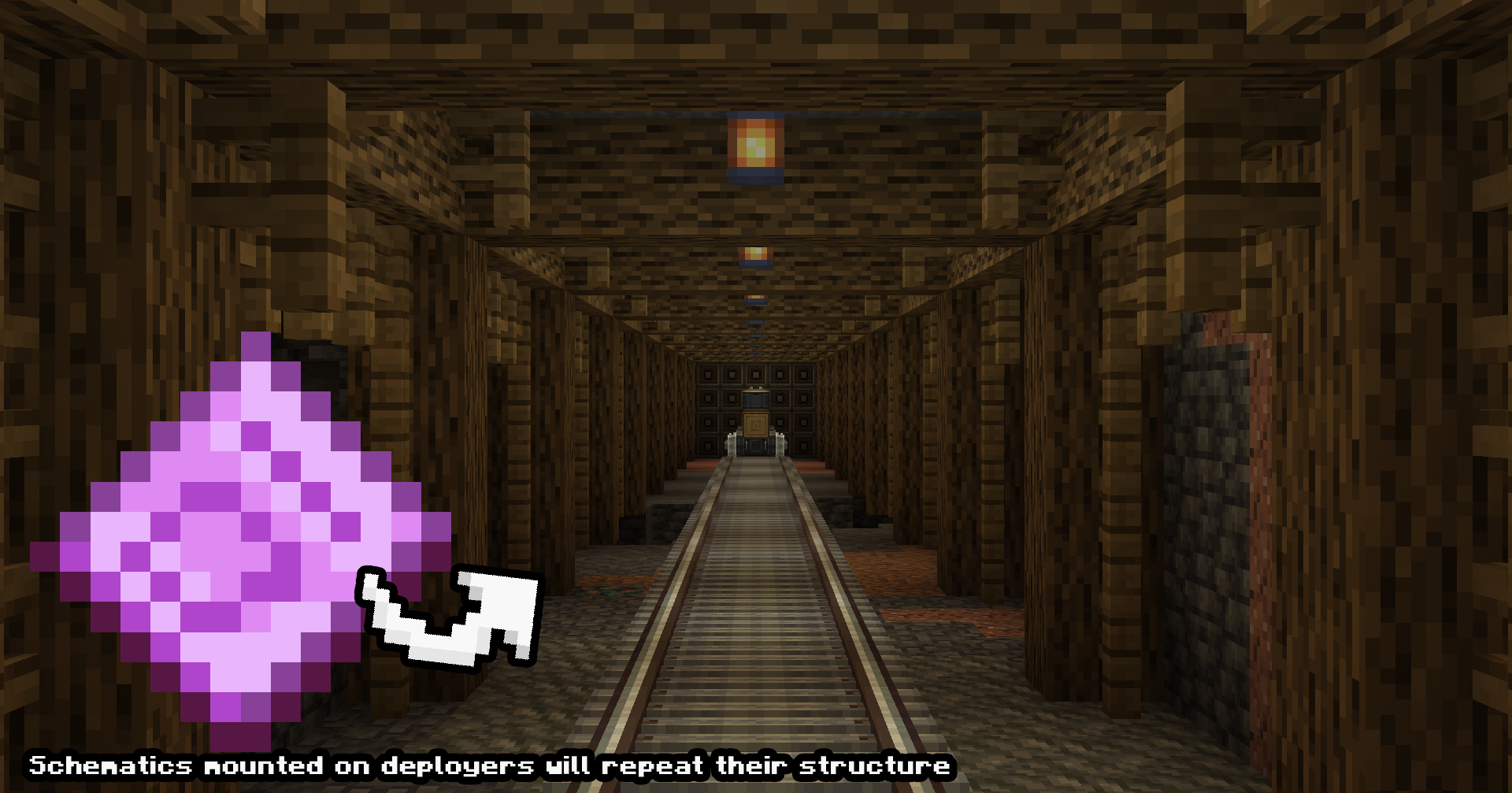
Нескінченне конструювання пристроїв (демонстрація для тестування розробки)
Шаблонні схеми можна розміщувати на потягах, портальних візках або будь-яких інших пристроях, щоб нескінченно будувати повторення схеми.
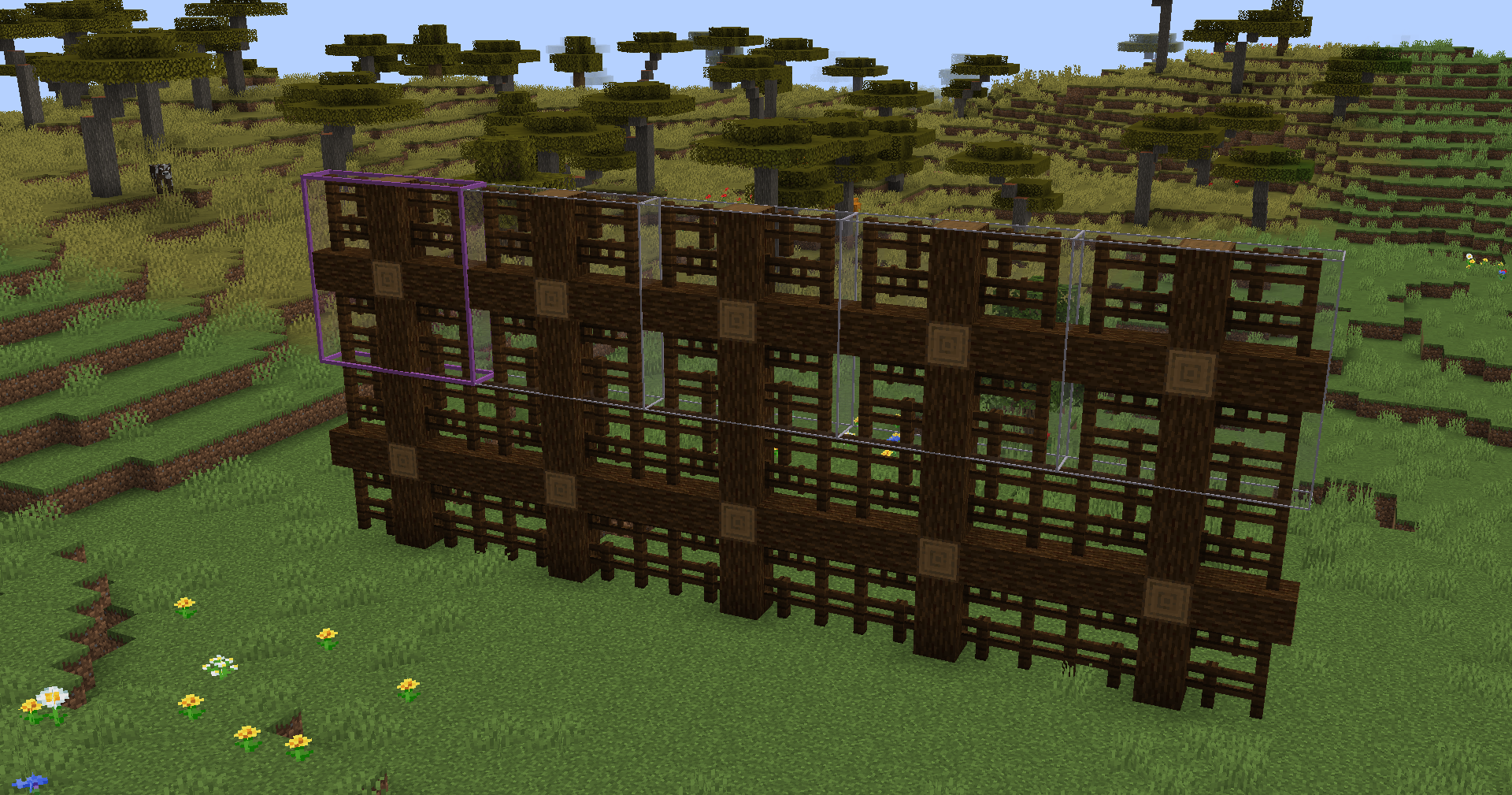
Шаблони будівництва (демонстрація для тестування розробки)
Ці шаблонні схеми можна використовувати для повторення наявних схем, наприклад, повторення мосту, щоб зробити його довшим! Роздрукуйте в креативі або вставте в схематичну гармату, щоб будувати!
Примітка щодо підтримки версій
Хоча є версії для Fabric і Forge 1.20.1, вони застарілі, і малоймовірно, що вони отримають підтримку після їхнього поточного стану. Це пов'язано зі складнощами підтримки різних версій моду та моїм зосередженням на інших проєктах. Надалі Neoforge 1.21.1 буде основною версією для розробки. Вибачте за незручності.
Як встановити Create: Pattern Schematics
With Millida Launcher
Install Millida Launcher
The launcher is free: download it at millida.net/launcher and sign in with any nickname.
Click “Install” on this page
The launcher opens and installs the mod for Minecraft 1.20.1–1.21.1 on Fabric, Forge or NeoForge automatically.
Launch the game
A profile with it appears in the launcher: click “Play”.
Manually
Install Fabric, Forge or NeoForge
The loader must match the game version of the mod file, for example Minecraft 1.21.1. After installing it, a separate profile appears in your launcher.
Download the file for your version
In the version list above, pick the file create_pattern_schematics-2.0.10.jar (217 KB) for your game version and loader.
Put it in the mods folder
The folder is inside .minecraft (Windows: %appdata%\.minecraft\mods). If it does not exist, create it.
Launch the loader profile
Open “Mods” in the main menu: Create: Pattern Schematics should be in the list.
Minecraft 1.21.1 runs on Java 21: with a different Java version the game may close right after launch.
Версії
Із залежностями
| Minecraft | Завантажувач | Файл | Дата | Дії |
|---|---|---|---|---|
| 1.20.1 | Fabric | Create Pattern Schematics 1.2.1 Fabric 1.20.1206 КБ 2 | ||
| 1.20.1 | Forge | Create Pattern Schematics 1.3.3 Forge Create 6.0.8 1.20.1216 КБ 9 | ||
| 1.21.1 | NeoForge | Create: Pattern Schematics 2.0.10 NeoForge 1.21.1217 КБ 30 | ||
| — | — | Create: Pattern Schematics 1.1.8 Fabric 1.20.1124 КБ 2 |
Часті питання
Which Minecraft versions does Create: Pattern Schematics work on?
There are files for 1.21.1, 1.20.1. The newest is 1.21.1.
Is Create: Pattern Schematics for Forge or Fabric?
There are files for Fabric: 1.20.1, for Forge: 1.20.1 and for NeoForge: 1.21.1.
Does Create: Pattern Schematics need other mods?
The author lists no required dependencies: the Fabric, Forge or NeoForge loader is enough.
Which Java does Create: Pattern Schematics need?
Minecraft 1.21.1 runs on Java 21. If the game closes right after launch, the usual cause is the wrong Java version in the profile settings.
Where can I download Create: Pattern Schematics safely?
On this page: the file create_pattern_schematics-2.0.10.jar (217 KB) is stored on Millida’s server, with no link shorteners. SHA-1 checksum: e3dea574c3b3d590444796a42e8f7456280b1063.
Відгуки
Станьте першим, хто оцінить Create: Pattern Schematics


