
Create: Netherless ((Neo)Forge) Мод для Minecraft 1.20.1, 1.21.1
🚫Збирайте та автоматизуйте ресурси Незеру, ніколи не потребуючи Незеру
 NeoForge
 Forge
ForgeПро мод Create: Netherless ((Neo)Forge)
Якщо вам потрібна версія для Fabric, натисніть тут
Create: Netherless — це доповнення для Create Mod;
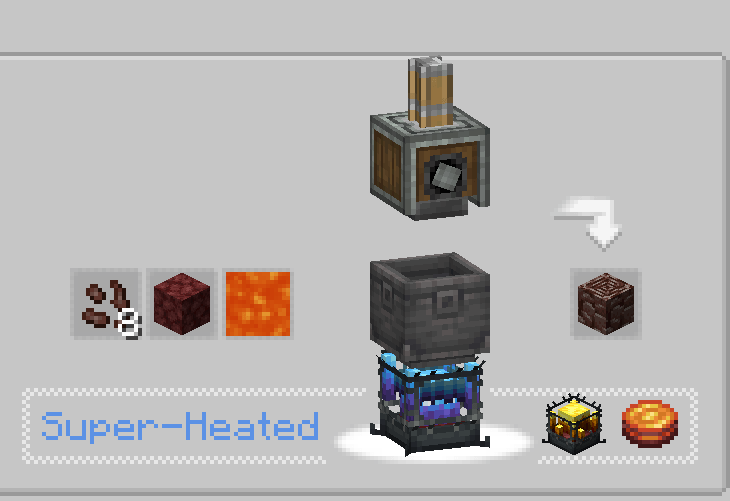
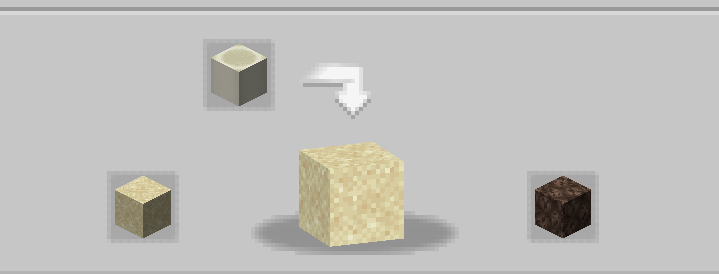
Мета цього моду — дати гравцям можливість створювати й автоматизувати більшість ресурсів Незеру навіть без доступу до Незеру! Це стосується Blaze, Netherite, Netherrack та будь-чого іншого, що заблоковано за Незером. Якщо ви вважаєте, що якісь рецепти незбалансовані/не працюють/відсутні, повідомте мені в розділі коментарів💬!
Часті запитання (FAQ):
▶З: Як мені подивитися рецепти? В: Ви можете використовувати моди для перегляду рецептів, як-от JEI або EMI.
▶З: Чи спричинить видалення/додавання цього доповнення до наявного світу проблеми? В: Ви можете безпечно видалити/додати цей мод у будь-якому світі без проблем.
▶З: Чи з'явиться цей мод колись на Fabric? В: Так! просто натисніть тут!
▶З: Чи доступне це доповнення для 6.0.x? В: Так, доступне!
▶З: Що далі для моду? В: Наразі доповнення призупинено, оскільки ми працюємо над іншими проєктами. Заплановано новий вміст і балансування, наприклад, із введенням ectoplasm, але поки що вам доведеться зачекати!
▶Маєте інші запитання? Ви можете приєднатися до Discord-сервера Honeycomb Studio і запитати там!
Вибачте, якщо я роблю помилки, я француз.. якщо ви побачите орфографічні помилки, будь ласка, повідомте мені!
Цей мод НЕ вимикає Незер!
Як встановити Create: Netherless ((Neo)Forge)
With Millida Launcher
Install Millida Launcher
The launcher is free: download it at millida.net/launcher and sign in with any nickname.
Click “Install” on this page
The launcher opens and installs the mod for Minecraft 1.19.2–1.21.1 on Forge or NeoForge automatically.
Launch the game
A profile with it appears in the launcher: click “Play”.
Manually
Install Forge or NeoForge
The loader must match the game version of the mod file, for example Minecraft 1.21.1. After installing it, a separate profile appears in your launcher.
Download the file for your version
In the version list above, pick the file create_netherless-2.0.0-1.21.1.jar (30 KB) for your game version and loader.
Put it in the mods folder
The folder is inside .minecraft (Windows: %appdata%\.minecraft\mods). If it does not exist, create it.
Launch the loader profile
Open “Mods” in the main menu: Create: Netherless ((Neo)Forge) should be in the list.
Minecraft 1.21.1 runs on Java 21: with a different Java version the game may close right after launch.
Версії
Із залежностями
| Minecraft | Завантажувач | Файл | Дата | Дії |
|---|---|---|---|---|
| 1.21.1 | NeoForge | create_netherless-2.0.0-1.21.1.jar30.2 КБ 59 | ||
| 1.20.1 | Forge | create_netherless-2.0.0-1.20.1.jar30.1 КБ 15 | ||
| 1.19.2 | Forge | Create: Netherless 1.19.2-1.137.6 КБ 1 |
Часті питання
Which Minecraft versions does Create: Netherless ((Neo)Forge) work on?
There are files for 1.21.1, 1.20.1, 1.19.2. The newest is 1.21.1.
Is Create: Netherless ((Neo)Forge) for Forge or Fabric?
There are files for Forge: 1.19.2–1.20.1 and for NeoForge: 1.21.1. There are no files for Fabric: a mod for another loader will not start.
Does Create: Netherless ((Neo)Forge) need other mods?
The author lists no required dependencies: the Forge or NeoForge loader is enough.
Which Java does Create: Netherless ((Neo)Forge) need?
Minecraft 1.21.1 runs on Java 21. If the game closes right after launch, the usual cause is the wrong Java version in the profile settings.
Where can I download Create: Netherless ((Neo)Forge) safely?
On this page: the file create_netherless-2.0.0-1.21.1.jar (30 KB) is stored on Millida’s server, with no link shorteners. SHA-1 checksum: 2d3499b77c8bcbe8c7a301750271c3d2a0b35cbe.
Відгуки
Станьте першим, хто оцінить Create: Netherless ((Neo)Forge)


