

Configuration Мод для Minecraft 26.3
Бібліотека конфігурації для легкого керування налаштуваннями
 NeoForge
 Fabric
 Forge
ForgeКонфігурація
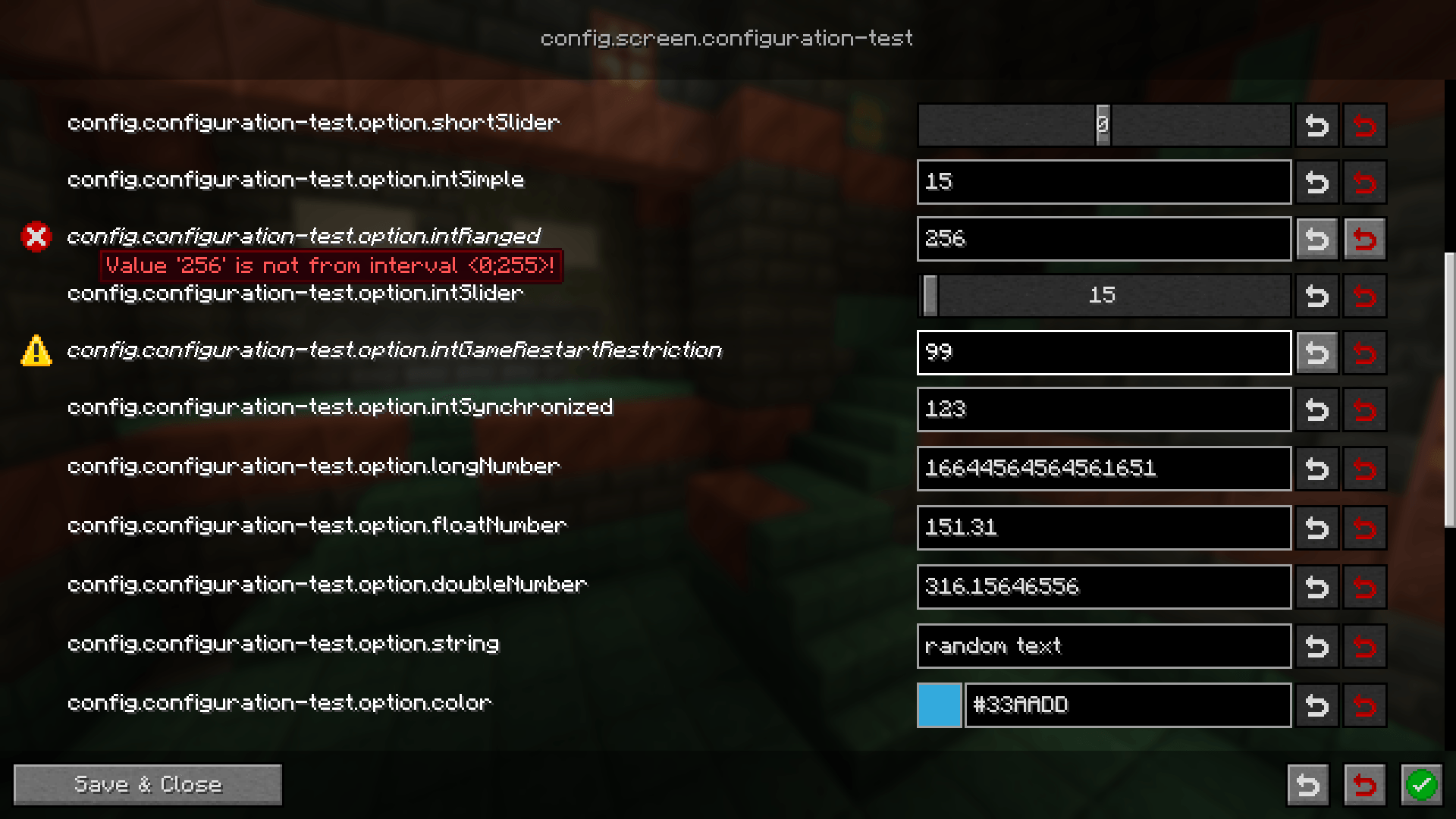
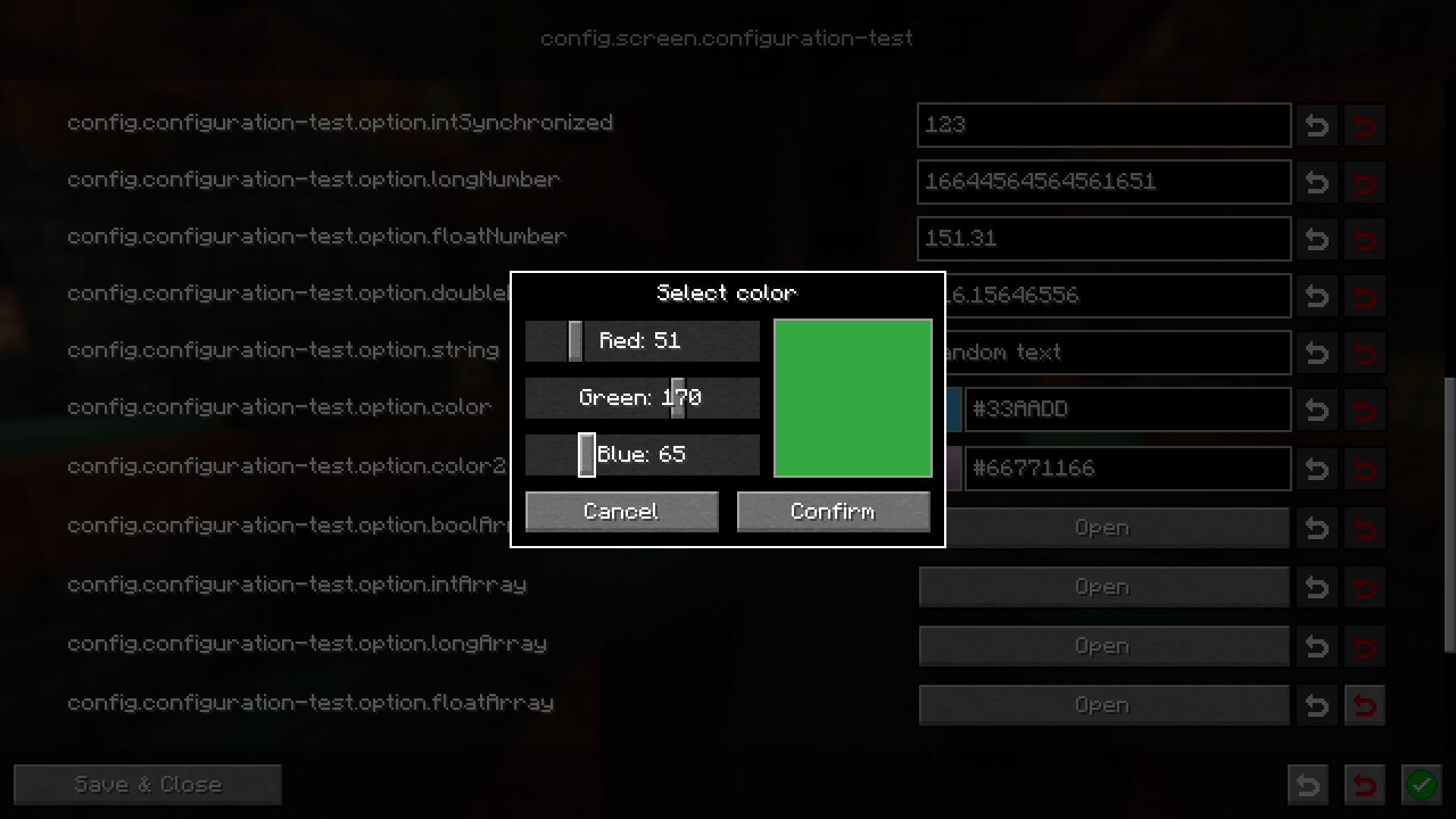
Легка бібліотека конфігурації, яка має на меті спростити створення конфігурацій між різними завантажувачами модів, залишаючись зручною для користувачів. Кожна конфігурація супроводжується процедурно згенерованим інтерфейсом для редагування. Для розробників є багато атрибутів, які дозволяють обробляти поширені випадки, як-от синхронізація з користувачами або, наприклад, вимога перезапуску гри перед застосуванням зміненої конфігурації
Вікі
Посібник користувача Посібник розробника
Discord
Потрібна допомога? Ви можете приєднатися до нашого сервера Discord і запитати там
Повідомлення про помилки / Пропозиції функцій
Якщо ви знайшли будь-яку проблему щодо цього моду або маєте ідею нової функції, будь ласка, створіть відповідне issue на GitHub. Ви можете стежити за вкладкою Issues на цій сторінці
Як встановити Configuration
With Millida Launcher
Install Millida Launcher
The launcher is free: download it at millida.net/launcher and sign in with any nickname.
Click “Install” on this page
The launcher opens and installs the mod for Minecraft 1.21.11–26.3 on Fabric, Forge or NeoForge automatically.
Launch the game
A profile with it appears in the launcher: click “Play”.
Manually
Install Fabric, Forge or NeoForge
The loader must match the game version of the mod file, for example Minecraft 26.3. After installing it, a separate profile appears in your launcher.
Download the file for your version
In the version list above, pick the file configuration-neoforge-4.1.4+26.3.jar (441 KB) for your game version and loader.
Put it in the mods folder
The folder is inside .minecraft (Windows: %appdata%\.minecraft\mods). If it does not exist, create it.
Launch the loader profile
Open “Mods” in the main menu: Configuration should be in the list.
Версії
Із залежностями
| Minecraft | Завантажувач | Файл | Дата | Дії |
|---|---|---|---|---|
| 26.3 | NeoForge | configuration-neoforge-4.1.4+26.3441 КБ | ||
| 26.3 | Fabric | configuration-fabric-4.1.4+26.3446 КБ | ||
| 1.21.11 | Forge | configuration-forge-1.21.11-4.1.0445 КБ |
Часті питання
Which Minecraft versions does Configuration work on?
There are files for 26.3, 1.21.11. The newest is 26.3.
Is Configuration for Forge or Fabric?
There are files for Fabric: 26.3, for Forge: 1.21.11 and for NeoForge: 26.3.
Does Configuration need other mods?
The author lists no required dependencies: the Fabric, Forge or NeoForge loader is enough.
Where can I download Configuration safely?
On this page: the file configuration-neoforge-4.1.4+26.3.jar (441 KB) is stored on Millida’s server, with no link shorteners. SHA-1 checksum: 9b43d4452ee280f8b3e42ed24e0082a4db48b39d.
Відгуки
Станьте першим, хто оцінить Configuration


