

Chalk (Fabric) Мод для Minecraft 1.21.1, 26.3
Порт на Fabric моду chalk від mortuusars для Forge, з деякими доповненнями
- завантажень
- 1 завантажень
- переглядів
- 22 переглядів
- Оновлено
- Оновлено 22.10.2026
- 1.21.1 — 26.3
 Fabric
- Клієнт і сервер
Chalk
Fabric port of the Minecraft mod Chalk by mortuusars with some additions and adjustments. Thank you very much for creating the original Forge version and the permission to port Chalk to fabric!
Adds Chalk to aid you on your mining journeys. Never lose your way again.
- Chalk: Crafted shapeless with 2 Calcite (+Dye)
- Glow Chalk: Crafted shapeless with 2 Calcite and a Glow Ink Sac (+Dye)
- Chalk comes in all 16 vanilla colors. To get colored chalk add a piece of dye to your chalk recipe
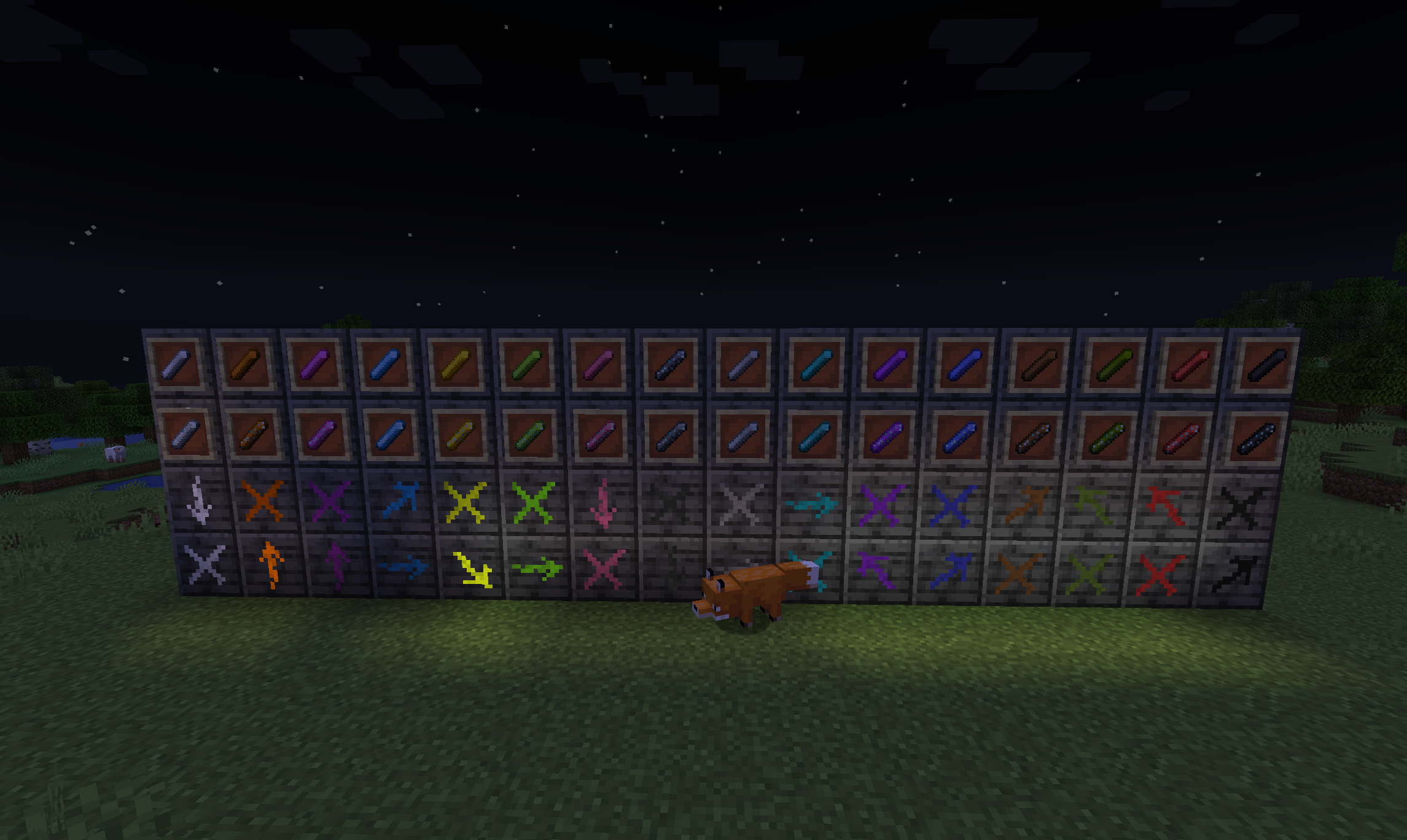
With chalk, you are able to mark the surface of every full block. Hitting the corner of a block creates an arrow pointing in that direction, hitting the center creates an X. Marks from Glow Chalk can be seen in total darkness, perfect for caving action!
Want Chalk in all colors of the rainbow as seen in the screenshot?
=> Check out the addon: Chalk (Fabric): Colorful Addon
(the 1.18.2 versions contain colored chalk by default)
Як встановити Chalk (Fabric)
With Millida Launcher
Install Millida Launcher
The launcher is free: download it at millida.net/launcher and sign in with any nickname.
Click “Install” on this page
The launcher opens and installs the mod for Minecraft 1.21.1–26.3 on Fabric automatically, together with its dependencies: Cloth Config API, Fabric API.
Launch the game
A profile with it appears in the launcher: click “Play”.
Manually
Install Fabric
The loader must match the game version of the mod file, for example Minecraft 26.3. After installing it, a separate profile appears in your launcher.
Download the file for your version
In the version list above, pick the file chalk-3.2.0+26.3.jar (201 KB) for your game version.
Put it in the mods folder
The folder is inside .minecraft (Windows: %appdata%\.minecraft\mods). If it does not exist, create it. Required dependencies go there too: Cloth Config API, Fabric API.
Launch the loader profile
Open “Mods” in the main menu: Chalk (Fabric) should be in the list.
On a server
A server on Fabric
The mod only works on a server with the same loader and game version, for example 26.3.
File goes into the server’s mods folder
Stop the server, put the mod file into the mods folder and start the server again.
Use the “To server” button
On Millida Hosting, the button at the top of the page uploads the file to your server and restarts it for you.
Версії
Із залежностями
| Minecraft | Завантажувач | Файл | Дата | Дії |
|---|---|---|---|---|
| 26.3 | Fabric | 26.3201 КБ | ||
| 26.2 | Fabric | 26.2201 КБ | ||
| 26.1.2 | Fabric | 26.1.2205 КБ | ||
| 26.1.1 | Fabric | 26.1.1204 КБ | ||
| 1.21.11 | Fabric | 1.21.11198 КБ 1 | ||
| 1.21.8 | Fabric | 1.21.8198 КБ | ||
| 1.21.5 | Fabric | 1.21.5182 КБ | ||
| 1.21.4 | Fabric | 1.21.4182 КБ |
Що потрібно для запуску
- Cloth Config APIобов'язково
- Fabric APIобов'язково
Відгуки
Станьте першим, хто оцінить Chalk (Fabric)


