
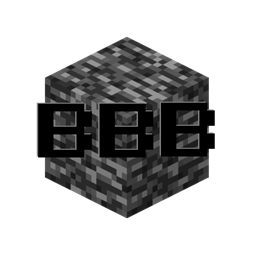
Bring Back Bedrock Мод для Minecraft 1.20.1, 1.20.2
Повертає шар бедроку
 NeoForge
 Forge
Про мод Bring Back Bedrock
Mod that restores the bedrock layer after upgrading Bedrock-B-Gone from a version < 5.1.10 (MC 1.12.2) or when using a custom worldgen datapack on MC 1.18
Configure
You need to provide the dimension id's thats needs to be restored in the config.
Config:
roof & floor levels are removed as they're defined in the datapack.
[General] #A list of dimensions where there needs to be a bedrock floor flooredDimensions = ["minecraft:overworld", "minecraft:the_nether"] #A list of dimensions where there needs to be a bedrock roof roofedDimensions = ["minecraft:the_nether"] #Enable logging of the bedrock generation enableLogging = false
Config (1.12.x):
Enable log output in console
B:enableLogOutput=false
Enable bedrock generation
B:enableRegeneration=true
List of dimensions the floor needs to be regenerated
I:regenerateFlooredDimensions
List of dimensions the roof needs to be regenerated
I:regenerateRoofedDimensions
Y-level floored bedrock. -1 to disable
I:flooredBedrockLevel=0
Y-level roofed bedrock. -1 to disable
I:roofedBedrockLevel=127
Як встановити Bring Back Bedrock
With Millida Launcher
Install Millida Launcher
The launcher is free: download it at millida.net/launcher and sign in with any nickname.
Click “Install” on this page
The launcher opens and installs the mod for Minecraft 1.20–1.20.2 on Forge or NeoForge automatically.
Launch the game
A profile with it appears in the launcher: click “Play”.
Manually
Install Forge or NeoForge
The loader must match the game version of the mod file, for example Minecraft 1.20.2. After installing it, a separate profile appears in your launcher.
Download the file for your version
In the version list above, pick the file bringbackbedrock-1.20.2-0.1.2.jar (18 KB) for your game version and loader.
Put it in the mods folder
The folder is inside .minecraft (Windows: %appdata%\.minecraft\mods). If it does not exist, create it.
Launch the loader profile
Open “Mods” in the main menu: Bring Back Bedrock should be in the list.
Minecraft 1.20.2 runs on Java 17: with a different Java version the game may close right after launch.
Версії
Із залежностями
| Minecraft | Завантажувач | Файл | Дата | Дії |
|---|---|---|---|---|
| 1.20.2 | NeoForge, Forge | [1.20.x] BringBackBedrock-0.1.217.5 КБ |
Часті питання
Which Minecraft versions does Bring Back Bedrock work on?
There are files for 1.20.2, 1.20.1, 1.20. The newest is 1.20.2.
Is Bring Back Bedrock for Forge or Fabric?
There are files for Forge: 1.20–1.20.2 and for NeoForge: 1.20–1.20.2. There are no files for Fabric: a mod for another loader will not start.
Does Bring Back Bedrock need other mods?
The author lists no required dependencies: the Forge or NeoForge loader is enough.
Which Java does Bring Back Bedrock need?
Minecraft 1.20.2 runs on Java 17. If the game closes right after launch, the usual cause is the wrong Java version in the profile settings.
Where can I download Bring Back Bedrock safely?
On this page: the file bringbackbedrock-1.20.2-0.1.2.jar (18 KB) is stored on Millida’s server, with no link shorteners. SHA-1 checksum: fd16e84ea32b0b8c618b8c517cf46a27d3219222.
Відгуки
Станьте першим, хто оцінить Bring Back Bedrock


