

Bookshelf Inspector Мод для Minecraft 1.21.1, 26.3
Огляньте будь-яку книгу на різьбленій книжковій полиці.
 NeoForge
 Fabric
Chiseled bookshelf inspector
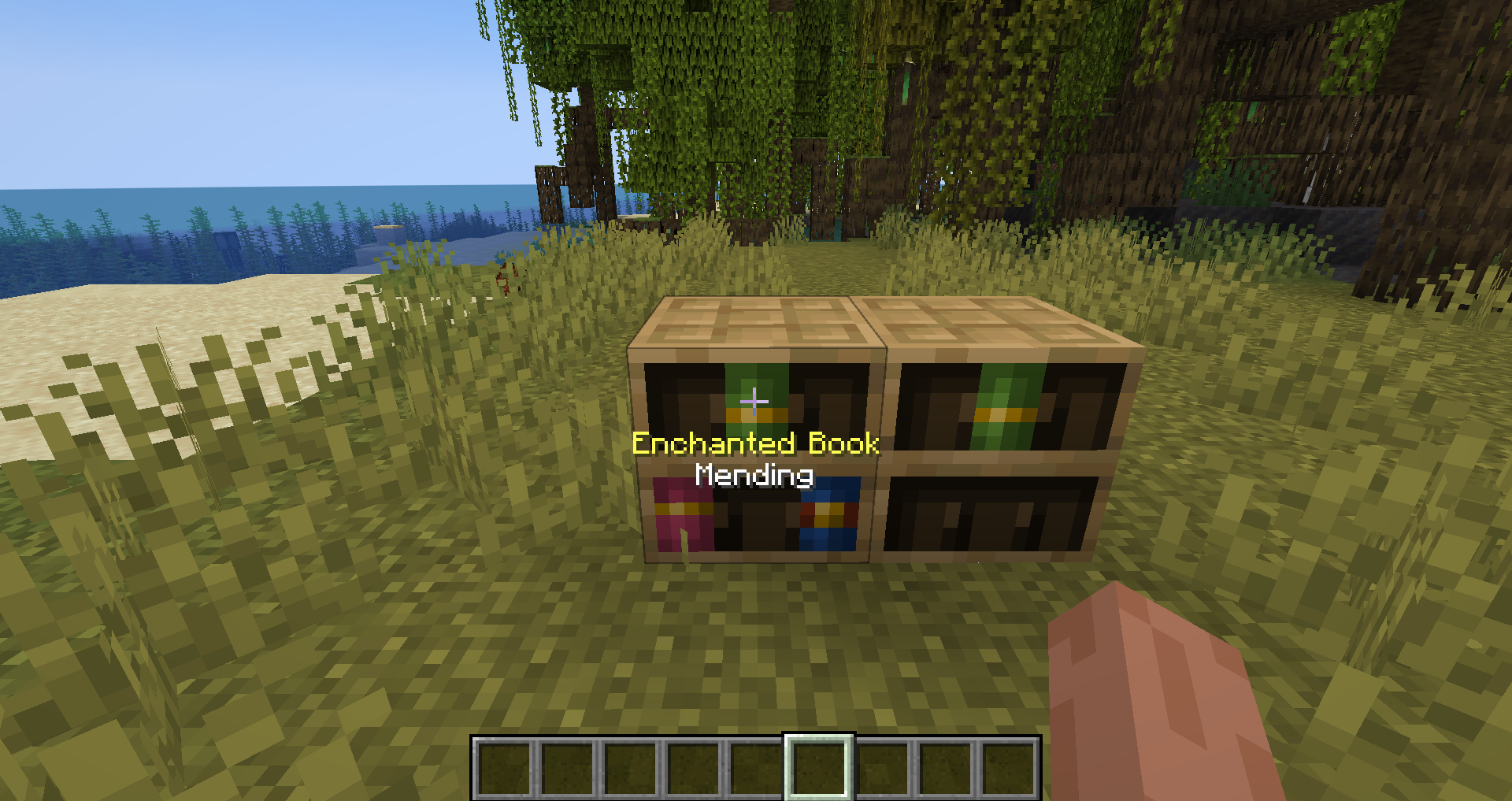
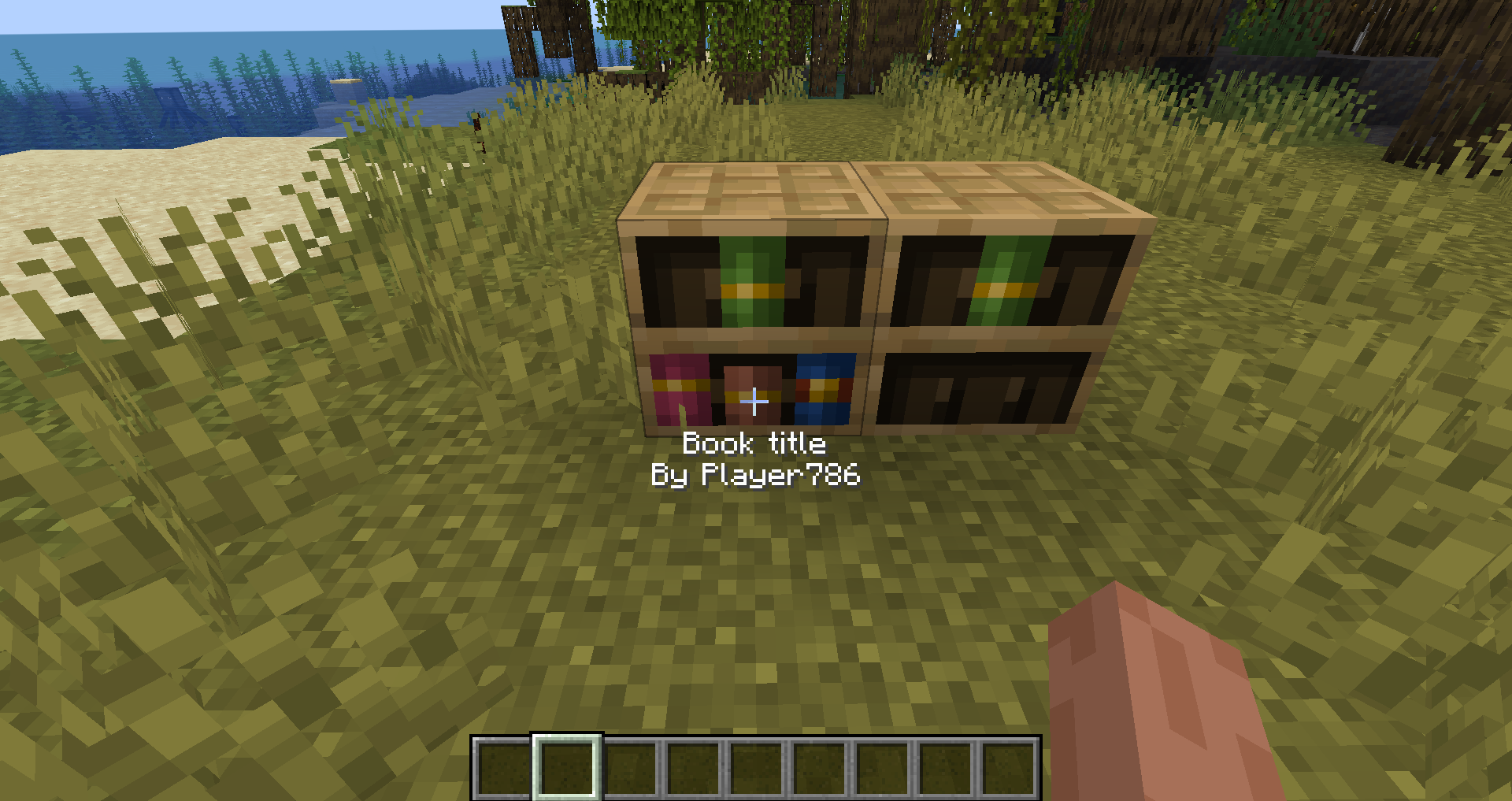
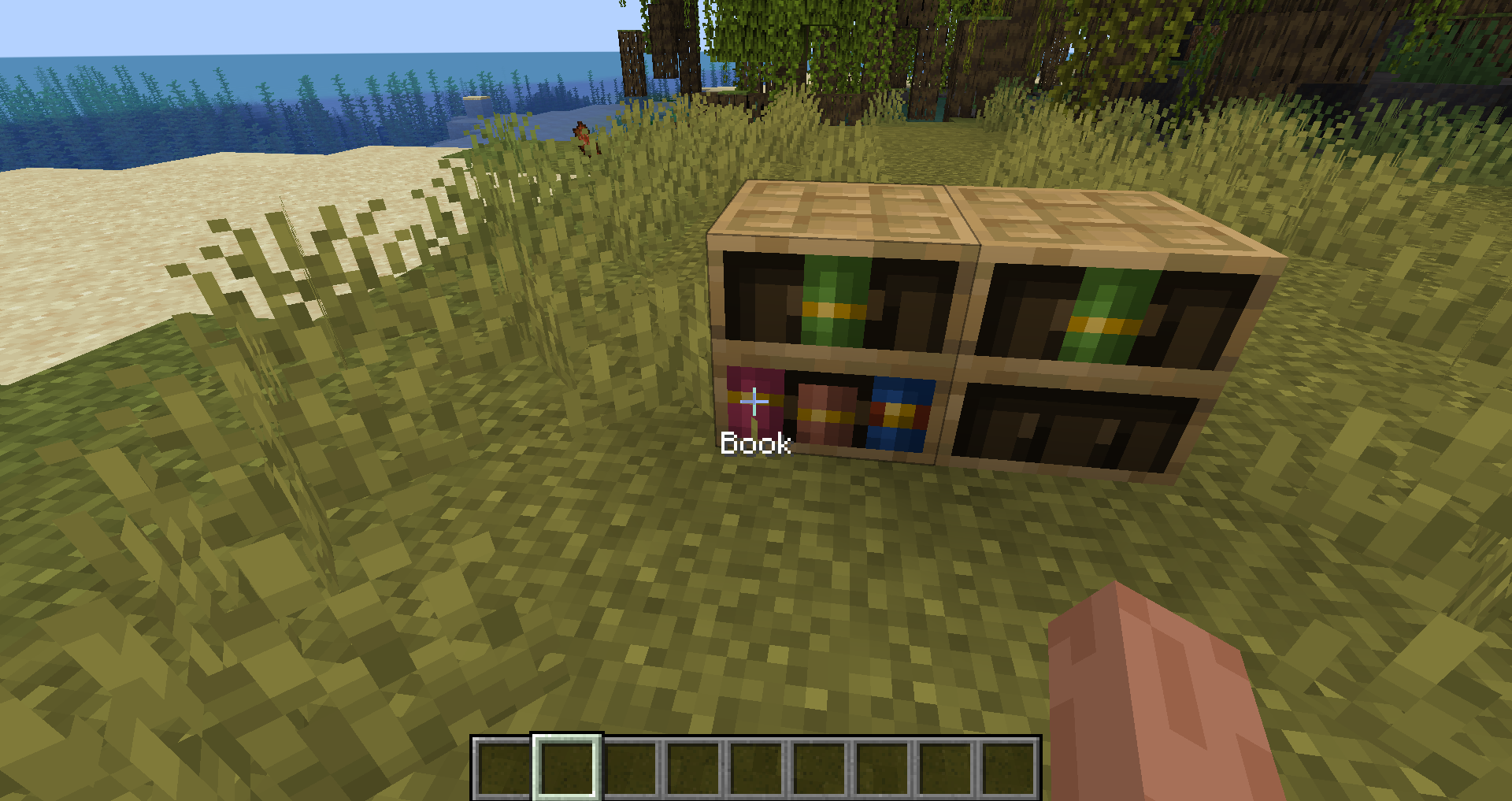
Inspect any book in a chiseled bookshelf. If you look at a book in a bookshelf with this mod, you will see what type of book it is and its name!

Examples:
Enchanted books:
Written book:
Normal book:
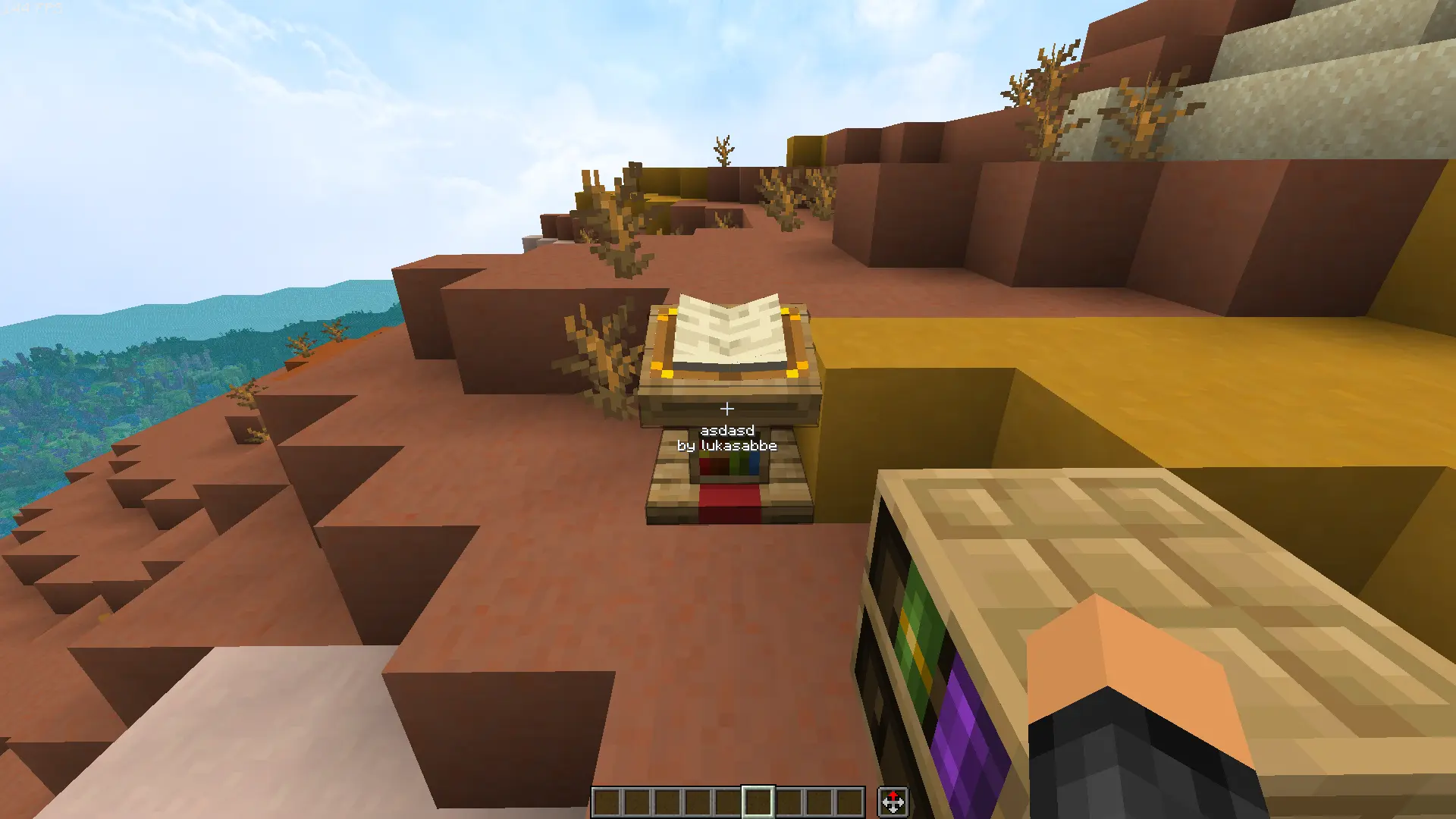
Lectern:
Shelf:

Multiplayer
This mod will need to be on the server to work in multiplayer. You don't need the mod to connect to the server. It's totally optional!
Config
You can change the config with Cloth Config and Modmenu. You can also edit the file in config dir if you don't want the mods. But they are recommended
lectern-toggle: true #To turn off or on lectern support scale: 10 # Scale text to what you want. (0-20)
Looking for a server?
Get BisectHosting and save 25% off for new customers using code Lukas at checkout. Thanks for your support — it helps me develop this and other mods I make! #ad
Open source
Nearly all my mods are opensource and under MIT. If you want to help the development, check out the GitHub!
Inspiration and credit
- The mod is inspired by gm4-bookshelf-inspector
- For 1.20 and below use this mod -> Better Bookshelves
- Lukasabbe has coded
- Wikiraze requested it
- Img00 coded shelf support
Як встановити Bookshelf Inspector
With Millida Launcher
Install Millida Launcher
The launcher is free: download it at millida.net/launcher and sign in with any nickname.
Click “Install” on this page
The launcher opens and installs the mod for Minecraft 1.21.1–26.3 on Fabric or NeoForge automatically, together with its dependencies: Cloth Config API, Fabric API, Mod Menu.
Launch the game
A profile with it appears in the launcher: click “Play”.
Manually
Install Fabric or NeoForge
The loader must match the game version of the mod file, for example Minecraft 26.3. After installing it, a separate profile appears in your launcher.
Download the file for your version
In the version list above, pick the file bookshelfinspector-neoforge-2.4+26.3.jar (403 KB) for your game version and loader.
Put it in the mods folder
The folder is inside .minecraft (Windows: %appdata%\.minecraft\mods). If it does not exist, create it. Required dependencies go there too: Cloth Config API, Fabric API, Mod Menu.
Launch the loader profile
Open “Mods” in the main menu: Bookshelf Inspector should be in the list.
On a server
A server on Fabric or NeoForge
The mod only works on a server with the same loader and game version, for example 26.3.
File goes into the server’s mods folder
Stop the server, put the mod file into the mods folder and start the server again.
Use the “To server” button
On Millida Hosting, the button at the top of the page uploads the file to your server and restarts it for you.
Версії
Із залежностями
| Minecraft | Завантажувач | Файл | Дата | Дії |
|---|---|---|---|---|
| 26.3 | NeoForge | 26.3403 КБ | ||
| 26.3 | Fabric | 26.3399 КБ 1 | ||
| 1.21.1 | Fabric | 1.21.1396 КБ | ||
| 1.21.1 | NeoForge | 1.21.1401 КБ 2 | ||
| 1.21.11 | Fabric | 1.21.11398 КБ 6 | ||
| 1.21.11 | NeoForge | 1.21.11403 КБ | ||
| 26.2 | NeoForge | 26.2403 КБ | ||
| 26.2 | Fabric | 26.2399 КБ 2 |
Що потрібно для запуску
- Cloth Config APIобов'язково
- Fabric APIобов'язково
- Mod Menuобов'язково
Відгуки
Станьте першим, хто оцінить Bookshelf Inspector


