

Blahaj - Replushed Мод для Minecraft 26.2
Додає популярні плюшеві іграшки Blåhaj з IKEA, а також колекцію інших плюшевих іграшок
 NeoForge
 Fabric
Про мод Blahaj - Replushed
Мод, який додає м'яку іграшку-акулу IKEA BLÅHAJ та гігантську подушку-хліб як предмети.
- Коли ви створюєте або перейменовуєте плюшеву іграшку, до неї додається ваше ім'я користувача.
- Ви можете розміщувати плюшеві іграшки!
- Цей мод потрібен як на сервері, так і на клієнті.
Вміст
Попередній перегляд предметів Рецепт
М'яка іграшка-акула
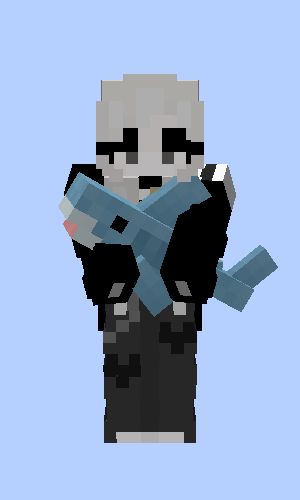
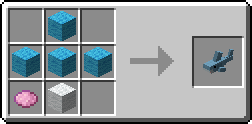
Сіра іграшка-акула
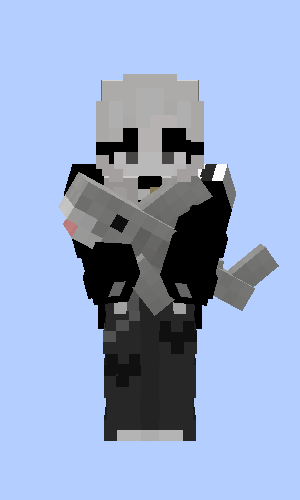
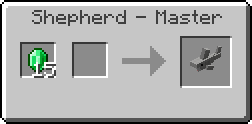
М'яка іграшка-блакитний кит
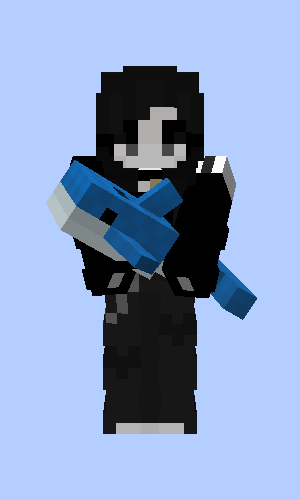
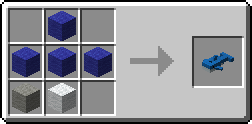
Подушка-хліб
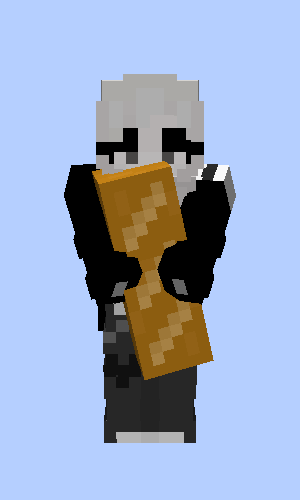
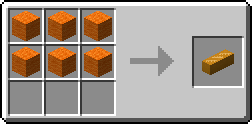
Бурий ведмідь
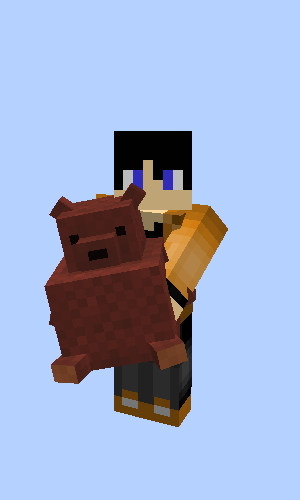
Подарунок від лучників, м'ясників і шкіряників, коли ви рятуєте село
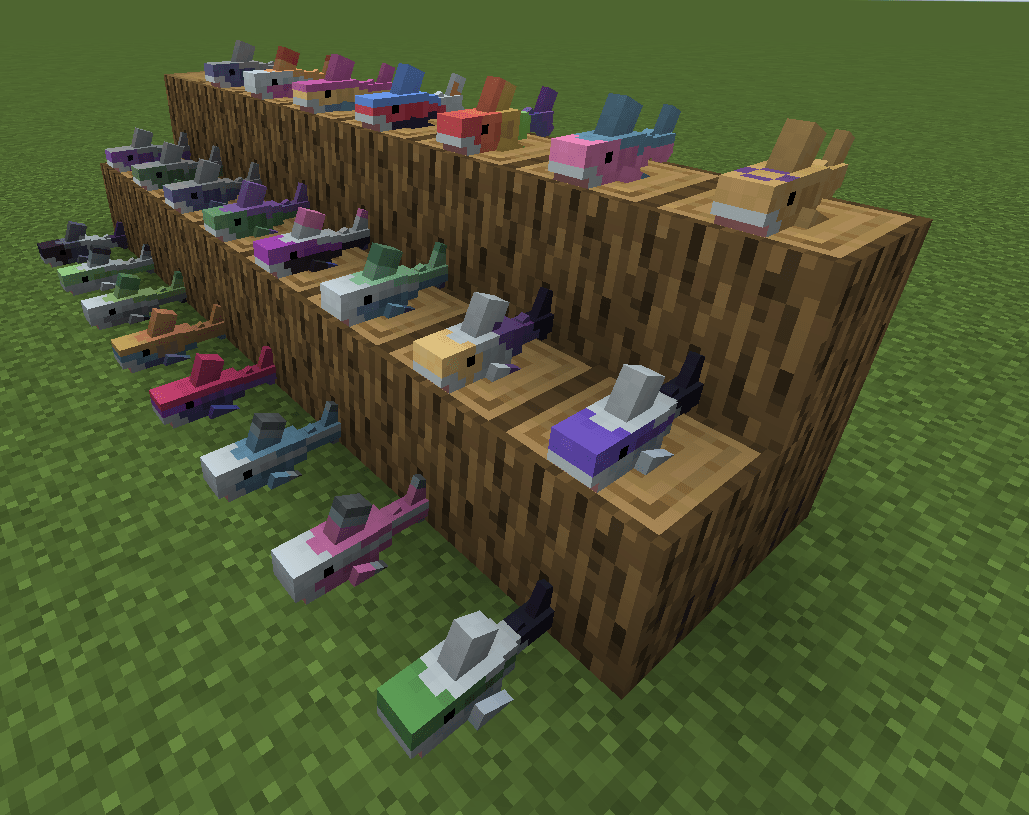
Прайд-акули від musicalskele!
Оригінальна версія для Quilt
Це порт оригінального моду Hibiii/Blahaj: BLÅHAJ Soft toy, shark mod, 16px. Якщо ви користувач Quilt на <=1.20.1, використовуйте їхню версію замість цієї та подякуйте їм! 😄
Ліцензія
- Цей мод — як і його оригінал — ліцензовано за Unlicense. Не соромтеся вчитися з нього та включати його у власні проєкти.
- Іконка цього проєкту — Blobhaj від Heatherhorns, ліцензована за Creative Commons Attribution 4.0 International License.
- Більшість зображень у грі від оригінального творця Hibiii.
Як встановити Blahaj - Replushed
With Millida Launcher
Install Millida Launcher
The launcher is free: download it at millida.net/launcher and sign in with any nickname.
Click “Install” on this page
The launcher opens and installs the mod for Minecraft 26.2 on Fabric or NeoForge automatically.
Launch the game
A profile with it appears in the launcher: click “Play”.
Manually
Install Fabric or NeoForge
The loader must match the game version of the mod file, for example Minecraft 26.2. After installing it, a separate profile appears in your launcher.
Download the file for your version
In the version list above, pick the file blahaj-replushed-4.0.0+26.2.jar (170 KB) for your game version and loader.
Put it in the mods folder
The folder is inside .minecraft (Windows: %appdata%\.minecraft\mods). If it does not exist, create it.
Launch the loader profile
Open “Mods” in the main menu: Blahaj - Replushed should be in the list.
Версії
Із залежностями
| Minecraft | Завантажувач | Файл | Дата | Дії |
|---|---|---|---|---|
| 26.2 | NeoForge | blahaj-replushed-4.0.0+26.2.jar170 КБ | ||
| 26.2 | Fabric | 4.0.0+26.2173 КБ |
Часті питання
Which Minecraft versions does Blahaj - Replushed work on?
Only Minecraft 26.2: there are no files for other versions.
Is Blahaj - Replushed for Forge or Fabric?
There are files for Fabric: 26.2 and for NeoForge: 26.2. There are no files for Forge: a mod for another loader will not start.
Does Blahaj - Replushed need other mods?
The author lists no required dependencies: the Fabric or NeoForge loader is enough.
Where can I download Blahaj - Replushed safely?
On this page: the file blahaj-replushed-4.0.0+26.2.jar (170 KB) is stored on Millida’s server, with no link shorteners. SHA-1 checksum: 38bd3415a8dd427963bade64d9061c4b7cdaf636.
Відгуки
Станьте першим, хто оцінить Blahaj - Replushed


