

Better Mods Button для Minecraft 1.21.1, 1.19.2
Кнопка ваших модів — ваш спосіб. Де ви хочете, і як ви хочете!
 NeoForge
 Forge
ForgeПро мод Better Mods Button
 
📖 Про мод:
Better Mods Button повертає кнопку модів на екран паузи, як у версіях Forge до Minecraft 1.13, тож її можна використовувати для легкого доступу до налаштування модів у грі (коли воно доступне).
Бонусом є безліч опцій для того, де саме і як саме ви хочете показувати кнопку модів на екрані (значною мірою натхненно Mod Menu). Підтримується показ загальної кількості модів, а також перемикання значка сповіщення про оновлення.
📷 Медіа:
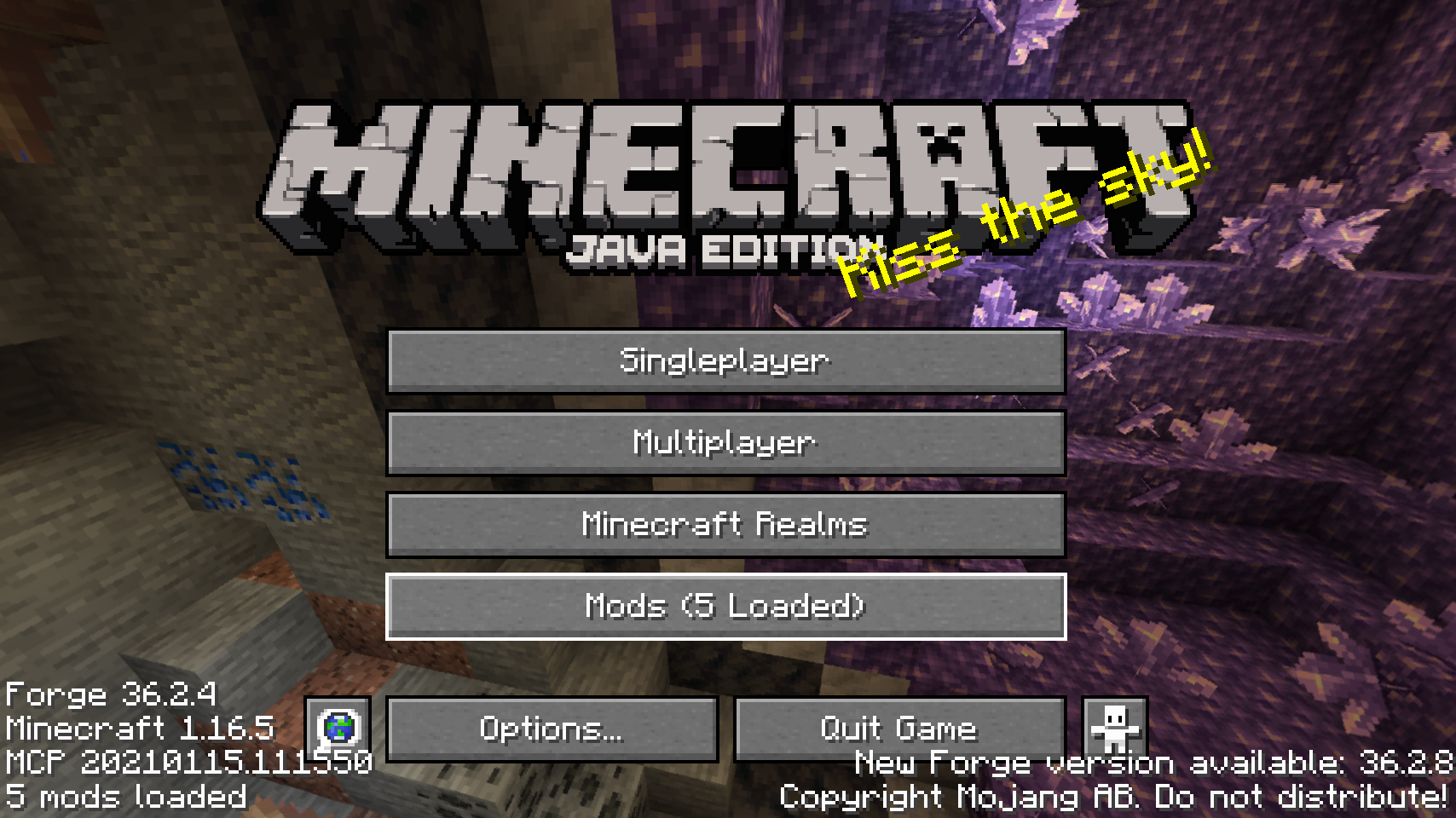
  
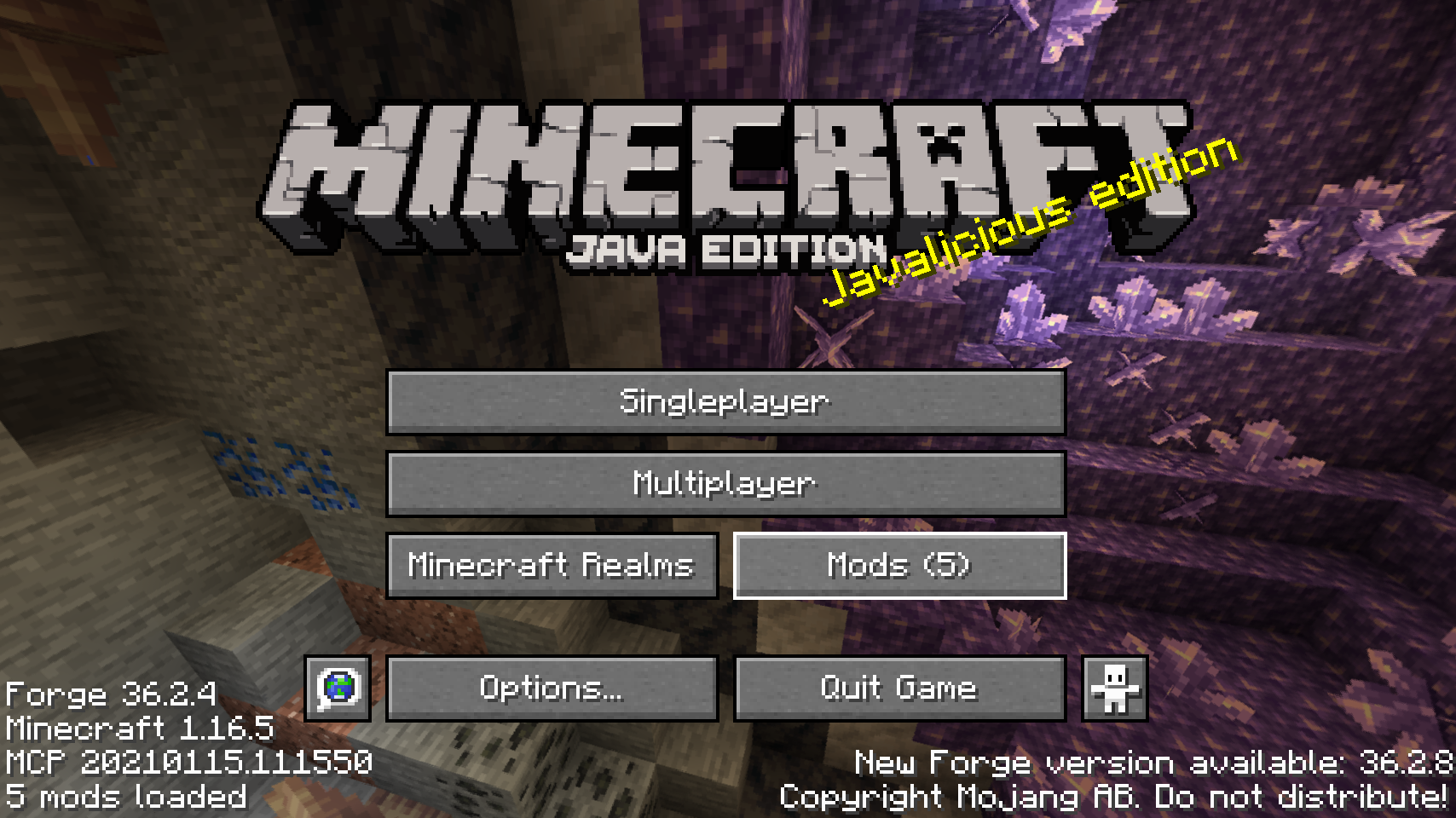
Стандартна кнопка модів на титульному екрані    Одне з альтернативних розміщень кнопки модів
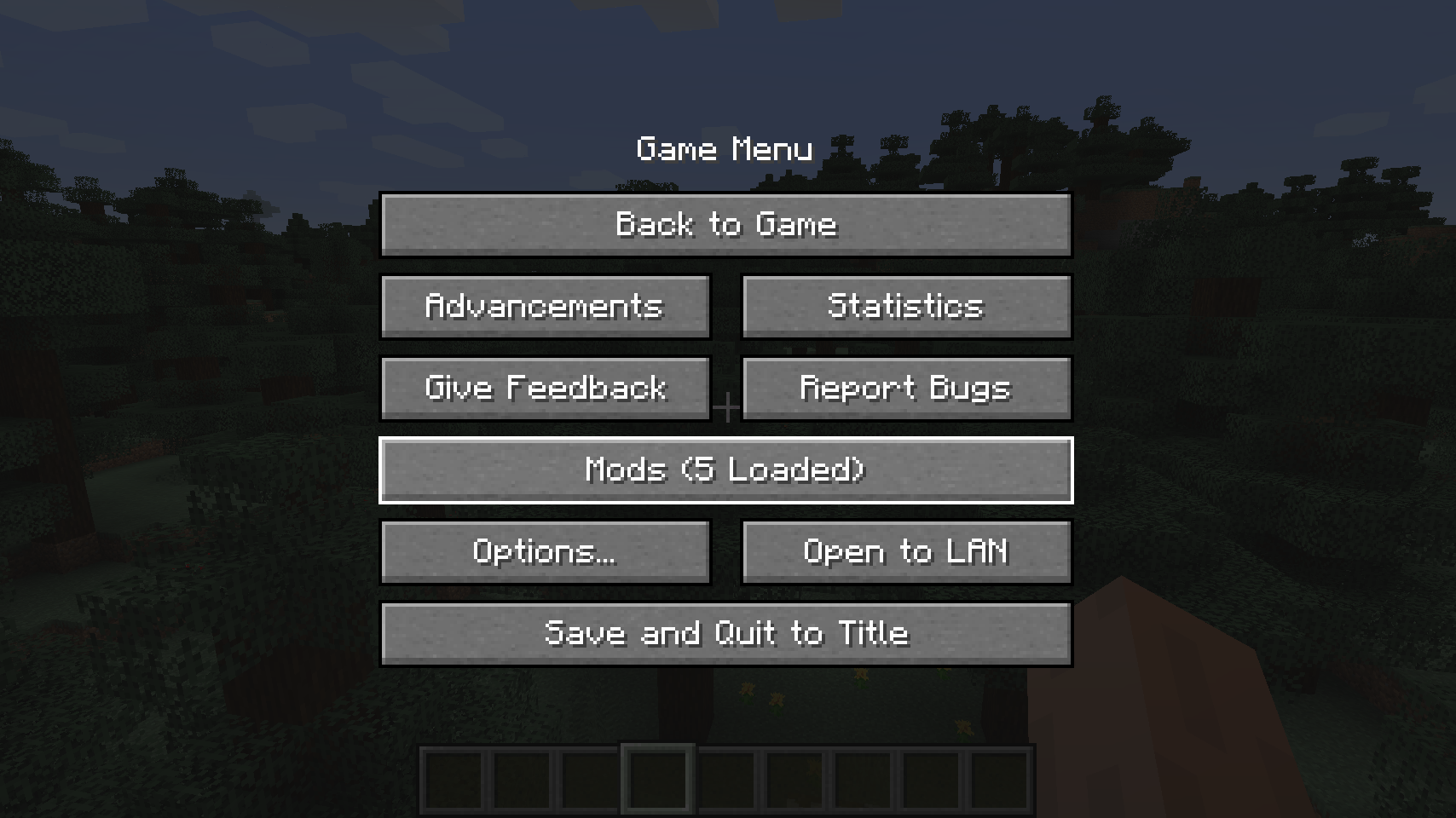
  
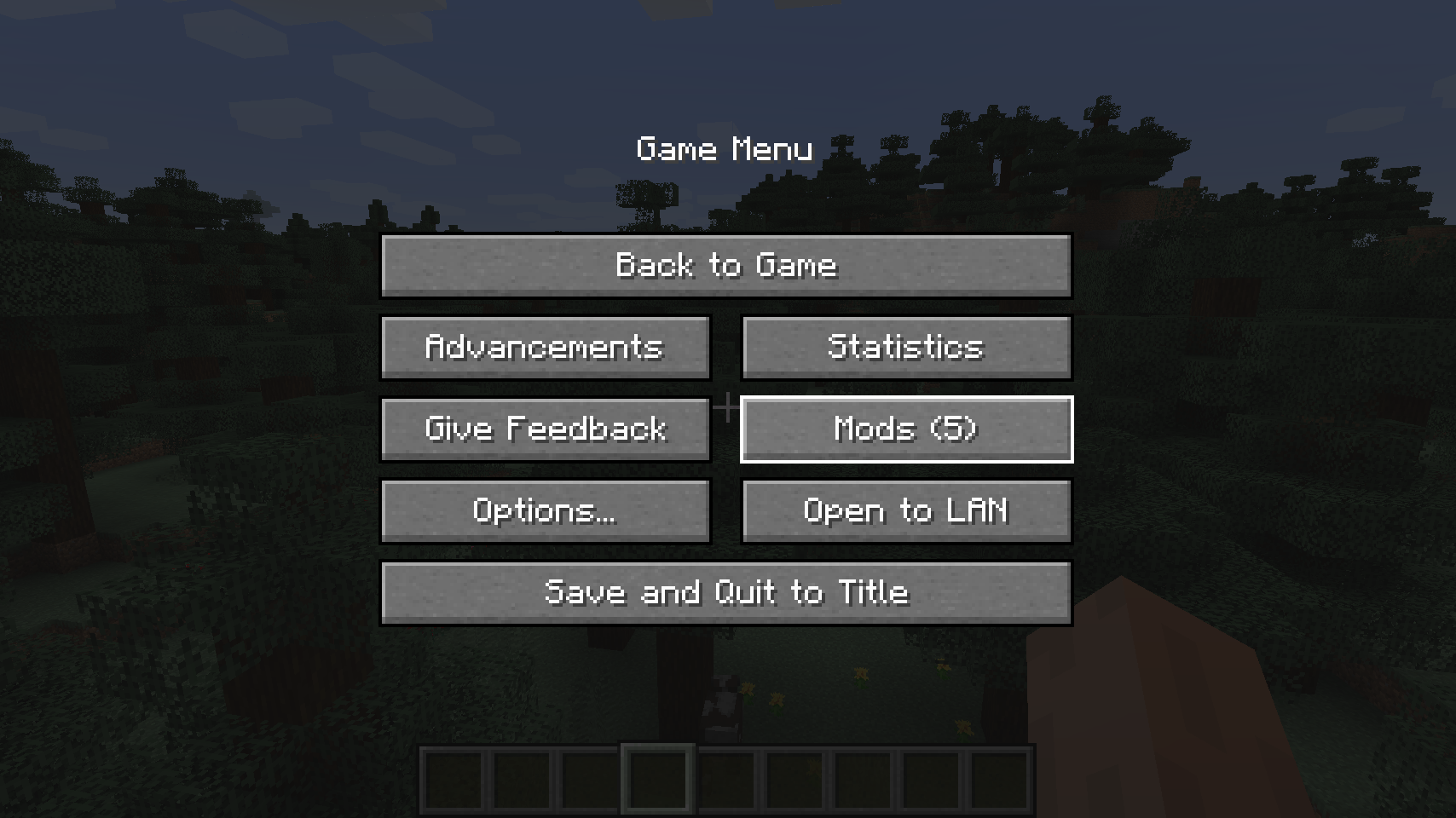
Стандартна кнопка модів на екрані паузи    Альтернативне розміщення для екрана паузи

  
Ще одне альтернативне розміщення кнопки на екрані паузи   
💡 Часті запитання:
З: Як мені налаштувати цей мод? В: Встановіть мій мод Config Menus for Forge і робіть це безпосередньо у грі!
З: А як щодо порту для Fabric? В: Натомість використовуйте Mod Menu від ProspectorDev.
🏆 Подяки:
Розробці Better Mods Button допомогли та надихнули:
- ProspectorDev за натхнення більшості опцій налаштування цього моду з їхнього моду Mod Menu


Як встановити Better Mods Button
With Millida Launcher
Install Millida Launcher
The launcher is free: download it at millida.net/launcher and sign in with any nickname.
Click “Install” on this page
The launcher opens and installs the mod for Minecraft 1.18.2–26.1.2 on Forge or NeoForge automatically.
Launch the game
A profile with it appears in the launcher: click “Play”.
Manually
Install Forge or NeoForge
The loader must match the game version of the mod file, for example Minecraft 26.1.2. After installing it, a separate profile appears in your launcher.
Download the file for your version
In the version list above, pick the file bettermodsbutton-v26.1.2-mc26.1.x+neoforge.jar (55 KB) for your game version and loader.
Put it in the mods folder
The folder is inside .minecraft (Windows: %appdata%\.minecraft\mods). If it does not exist, create it.
Launch the loader profile
Open “Mods” in the main menu: Better Mods Button should be in the list.
Better Mods Button works on the player’s side only: there is no need to install it on a server.
Версії
Із залежностями
| Minecraft | Завантажувач | Файл | Дата | Дії |
|---|---|---|---|---|
| 1.21.1 | NeoForge | 1.21.165.1 КБ | ||
| 1.21.1 | Forge | 1.21.161.8 КБ | ||
| 26.1.2 | NeoForge | 26.1.255.1 КБ | ||
| 26.1 | NeoForge | 26.155 КБ | — | |
| 1.21.11 | NeoForge | 1.21.1147.3 КБ | — | |
| 1.21 | NeoForge | 1.2159.6 КБ | — | |
| 1.19.2 | Forge | 1.19.256.1 КБ | — | |
| 1.18.2 | Forge | 1.18.254.8 КБ | — |
Часті питання
Which Minecraft versions does Better Mods Button work on?
There are files for 1.18.2–26.1.2, 8 versions in total. The newest is 26.1.2.
Is Better Mods Button for Forge or Fabric?
There are files for Forge: 1.18.2–1.21.1 and for NeoForge: 1.21–26.1.2. There are no files for Fabric: a mod for another loader will not start.
Does Better Mods Button need other mods?
The author lists no required dependencies: the Forge or NeoForge loader is enough.
Do I need to install Better Mods Button on a server?
No. Better Mods Button works on the player’s side only: there is no need to install it on a server.
Where can I download Better Mods Button safely?
On this page: the file bettermodsbutton-v26.1.2-mc26.1.x+neoforge.jar (55 KB) is stored on Millida’s server, with no link shorteners. SHA-1 checksum: 2a9bcf56e9964467e42d2af97db2c5c9be895bee.
Відгуки
Станьте першим, хто оцінить Better Mods Button


