
 Fabric
 NeoForge
If you are updating from 0.4 to 0.5, please make sure to remove all berries from your pouch, otherwise they will disappear.
The Berry Pouch adds a dedicated berry bag to your Cobblemon experience, making berry collection and organization much easier.
- While carrying a Berry Pouch, any berries you collect are automatically deposited into the pouch, eliminating the need for manual sorting.
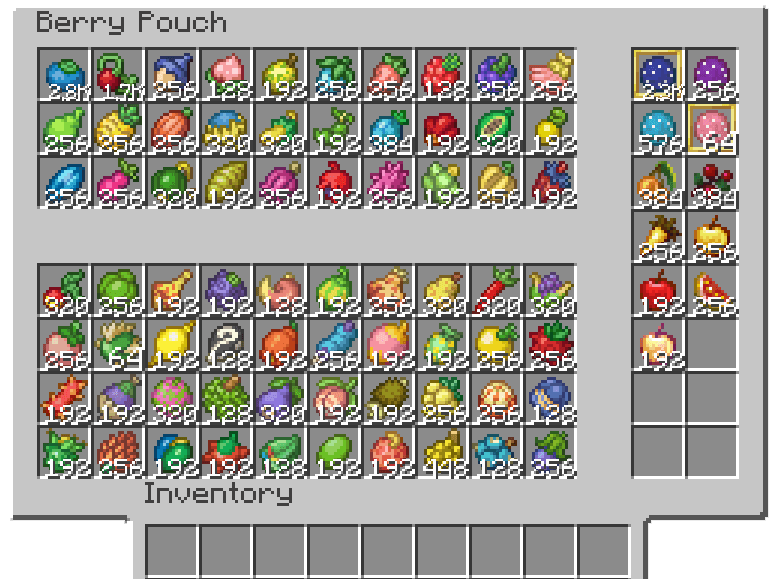
- The Berry Pouch supports all berries added by Cobblemon. The upper slots are designated for Natural Berries, while the lower slots are for Mutation Berries, allowing players to easily track their collection progress.
- The 16 unrestricted slots on the right can store items with the berrypouch:other_bait tag. They are primarily used for the Poké Rod's extension feature: automatic bait reloading. Additionally, these slots support loading Poké Baits with custom effects.
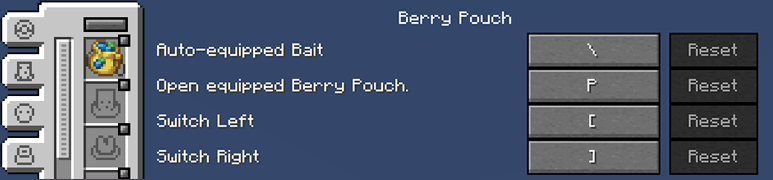
- Dedicated accessory slot and shortcut key for the Berry Pouch.
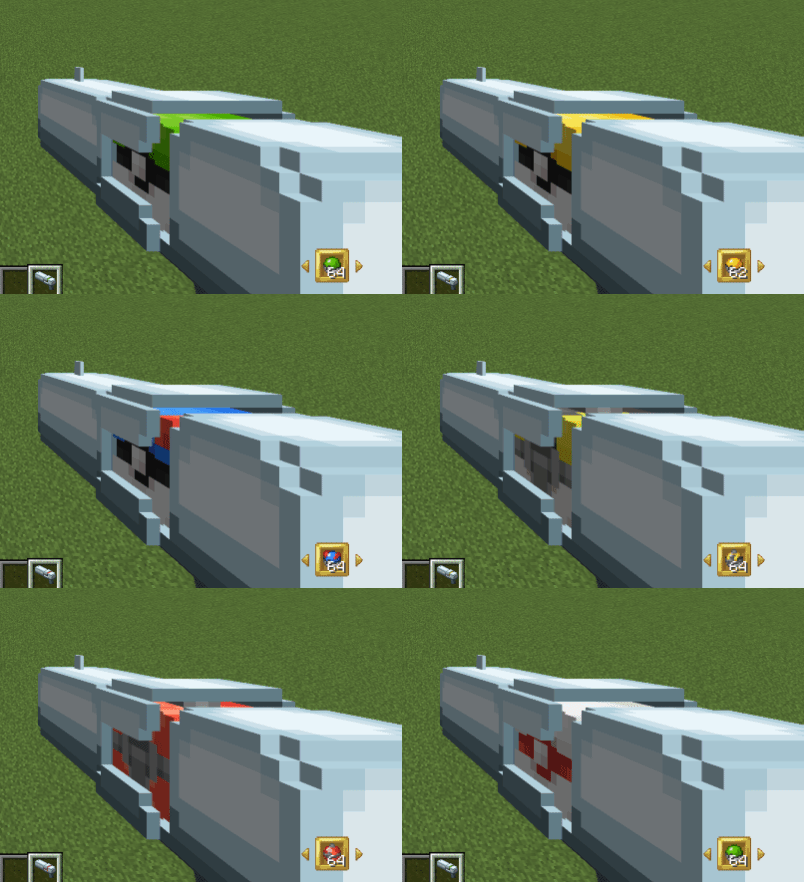
The Pokéball Launcher is a new item added in the 0.5.0 update.
- It helps you save inventory space so you can carry more Pokéballs. Its functionality is very similar to the Berry Pouch; you can use a hotkey to cycle through the Pokéballs in its slots and launch them.
This Video will help you learn about the 0.5.0 update.
Join our Discord channel for the latest updates, to report any bugs, or to share your thoughts! https://discord.gg/5grQ3jnhYZ
Як встановити Berry Pouch [Cobblemon]
With Millida Launcher
Install Millida Launcher
The launcher is free: download it at millida.net/launcher and sign in with any nickname.
Click “Install” on this page
The launcher opens and installs the mod for Minecraft 1.21.1 on Fabric or NeoForge automatically.
Launch the game
A profile with it appears in the launcher: click “Play”.
Manually
Install Fabric or NeoForge
The loader must match the game version of the mod file, for example Minecraft 1.21.1. After installing it, a separate profile appears in your launcher.
Download the file for your version
In the version list above, pick the file berrypouch-fabric-1.21.1-0.6.2-beta.jar (274 KB) for your game version and loader.
Put it in the mods folder
The folder is inside .minecraft (Windows: %appdata%\.minecraft\mods). If it does not exist, create it.
Launch the loader profile
Open “Mods” in the main menu: Berry Pouch [Cobblemon] should be in the list.
Minecraft 1.21.1 runs on Java 21: with a different Java version the game may close right after launch.
Версії
Із залежностями
| Minecraft | Завантажувач | Файл | Дата | Дії |
|---|---|---|---|---|
| 1.21.1 | Fabric | Berry Pouch 0.6.2-beta274 КБ | ||
| 1.21.1 | NeoForge | Berry Pouch 0.6.2-beta281 КБ 2 |
Часті питання
Which Minecraft versions does Berry Pouch [Cobblemon] work on?
Only Minecraft 1.21.1: there are no files for other versions.
Does Berry Pouch [Cobblemon] need other mods?
The author lists no required dependencies: the Fabric or NeoForge loader is enough.
Which Java does Berry Pouch [Cobblemon] need?
Minecraft 1.21.1 runs on Java 21. If the game closes right after launch, the usual cause is the wrong Java version in the profile settings.
Where can I download Berry Pouch [Cobblemon] safely?
On this page: the file berrypouch-fabric-1.21.1-0.6.2-beta.jar (274 KB) is stored on Millida’s server, with no link shorteners. SHA-1 checksum: 2c8971ab12e7190e2ecf127d09a2f2a0e47cd756.
Відгуки
Станьте першим, хто оцінить Berry Pouch [Cobblemon]


