
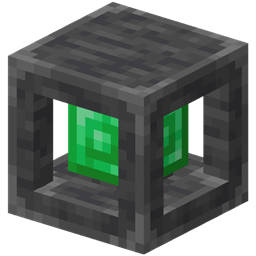
Bank Storage Мод для Minecraft 1.20.1, 1.21.1
Портативний пристрій зберігання, що вміщує до 1 000 000 000 предметів на слот.
 NeoForge
 Fabric
Bank Storage
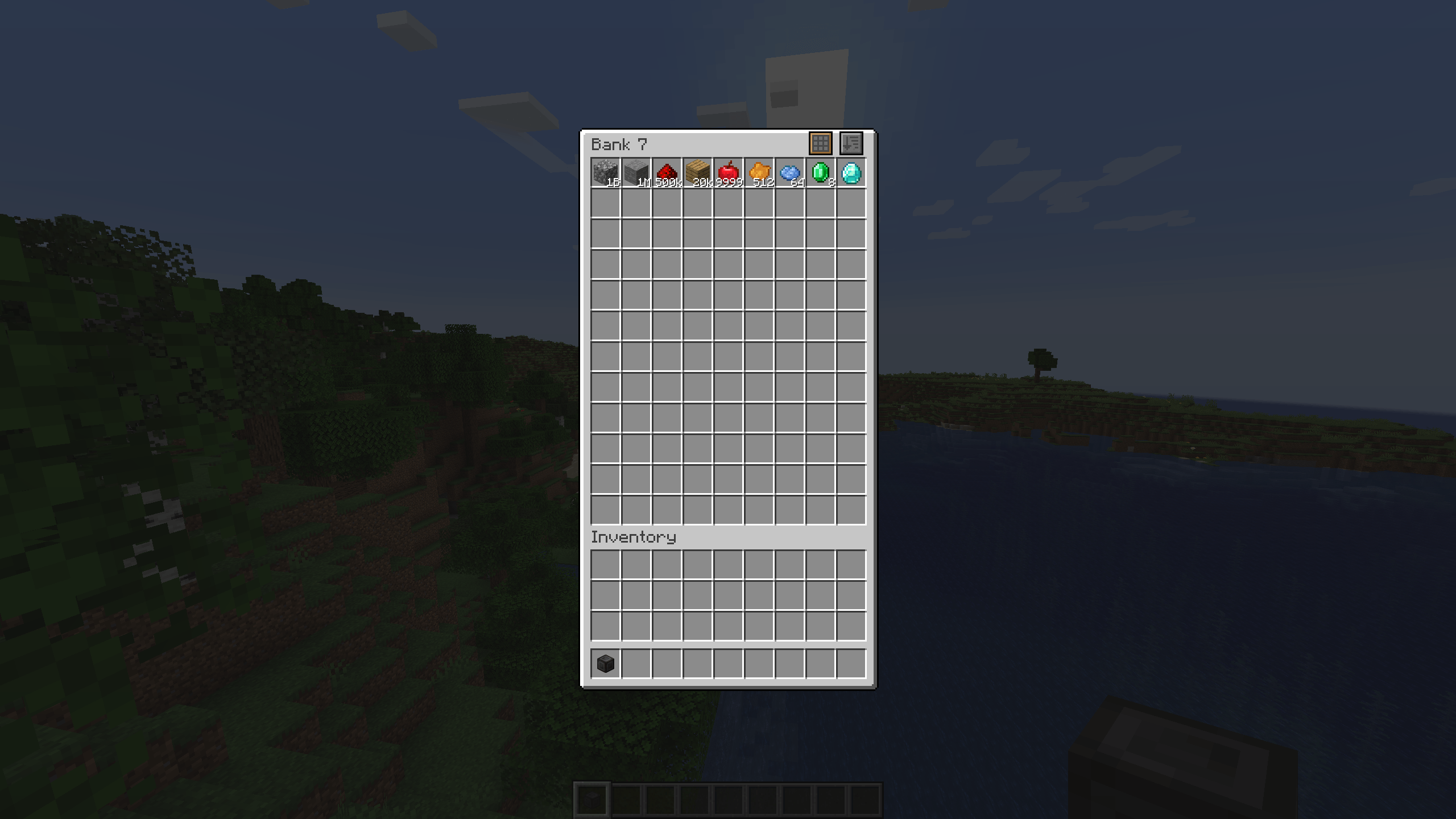
Adds Banks of 7 increasing sizes. A portable storage device that can store from 256 up to 1 BILLION items per slot.
Features
- Larger slots: Store more items per slot than normally possible. Up to 1 billion items in a single slot.
- Different sizes: From Bank 1 with 9 slots to bank 7 with 108 slots each with increasing slot sizes.
- Bank Dock: Dock your bank to easily access it in-world.
Pickup modes
- Pickup all: All items picked up will automatically go into the Bank instead of your inventory.
- Filtered pickup: Items will only go into Banks if they already contain matching items.
- Void excess: Similar to filtered pickup, but if there is no room left in the Bank, the item gets voided.
- No pickup: Items go straight into your inventory.
Build modes
- Build mode: Choose any block inside your Bank and place directly from the Bank item.
- Scroll while crouching to choose block.
- Randomized build mode: Similar to Build mode, but blocks get chosen randomly.
- Bag Mode: Right click to open the Bank inventory screen.
- Right click which crouching to change build mode.
Slot filtering
- Hold alt and click with an item to lock the slot to that item.
- Only matching items can go into that slot.
Bank Dock
- Craft with 6 smooth stone on the sides and 2 hoppers at the top and bottom.
- Right click with the Bank to dock it.
- Right click while crouching to pick up the Bank.
Bank Link
- Link to another Bank to access the contents in multiple places at the same time.
How to craft
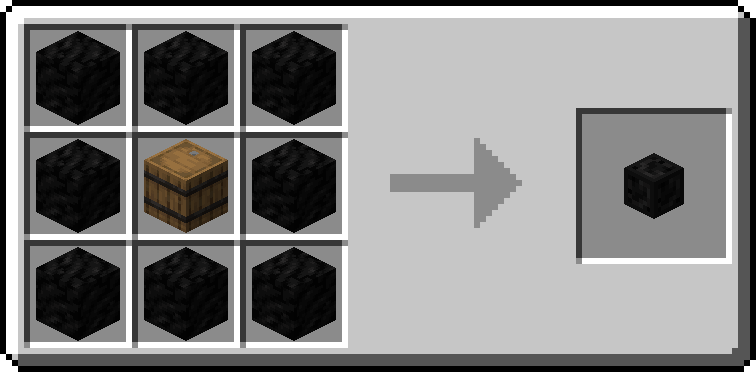
- Surround a barrel with 8 blocks of coal to craft the Bank 1.
- To craft higher tiers, surround the previous tier with 8 block of. the next material
- Materials used are Coal, Copper, Iron, Gold, Emerald, Diamond and Netherite, in that order.
Admin commands
- Lost banks can be restored with commands.
- /bankstorage fromuuid <uuid> <player> - Gives the bank with specified uuid to player.
- /bankstorage list - Lists all existing storages according to filters.
- /bankstorage list sort "date"/"type"/"player" - Lists all existing storages in specified order.
- /bankstorage filter clear [<type>] - Removes all filters. Optionally only filters of specified type.
- /bankstorage filter add <filter> - Add a filter.
- <filter> may be any of:
- type <bank_1 - bank_7> - Only list banks of specified type.
- player <player> - Only list banks which were last used by specified player.
- item <item> - Only list banks which contain the specified item.
Join the Discord!
Як встановити Bank Storage
With Millida Launcher
Install Millida Launcher
The launcher is free: download it at millida.net/launcher and sign in with any nickname.
Click “Install” on this page
The launcher opens and installs the mod for Minecraft 1.20.1–1.21.1 on Fabric or NeoForge automatically.
Launch the game
A profile with it appears in the launcher: click “Play”.
Manually
Install Fabric or NeoForge
The loader must match the game version of the mod file, for example Minecraft 1.21.1. After installing it, a separate profile appears in your launcher.
Download the file for your version
In the version list above, pick the file bankstorage-1.6.1+1.21.jar (247 KB) for your game version and loader.
Put it in the mods folder
The folder is inside .minecraft (Windows: %appdata%\.minecraft\mods). If it does not exist, create it.
Launch the loader profile
Open “Mods” in the main menu: Bank Storage should be in the list.
Minecraft 1.21.1 runs on Java 21: with a different Java version the game may close right after launch.
Версії
Із залежностями
| Minecraft | Завантажувач | Файл | Дата | Дії |
|---|---|---|---|---|
| 1.20.1 | Fabric | Bank Storage 1.2.4399 КБ | ||
| 1.21 | NeoForge | Bank Storage 1.6.1+1.21247 КБ 1 | ||
| 1.20.1 | Fabric | Bank Storage 0.1.4-beta147 КБ |
Відгуки
Станьте першим, хто оцінить Bank Storage


