
AutoSow Мод для Minecraft 26.3
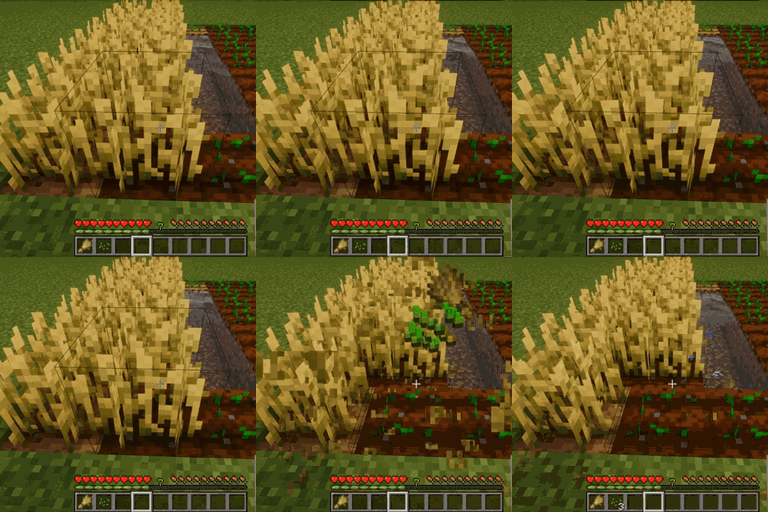
AutoSow автоматично пересаджує культури після збору врожаю, роблячи фермерство ефективнішим і приємнішим. Сумісний з усіма ванільними культурами та працює з будь-яким інструментом чи голими руками.
 Fabric
 Quilt
Quilt Forge
ForgeПро мод AutoSow

AutoSow — The Ultimate Crop Replanting Mod for Minecraft
AutoSow is a lightweight yet powerful utility mod designed to streamline your farming by automatically replanting crops the instant you harvest them. Say goodbye to tedious manual replanting and enjoy a smooth, efficient farming experience!
Key Features:
- Instant Replanting: Automatically replants crops immediately after harvesting, saving you time and effort.
- Universal Tool Compatibility: Works seamlessly with any tool or even bare hands.
- Smart Seed Management: Efficiently uses seeds from your inventory to keep your fields growing.
- Full Vanilla Crop Support: Compatible with wheat, carrots, potatoes, and beetroots.
- Easy to Use: No complicated setup—just install and start farming.
- Performance Optimized: Minimal impact on game performance thanks to clean, efficient coding.
- Highly Configurable: Enable or disable replanting for each crop type individually to suit your playstyle.
How It Works:
Simply harvest fully grown crops as usual. AutoSow will detect available seeds in your inventory and automatically replant the crop for you — works perfectly in both Survival and Creative modes.
Compatibility:
- Minecraft 1.12.2 and above
- Vanilla farming mechanics
- Compatible with most farming-related mods
Як встановити AutoSow
With Millida Launcher
Install Millida Launcher
The launcher is free: download it at millida.net/launcher and sign in with any nickname.
Click “Install” on this page
The launcher opens and installs the mod for Minecraft 26.3 on Fabric, Forge or Quilt automatically.
Launch the game
A profile with it appears in the launcher: click “Play”.
Manually
Install Fabric, Forge or Quilt
The loader must match the game version of the mod file, for example Minecraft 26.3. After installing it, a separate profile appears in your launcher.
Download the file for your version
In the version list above, pick the file AutoSow-2.9.0.jar (13 KB) for your game version and loader.
Put it in the mods folder
The folder is inside .minecraft (Windows: %appdata%\.minecraft\mods). If it does not exist, create it.
Launch the loader profile
Open “Mods” in the main menu: AutoSow should be in the list.
Версії
Із залежностями
| Minecraft | Завантажувач | Файл | Дата | Дії |
|---|---|---|---|---|
| 26.3 | Fabric, Quilt | AutoSow-2.9.0.jar13 КБ 12 | ||
| 26.3 | Forge | AutoSow-2.8.0.jar8.3 КБ 1 |
Часті питання
Which Minecraft versions does AutoSow work on?
Only Minecraft 26.3: there are no files for other versions.
Is AutoSow for Forge or Fabric?
There are files for Fabric: 26.3, for Forge: 26.3 and for Quilt: 26.3. There are no files for NeoForge: a mod for another loader will not start.
Does AutoSow need other mods?
The author lists no required dependencies: the Fabric, Forge or Quilt loader is enough.
Where can I download AutoSow safely?
On this page: the file AutoSow-2.9.0.jar (13 KB) is stored on Millida’s server, with no link shorteners. SHA-1 checksum: a0ea16d30b780e6165495ba8f21379570b1f88b6.
Відгуки
Станьте першим, хто оцінить AutoSow


