
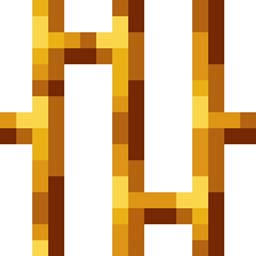
Additional Bars [FABRIC] Мод для Minecraft 1.21.8
Додає до гри додаткові ґратки, що пасують до залізних ґраток!
- переглядів
- 10 переглядів
- Оновлено
- Оновлено 18.10.2026
- 1.17 — 1.21.8
 Fabric
This Project will no longer be updated in favor of Addity
This mod adds additional bars to the game that go along with Iron Bars!
Goal of this mod is to add more options when it comes to bars blocks.
![Additional Bars [FABRIC] — скриншот 3](https://media.forgecdn.net/attachments/330/110/2020-12-28_20.png)
It adds Gold Bars and bars for each wood type
This mod uses a fork of OxidizeLib by Shnupbups.
The fork can be found here.
Translations:
- Spanish Translations by ruchom4u
- Chinese Traditional (Taiwanese) Translations by fantasyair18
- Russian Translations by TheDirectorX and BardinTheDwarf
- German translations by Zijuna
- Simple Chinese Translations by justmonika
- Korean Translations by mindy15963
Gold Bars are crafted the same way as Iron Bars, except it uses gold as ingredient.
Images:
FAQ:
FAQ:
Q: Can I Use this mod in my modpack?
A: Yes, just make sure to give proper credits.
Q: Can I / you post this mod to other sites?
A: If the site in question isn't CurseForge or Modrinth, No.
Q: I want to suggest a feature, where can I do that?
A: If you have an idea and want to suggest it, you can write down below, or on my GitHub (Preferred on GitHub).
![Additional Bars [FABRIC] — скриншот 4](https://media.forgecdn.net/attachments/330/109/2020-12-28_20.png)
Як встановити Additional Bars [FABRIC]
With Millida Launcher
Install Millida Launcher
The launcher is free: download it at millida.net/launcher and sign in with any nickname.
Click “Install” on this page
The launcher opens and installs the mod for Minecraft 1.17–1.21.8 on Fabric automatically.
Launch the game
A profile with it appears in the launcher: click “Play”.
Manually
Install Fabric
The loader must match the game version of the mod file, for example Minecraft 1.21.8. After installing it, a separate profile appears in your launcher.
Download the file for your version
In the version list above, pick the file additionalbars-7.0.1+1.21.8.jar (402 KB) for your game version.
Put it in the mods folder
The folder is inside .minecraft (Windows: %appdata%\.minecraft\mods). If it does not exist, create it.
Launch the loader profile
Open “Mods” in the main menu: Additional Bars [FABRIC] should be in the list.
Minecraft 1.21.8 runs on Java 21: with a different Java version the game may close right after launch.
Версії
Із залежностями
| Minecraft | Завантажувач | Файл | Дата | Дії |
|---|---|---|---|---|
| 1.21.8 | Fabric | [1.21.6+] Additional Bars 7.0.1402 КБ | ||
| 1.17 | Fabric | [1.17] Addditional Bars 2.1.0280 КБ |
Часті питання
Which Minecraft versions does Additional Bars [FABRIC] work on?
There are files for 1.21.8, 1.21.7, 1.21.6, 1.17. The newest is 1.21.8.
Is Additional Bars [FABRIC] for Forge or Fabric?
Only for Fabric: 1.17–1.21.8. There are no files for Forge or NeoForge: a mod for another loader will not start.
Does Additional Bars [FABRIC] need other mods?
The author lists no required dependencies: the Fabric loader is enough.
Which Java does Additional Bars [FABRIC] need?
Minecraft 1.21.8 runs on Java 21. If the game closes right after launch, the usual cause is the wrong Java version in the profile settings.
Where can I download Additional Bars [FABRIC] safely?
On this page: the file additionalbars-7.0.1+1.21.8.jar (402 KB) is stored on Millida’s server, with no link shorteners. SHA-1 checksum: d1fe19f2a7a633cc79898ae8ec7ac9f7588b0ba0.
Відгуки
Станьте першим, хто оцінить Additional Bars [FABRIC]


