

Ambience Збірка для Minecraft 1.21, 1.21.11
Добірка повністю клієнтських модів і ресурспаків, щоб Minecraft відчувався зануренішим і затишнішим.
- завантажень
- 1 завантажень
- переглядів
- 54 переглядів
- Оновлено
- Оновлено 04.09.2026
- 1.21 — 1.21.11
 Fabric
- Клієнт
Про збірку модів Ambience
Ambience - Client-side visual improvements
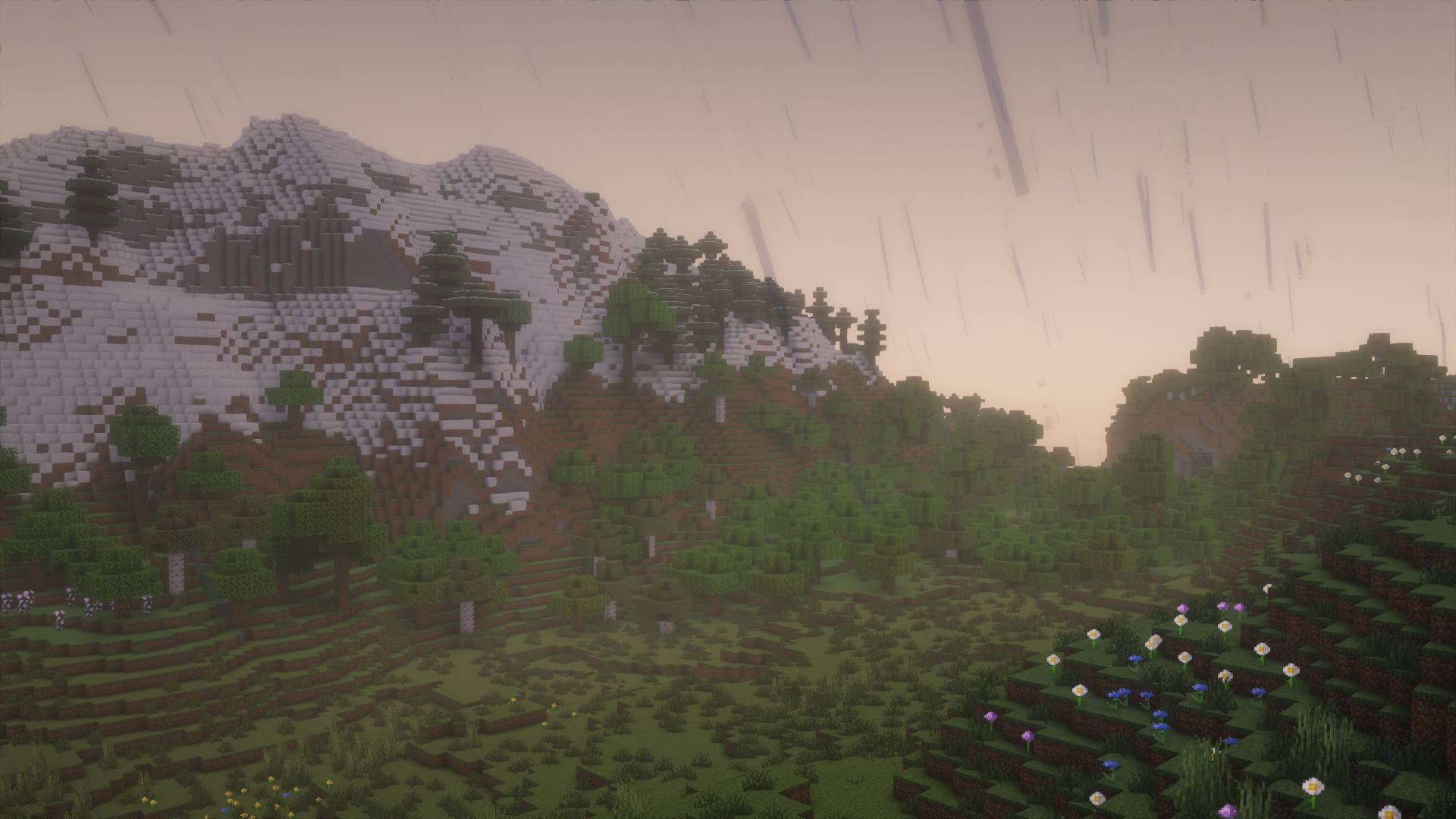
This modpack focuses on enhancing the Minecraft visuals, sounds and general feeling. It also adds some quality of life features while still maintaing the game fully compatible with vanilla servers.
Ambience was originally created for the the Expritan Server but has been made public and available to everyone with this Modrinth release.

Features
- Visual Improvements
- Connected textures
- Dynamic Lighting
- Better Skins and Models
- First person Models
- Shaders Included
- Better Particles & Effects
- Falling Leaves
- Visual Effects
- Smooth Chunk Loading
- Improved Animations
- Entity Animations
- Player Action Animations
- Eating Animations
- Sound Improvements
- Wind effects
- Ambient Mobs (Birds, Crickets)
- Underwater sounds
- Better step sounds
- Dripping sounds
- Better GUI & UX
- Blurring when GUIs are open
- Mouse tweaks
- Tooltips for Containers
- Performance Improvements
- Optimization Mods
- Threaded Chunk Loading
- Performance Saving when the game is out of focus

Як встановити Ambience
With Millida Launcher
Install Millida Launcher
The launcher is free: download it at millida.net/launcher and sign in with any nickname.
Click “Install” on this page
The launcher opens and installs the modpack for Minecraft 1.21–1.21.11 on Fabric automatically.
Launch the game
A profile with it appears in the launcher: click “Play”.
Manually
Download the modpack archive
In the version list above, pick the file Ambience 1.14.0.mrpack (124 KB).
Import it into a launcher
A launcher that supports modpacks (Millida Launcher, Prism) takes the archive via “Add modpack”, then “From file”. No need to unpack it yourself.
Allocate memory
Modpacks need more memory than the plain game: set 4–6 GB in the profile settings.
Minecraft 1.21.11 runs on Java 21: with a different Java version the game may close right after launch.
Версії
Із залежностями
| Minecraft | Завантажувач | Файл | Дії |
|---|---|---|---|
| 1.21.11 | Fabric | 1.21.11124 КБ 1 | |
| 1.21 | Fabric | 1.21176 КБ |
Що потрібно для запуску
- Continuityуже включено
- ImmediatelyFastуже включено
- Icebergуже включено
- Dependencyуже включено
- Cloth Config APIуже включено
- Bare Bones x Fresh Animationsуже включено
- Complementary Shaders - Reimaginedуже включено
- CICADAуже включено
- BSL Shadersуже включено
- Complementary Shaders - Unboundуже включено
- Fresh Animations: Extensionsуже включено
- Dependencyуже включено
- Lithiumуже включено
- No Chat Reportsуже включено
- Sound Physics Remasteredуже включено
- Visualityуже включено
- Bare Bonesуже включено
- FerriteCoreуже включено
- Dependencyуже включено
- Dependencyуже включено
- LambDynamicLightsуже включено
Часті питання
Which Minecraft versions does Ambience work on?
There are files for 1.21.11, 1.21. The newest is 1.21.11.
Is Ambience for Forge or Fabric?
Only for Fabric: 1.21–1.21.11.
Which mods are in the Ambience modpack?
Mods in the modpack include Continuity, ImmediatelyFast, Iceberg, Dependency, Cloth Config API, Bare Bones x Fresh Animations, Complementary Shaders - Reimagined, CICADA and 10 more.
Which Java does Ambience need?
Minecraft 1.21.11 runs on Java 21. If the game closes right after launch, the usual cause is the wrong Java version in the profile settings.
Where can I download Ambience safely?
On this page: the file Ambience 1.14.0.mrpack (124 KB) is stored on Millida’s server, with no link shorteners. SHA-1 checksum: d832d944f8453028d58291245ebcaf98a92cfaa6.
Відгуки
Станьте першим, хто оцінить Ambience


