

playtime tracker Датапак для Minecraft 1.16.5, 1.19.2
відстежуйте час гри у своєму світі, що відображається в днях, годинах, хвилинах і секундах!
- переглядів
- 32 переглядів
- Оновлено
- Оновлено 02.09.2026
- 1.13 — 1.20
 Датапак
- Клієнт і сервер
playtime tracker
track your world playtime displayed in days, hours, minutes, and seconds!
by default, playtime is displayed above your hotbar:
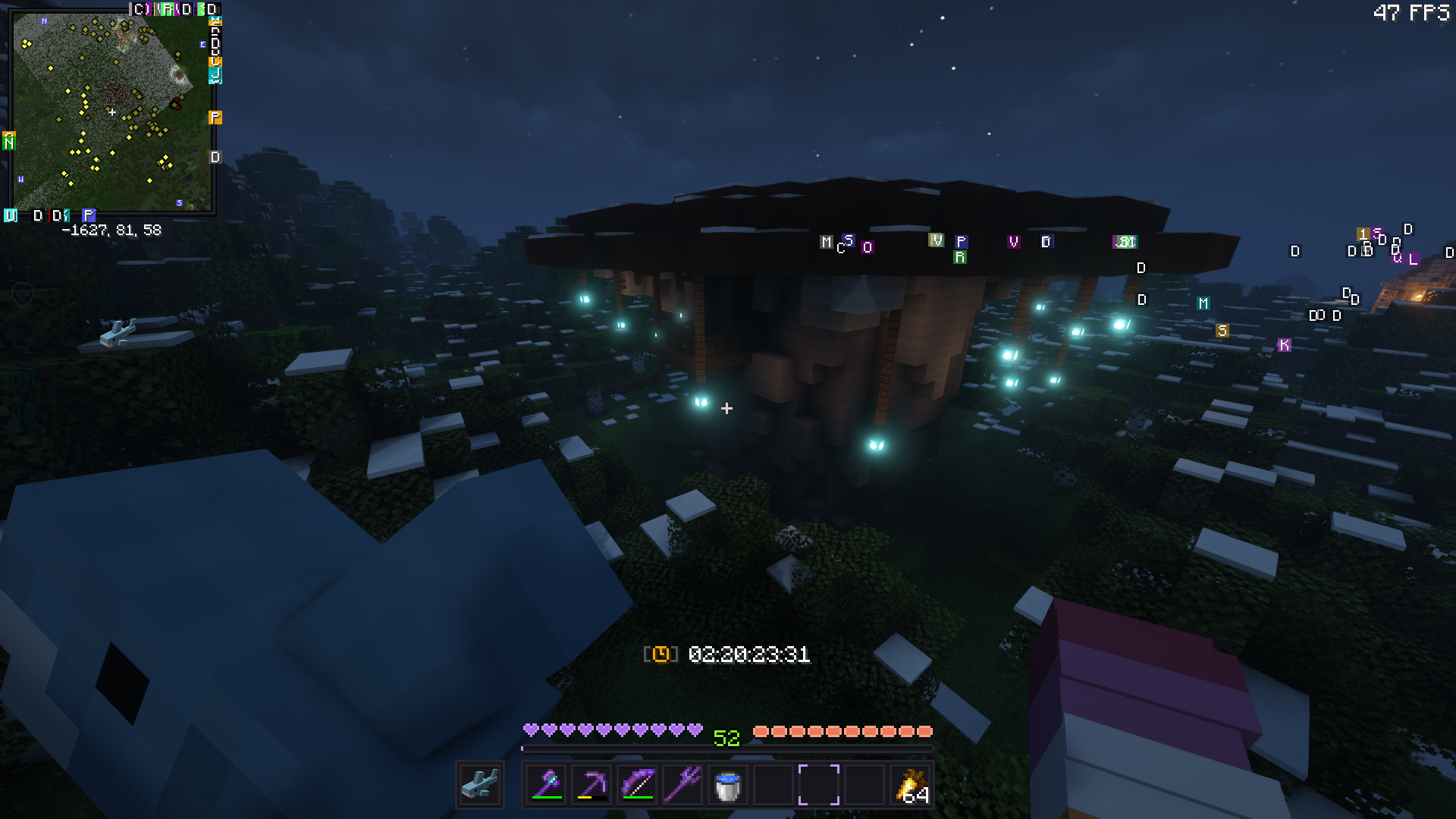
..but this can be toggled via: (playtime will still be tracked in the background)
/trigger playtime_display

alternatively, display global playtime with:
/scoreboard objectives setdisplay sidebar playtime_s/m/h/d
name - scoreboard
seconds - playtime_s minutes - playtime_m hours - playtime_h days - playtime_d

Як встановити playtime tracker
With Millida Launcher
Install Millida Launcher
The launcher is free: download it at millida.net/launcher and sign in with any nickname.
Click “Install” on this page
The launcher opens and installs the data pack for Minecraft 1.13–1.20 automatically.
Launch the game
A profile with it appears in the launcher: click “Play”.
Manually
Download the archive
Pick the file Playtime-Tracker.zip (17 KB) for your game version.
New world: “Data Packs”
When creating a world, click “Data Packs”, drag the archive into the window, then move it to “Selected”.
Existing world: the datapacks folder
Put the archive into saves/<world>/datapacks and type /reload in game.
On a server
Archive goes into the server world’s datapacks
The world/datapacks folder on the server; players do not need to install anything.
Reload the data
Type /reload in the server console or restart the server.
Use the “To server” button
On Millida Hosting, the button at the top of the page uploads the file to your server and restarts it for you.
Версії
Із залежностями
| Minecraft | Завантажувач | Файл | Дата | Дії |
|---|---|---|---|---|
| 1.18.2 | Датапак | 1.18.217 КБ | ||
| 1.17.1 | Датапак | 1.17.117 КБ | ||
| 1.15.2 | Датапак | 1.15.217 КБ | ||
| 1.14.4 | Датапак | 1.14.417 КБ | ||
| 1.16.5 | Датапак | 1.16.517 КБ | — |
Відгуки
Станьте першим, хто оцінить playtime tracker


