

Death Locator Датапак для Minecraft 26.3
Відстежуйте місце смерті за допомогою маркерів
- завантажень
- 2 завантажень
- переглядів
- 50 переглядів
- Оновлено
- Оновлено 26.09.2026
- 1.21.6 — 26.3
 Датапак
- Клієнт і сервер
Description
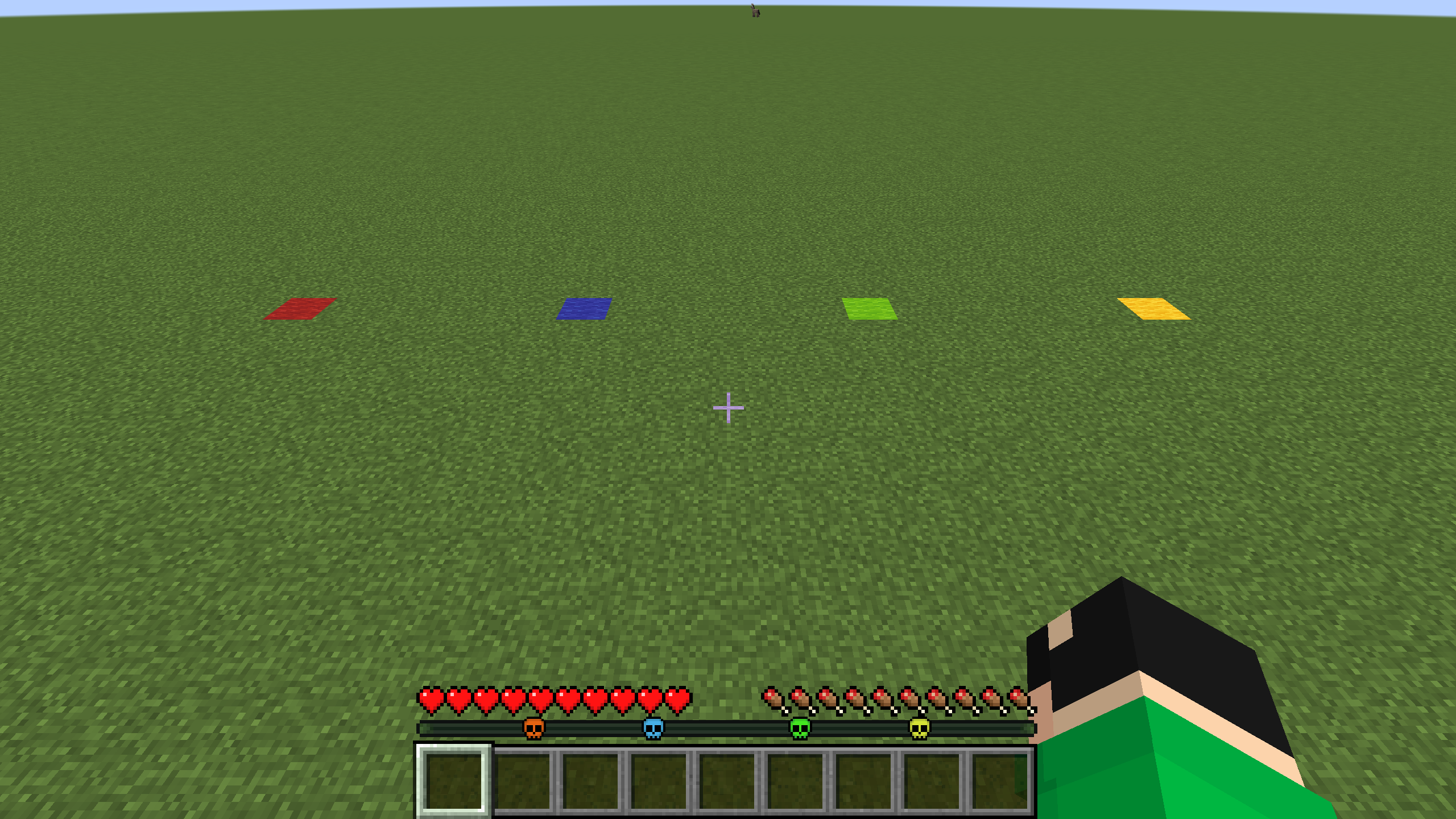
This mod/datapack adds death markers to the waypoint.
How to use
After the player dies, a marker appears that will lead the player to his death point, there can be several such points. The markers are removed only when the player gets close enough to it so that they do not accumulate indefinitely.

Settings
To make markers visible only when the player has a recovery compass in their inventory, you need to write this command
/trigger bizcub.use_recovery_compass
To return it back, you need to write this command
/trigger bizcub.dont_use_recovery_compass
To clear all markers, use
/trigger bizcub.clear_all_points
Icon
By default, the icon does not have the shape of a skull. But in the photo showing the functions of the mod, the icon is changed. For this, I used a resource pack, which you can download below in the mod or datapack files
Dependencies
- Fabric loader requires Fabric API
Як встановити Death Locator
With Millida Launcher
Install Millida Launcher
The launcher is free: download it at millida.net/launcher and sign in with any nickname.
Click “Install” on this page
The launcher opens and installs the data pack for Minecraft 1.21.6–26.3 automatically.
Launch the game
A profile with it appears in the launcher: click “Play”.
Manually
Download the archive
Pick the file Death-Locator-2.3-DP.zip (76 KB) for your game version.
New world: “Data Packs”
When creating a world, click “Data Packs”, drag the archive into the window, then move it to “Selected”.
Existing world: the datapacks folder
Put the archive into saves/<world>/datapacks and type /reload in game.
On a server
Archive goes into the server world’s datapacks
The world/datapacks folder on the server; players do not need to install anything.
Reload the data
Type /reload in the server console or restart the server.
Use the “To server” button
On Millida Hosting, the button at the top of the page uploads the file to your server and restarts it for you.
Версії
Із залежностями
| Minecraft | Завантажувач | Файл | Дата | Дії |
|---|---|---|---|---|
| 26.3 | Датапак | 26.376.3 КБ 1 | ||
| 26.2 | Датапак | 26.278.6 КБ | ||
| 26.1 | Датапак | 26.178.6 КБ | ||
| 1.21.11 | Датапак | 1.21.1178.6 КБ 1 |
Часті питання
Which Minecraft versions does Death Locator work on?
There are files for 1.21.6–26.3, 11 versions in total. The newest is 26.3.
Does Death Locator work on a server?
Yes: the data pack goes into the datapacks folder of the server world, and players do not need to install anything.
Where can I download Death Locator safely?
On this page: the file Death-Locator-2.3-DP.zip (76 KB) is stored on Millida’s server, with no link shorteners. SHA-1 checksum: eca7baf0fb2fcb9e5d244d2b89486ec22e4684cd.
Відгуки
Станьте першим, хто оцінить Death Locator


